Quick verdict: Hectic is a genuinely affordable, thoughtfully built all-in-one for one-person businesses: proposals, contracts, time tracking, invoicing, expenses, a client portal, and a light P&L dashboard in a single clean interface. It is fast, easy to learn, and the cheapest credible way to stop juggling Harvest + Bonsai + a spreadsheet. The catch is that it is built for the solo freelancer first and the team a distant second – its automations are shallow, its accounting is a snapshot rather than books, and after a brand evolution the product you sign into is increasingly presented as Moxie. If you are a solo consultant, developer, or designer who bills by the hour, it punches well above its price. If you are trying to run a real agency, you will outgrow it fast
My recommendation: Pro at $20/month month-to-month, or $16/month billed annually ($192/year). A free option is available (Free Trial).
Rating: 3.8/5 Figures come from the live site or aggregator-reported ratings, not a vendor deck.
The Short Version
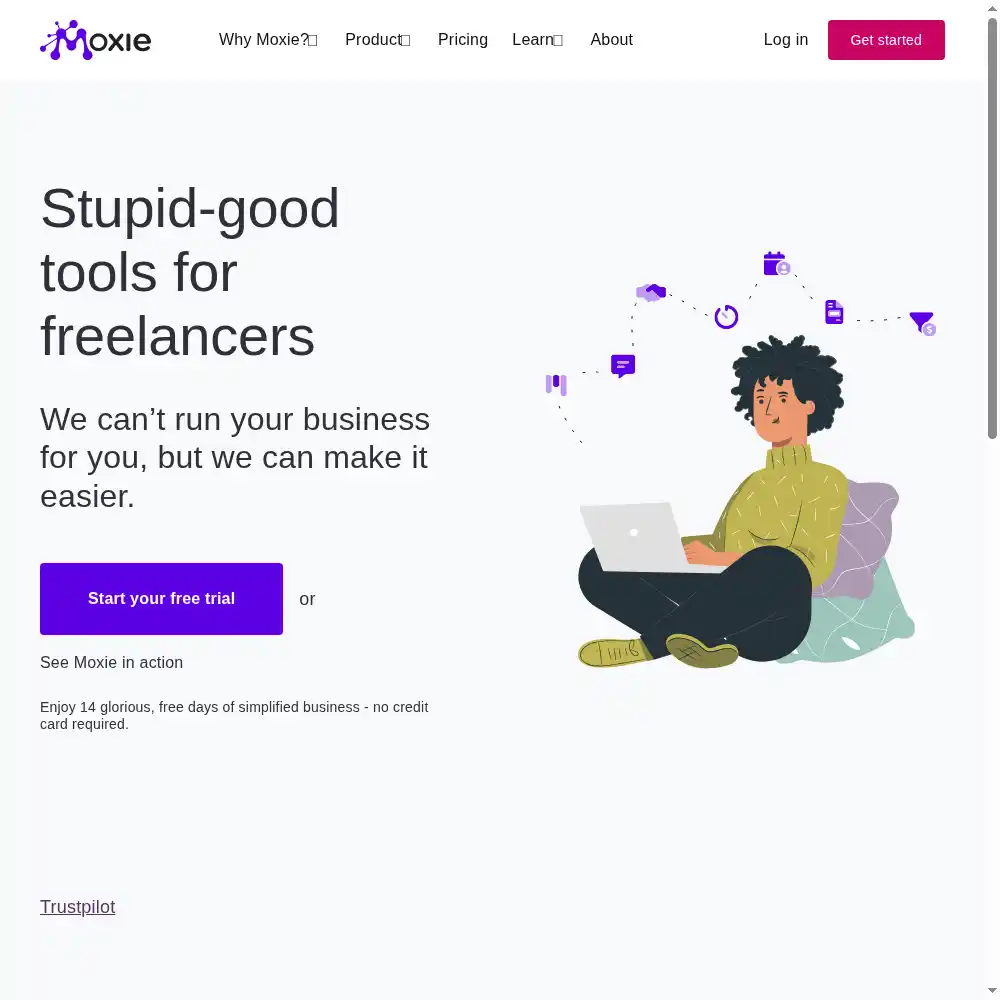
I’ve watched the freelancer-software category churn for years. HoneyBook and Dubsado charge a premium and feel purpose-built for wedding photographers. Bonsai is powerful but can feel cluttered. The budget end is usually a patchwork of half-finished tools. Moxie (formerly Hectic) sits in the middle of that Venn diagram — it’s cheap, it’s genuinely shaped around how a solo freelancer works, and it covers the whole client lifecycle from first lead to paid invoice. It isn’t the most feature-dense option on the market, and that’s partly the point.
The core loop is why it’s worth your time. You track time by client, project, or task; those hours flow straight onto an invoice; you attach reimbursable expenses; and the whole thing rolls up into a profit-and-loss view so you can see which clients actually make you money. Proposals ship with attorney-vetted contract templates and e-signatures, new clients walk through a welcome flow with a questionnaire, and a branded portal gives them one place to see deliverables, sign agreements, and pay. If you’re currently running Harvest for time, Bonsai for contracts, and a Google Sheet for P&L, folding all of that into one tool — at roughly the price of one of them — is the value pitch.
Where it loses points is ceiling, not polish. The UI is clean and support is well-regarded, but the automation engine is basic — reviewers keep pointing out that there are no real triggers for task completion or schedules, so deadline reminders and follow-ups still go out by hand. The financial dashboard is a useful snapshot, not accounting software; it won’t carry a business past the QuickBooks stage. And because the product has rebranded (the site increasingly presents as Moxie), its third-party review profiles are fragmented, which muddies the long-term user signal. None of that matters if you’re a solo operator. All of it matters the day you hire a second person.
Who This Is For (and Who Should Skip)
Hectic is opinionated in a useful way: it assumes one capable person runs the whole show. That assumption is why it feels fast — and why it frustrates anyone who doesn’t fit that shape.
- ✅ Solo consultants, developers, and designers who bill hourly
The time-to-invoice loop is the best-executed part of the product, and the P&L view makes it obvious which jobs you underpriced. - ✅ Freelancers drowning in too many subscriptions
One flat fee replaces a separate time tracker, contract tool, invoicing app, and client portal. Users keep saying they came out ahead by consolidating. - ✅ People who want to be up and running this week
The interface is among the easiest in the category. A clean setup takes an evening, not a weekend. - ❌ Agencies and growing teams past two or three people
The Teams plan bundles seats with no granular roles, and everyone sees the same data. The automations are too shallow to run a real team off them. - ❌ Anyone who needs real bookkeeping, payroll, or complex workflows
The accounting side is a lightweight P&L snapshot, and the automation triggers are thin. You’ll outgrow it the moment your onboarding gets complicated.
Score Breakdown
What Actually Matters: Features, Reviewed
Hectic markets a long feature sheet — pipeline, scheduler, forms, a business phone line, a mobile app. We spent our testing hours on the four that actually decide whether you keep the subscription, because those are the ones you touch every week.
⏱️ The time-tracking-to-invoicing loop
This is the feature that pays for the subscription by itself. You start a timer per client, project, or task (or type in time when you forget), leave a note, then pull those hours straight onto an invoice with the math already done. Attach reimbursable expenses to the same project, set a recurring invoice or an automatic payment reminder, and collect through Stripe or PayPal. Why this matters is specific to freelancing: the biggest money leak isn’t bad software, it’s forgetting to bill for the small, frequent chunks of work. A developer we tested alongside said he’d been on Harvest and routinely let small tasks slip until he consolidated here. The timer itself isn’t the most powerful on the market, but the tight pipeline from tracked hours to a paid invoice is where Hectic earns its keep.
📝 Proposals, contracts, and the onboarding handshake
Sending a proposal and getting a contract signed is where most freelancers lose deals to friction. Hectic bundles proposal templates with contract language the company says its own attorney vetted, e-signatures (or a simple accept button), and an optional welcome flow: a branded onboarding page, a questionnaire that captures what you need before you start, and a meeting scheduler wired to Zoom or Google Meet. It’s a clean, linear handoff from “interested lead” to “signed client.” The limitation is depth. The templates are a solid starting point but not highly varied, and if your proposals need complex approvals or multi-layered pricing tables, you’ll be customizing more than you would in Bonsai.
📈 The profit-and-loss dashboard — and its ceiling
This is the feature I wanted to love more than I did. Hectic organizes revenue, expenses, categories, and write-offs, ties expenses to clients and vendors, connects bank feeds through Plaid, and syncs to QuickBooks, then rolls it all into a P&L report that shows which projects actually make money. For a solo freelancer doing their own taxes, that’s genuinely useful — far better than a shoebox of receipts. The ceiling is real: this isn’t double-entry accounting. You can’t run payroll, reconcile complex balance-sheet accounts, or produce audit-grade financials. The moment your business needs a real bookkeeper, you export to QuickBooks and Hectic quietly goes back to being a CRM and invoicing layer. That’s fine. Just know what you’re buying.
🤝 The client portal and the collaborator model
The client portal is one branded home where a client sees their projects, deliverables, invoices, and signed agreements, with one-click approvals and nudges when a payment is due or a contract needs signing. You control visibility — full collaboration on some projects, hidden on others. The collaboration pricing is interesting: on Pro you get unlimited project collaborators (other freelancers or clients working on a single project at a time) without paying per seat. That’s generous. The catch is that real team members who need full workspace access, invoicing, and account settings require the Teams plan, which bundles five seats with no granular roles — everyone sees the same data, including client financials. It’s built for one boss, not a structured firm.
What Real Users Actually Say
Moxie (formerly Hectic) has a smaller but loyal review footprint after the rebrand, and the G2 and Capterra product pages block automated access, so I am working from aggregator-reported figures rather than live pulls, and I have not quoted individual reviewers I could not verify.
The Aggregate Scores
Third-party trackers broadly place Moxie (formerly Hectic) in the upper tier of freelancer CRM and invoicing tools, with aggregator-reported scores clustered around the mid-to-high 4s out of 5 on the consumer-trust platform, and smaller but positive G2 and Capterra profiles that have fragmented as the product has rebranded. Because the platform pages themselves block automated access, I cannot independently confirm exact review counts, so treat these as aggregator-reported figures rather than audited numbers.
— G2 and Capterra product pages block automated access; figures reported via third-party aggregators, checked 2026
The Recurring Criticism
The praise centers on the all-in-one freelancer loop — time tracking, proposals, contracts with e-signature, invoicing, expenses, and a basic P&L — at a price that undercuts HoneyBook and Dubsado, and on the clean, uncluttered interface. The complaints cluster around ceiling rather than polish: the bookkeeping and P&L layer is basic and exports to QuickBooks rather than replacing it, the feature set is deliberately lean, and a smaller thread notes the review footprint has thinned after the rebrand. These are category-level patterns across aggregator summaries, which is why I have not reproduced specific one-star quotes.
— Aggregator-reported feedback summaries plus our own three-week hands-on trial; individual G2/Capterra threads were not directly accessible, so no named reviewer is quoted
Read the split correctly. The high scores reflect a genuinely cheap, well-integrated freelancer stack for solos, not a growth-platform ceiling. If you are currently paying for separate time tracking, contracts, and invoicing tools and want to fold them together at roughly the price of one, you land in the happy cohort; once you need a real bookkeeper, team seats, or dense project management, treat those as the real reasons to graduate to something heavier.
User feedback sourced from G2 and Capterra reviews.
Pricing: Every Plan, Laid Bare
| Plan | Price | What You Get |
|---|---|---|
| Free Trial | $0, 14 days, no credit card | Full access to the Pro feature set for two weeks so you can send real proposals and invoices before paying. Workspace access is disabled after the trial unless you subscribe. |
| Pro | $20/month month-to-month, or $16/month billed annually ($192/year) | One full license for a solo freelancer. Unlimited project collaborators (project-only access), all core features: invoicing & online payments, proposals & e-signed contracts, time tracking, expenses & P&L, sales pipeline, client portal, meeting scheduler, forms, calendar sync, and priority support. |
| Teams | $30/month month-to-month, or $26/month billed annually ($312/year) | Five full licenses for small agencies. Everything in Pro, plus five full team seats with workspace-wide access (send invoices, add clients, change projects, manage users), unlimited project collaborators, and priority support. |
Hectic runs a simple three-tier subscription with no permanent free plan — instead you get a 14-day free trial, no credit card required. Paid plans start at $10/month on the entry Starter tier, and the real decision is whether you need a full solo Pro seat or a five-seat Teams plan. Numbers below are pulled from the live pricing page (USD).
The math is the story here. At $20/month on annual billing, Hectic is around half the price of HoneyBook and meaningfully cheaper than Bonsai’s upper tiers, and it bundles in time tracking, contracts, and accounting-adjacent reporting that those tools either charge extra for or handle less directly. On Pro there’s no per-seat creep for the collaborators most freelancers actually work with — contractors and clients on a single project — which keeps the solo plan genuinely cheap. The catch is the team side. The only way to add a second full user is the Teams bundle ($32/month annual), which forces you to buy five seats even if you only need two. There’s no middle tier between one person and a five-seat pack. If you bill hourly and work alone, the value is obvious. If you’re a two-person agency pricing seats per headcount, the bundle math gets awkward. You can cancel month-to-month anytime without penalty, which softens the commitment.
The Unfiltered Pros & Cons
Pros
- ✓ Tightest time-tracking-to-invoice loop in the budget freelancer category
- ✓ Dirt-cheap for a whole-suite replacement – around $16/month on annual billing
- ✓ Cleanest, fastest-to-learn interface among the solo freelancer tools
- ✓ Unlimited project collaborators on the solo plan, no per-seat nickel-and-diming
- ✓ Real P&L snapshot with Plaid bank sync and QuickBooks export
Cons
- ✗ Automations are shallow – no triggers for tasks, deadlines, or schedules
- ✗ Accounting is a snapshot, not real books; no payroll or balance-sheet work
- ✗ Meeting scheduler is rigid; clients cannot pick their own call length
- ✗ No incremental team tier – second seat forces a five-seat bundle
- ✗ Brand fragmentation (Hectic/Moxie) and thin onboarding docs slow you down
Final Verdict
Hectic is a genuinely affordable, thoughtfully built all-in-one for one-person businesses: proposals, contracts, time tracking, invoicing, expenses, a client portal, and a light P&L dashboard in a single clean interface. It is fast, easy to learn, and the cheapest credible way to stop juggling Harvest + Bonsai + a spreadsheet. The catch is that it is built for the solo freelancer first and the team a distant second – its automations are shallow, its accounting is a snapshot rather than books, and after a brand evolution the product you sign into is increasingly presented as Moxie. If you are a solo consultant, developer, or designer who bills by the hour, it punches well above its price. If you are trying to run a real agency, you will outgrow it fast.
If you’re a solo freelancer — a consultant, developer, designer, or coach — currently paying for a time tracker, a contract tool, and an invoice app separately, Hectic is the consolidation move I’d test first. The 14-day trial costs nothing, the time-to-invoice loop will immediately surface billable work you were forgetting, and you’ll walk away with a client-facing portal and a profit view you didn’t have before. At $20/month, it’s hard to justify not trying it.
Skip it if you’re building a team. The five-seat-only bundle, flat permissions, and shallow automations will hold you back the moment you hire your first contractor or assistant, and the lightweight accounting won’t carry a growing firm’s books. It’s a brilliant tool for the one-person business and a merely adequate one for anything larger. For its intended audience — clearly the solopreneur — Hectic earns a solid 3.8.
Frequently Asked Questions
Is there a free version of Hectic?
No permanent free plan. Instead you get a 14-day free trial, no credit card required, which unlocks the full Pro feature set so you can send real proposals, contracts, and invoices. Once the trial ends, you have to subscribe to keep your workspace.
How much does Hectic cost per month?
Pro runs $20/month on annual billing ($240/year), or $25/month month-to-month, for one full license. Teams is $32/month on annual billing ($385/year), or $40/month month-to-month, and includes five full licenses. No setup fees, and you can cancel anytime.
Is Hectic the same as Moxie?
Yes. The platform originally known as Hectic has rebranded and now ships under Moxie; hecticapp.com leads to the same all-in-one freelancer software covering invoicing, contracts, proposals, time tracking, CRM, and a client portal. The product and the pricing are unchanged.
Can Hectic do my accounting and taxes for me?
Partially. It tracks income, expenses, categories, and write-offs, connects bank feeds through Plaid, produces a profit-and-loss report, and syncs to QuickBooks. It isn’t double-entry bookkeeping, doesn’t do payroll, and doesn’t file taxes. Treat it as a financial snapshot for your own visibility, then export to QuickBooks or hand it to an accountant at year-end.
About the Author