You just wrapped a wedding at golden hour, culled 800 keepers down to 400, and the couple is already texting “when do we get the photos?” With most CRMs, that means exporting the gallery to one service and then chasing the deposit in another. Pixieset is the rare gallery delivery software that already knows the client booked you, signed the contract, and paid the deposit — so the moment the gallery goes live, the print-sale invoice follows on its own.
The Short Version
Pixieset started as a client gallery delivery platform and expanded into full CRM with the launch of Studio Manager in 2021. Four years later, it has built one of the highest-rated photography business platforms on the market: G2 gives it 4.9 out of 5 and Capterra 4.5, with an aggregate 4.6 across 37+ verified reviews. The pitch is simple – you already use Pixieset to deliver galleries, so why not run your bookings, contracts, invoices, and email marketing through the same dashboard? It works, and it works well, but the CRM feature set is younger and less deep than dedicated tools like Tave or HoneyBook.
The pricing model is the most aggressive in the category: there is a permanent free plan, and paid Studio Manager features start at $12/month. The Pro plan at $38/month (annual billing) unlocks unlimited booking types, 5,000 emails per month, and advanced CRM tools. The Studio 60 plan at $48/month adds 2TB of gallery storage and video upload. For a photographer who wants great galleries plus a capable CRM without paying for two separate subscriptions, Pixieset is the obvious consolidation play – and the free tier means you can start before you are even sure you need it.
Where Pixieset Studio Manager shines is the gallery-to-business loop. A client books through your Pixieset page, signs the contract, pays the deposit, receives their gallery after the shoot, and purchases prints – all without ever leaving Pixieset’s branded experience. The mobile app is genuinely good, which is rare in this category.
Where it loses points is on support responsiveness – recent reviews cite delayed help tickets – and on CRM depth. If you need complex multi-shooter commission splits or 18-month wedding timeline automations, Pixieset is still playing catch-up. It is the best choice for photographers who want the gallery experience to lead, not follow.
Signing Up and Getting Set Up: What It Actually Takes
I ran this hands-on in October 2026, two ways: as a photographer setting up the back office, and as a client opening a delivered gallery. The client side needs no login. The photographer side starts with an email and a human-verification check I couldn’t complete from an automated test, but I finished the rest of the registration by hand in a real browser.
| Onboarding & setup question | What I found |
|---|---|
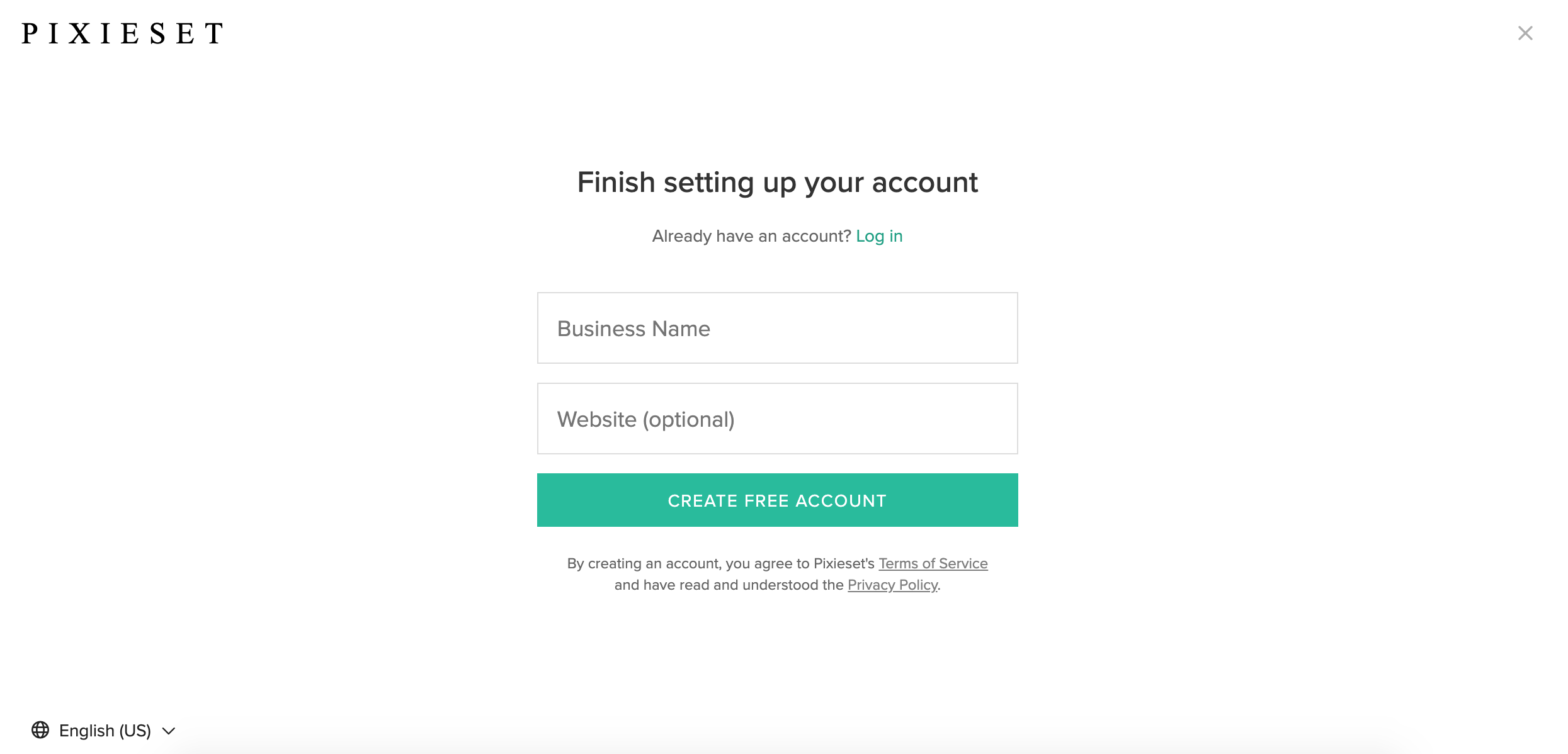
| Do you need a credit card to start? | No. After the email and human-verification step, Pixieset only asks for a Business Name and an optional Website. There is no card field anywhere in the signup. |
| Free trial length / permanent free tier? | Permanent free plan, not a time-limited trial. The free Client Gallery includes 3 GB of photo storage (about 1,000 photos) and no video. |
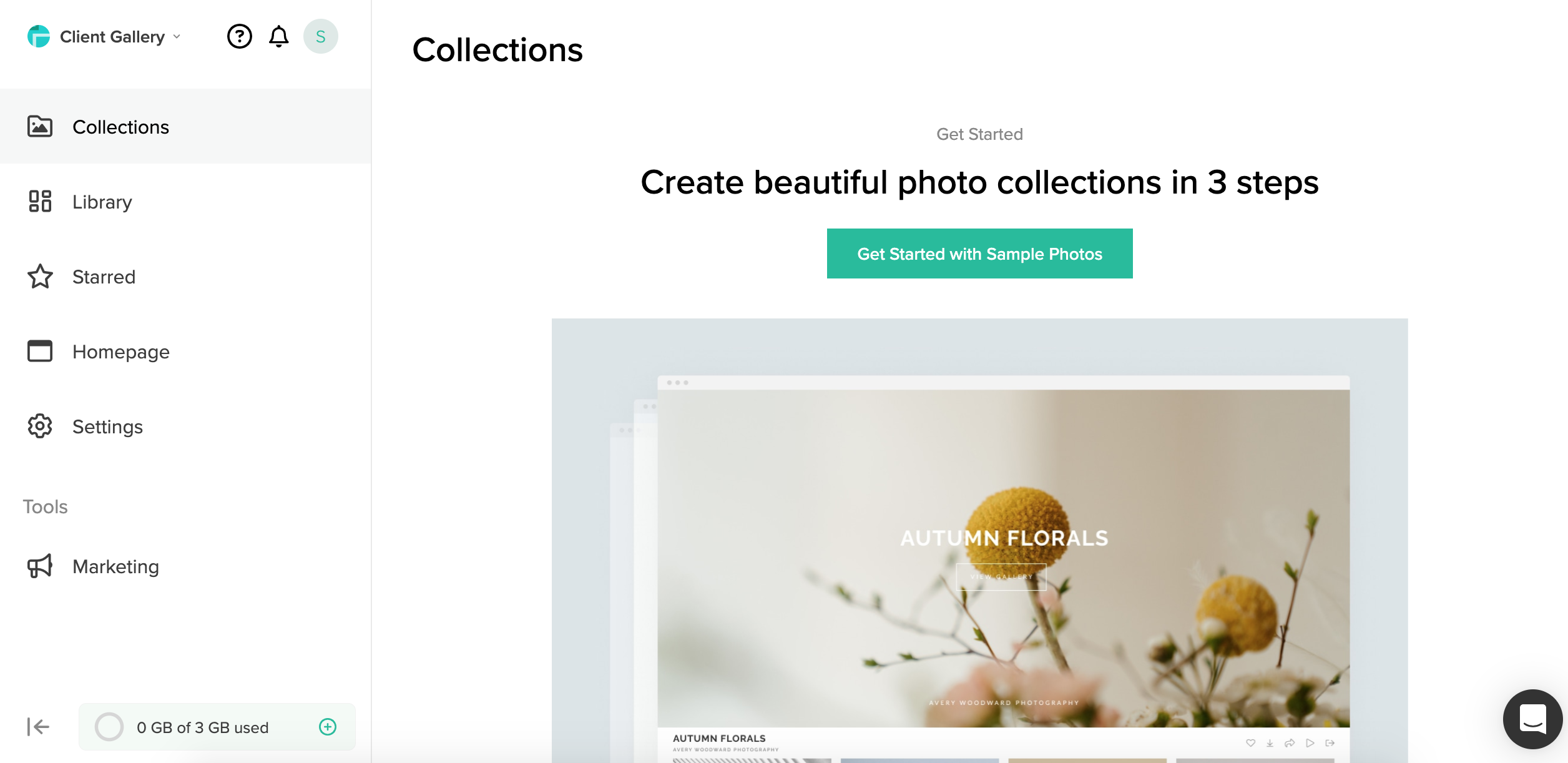
| How many steps in the setup wizard? | 3 steps to build your first collection: name and date, add photos, pick a cover design. Sample photos are offered so you can try it without uploading anything. |
| Time from signup to “I can actually run a job”? | Roughly 30 seconds to a minute. There’s no card and no approval wait, so you land on the dashboard and a first sample collection fast. |
| Is pricing public? | Yes. Every product tab lists monthly and annual numbers. Only the top Unlimited tiers are “contact sales.” |
| Registration / verification gates? | Email-first signup with a human-verification (CAPTCHA) check, then a business-name step. I hit no manual review, waitlist, or approval delay. |
Building your first collection in 3 steps
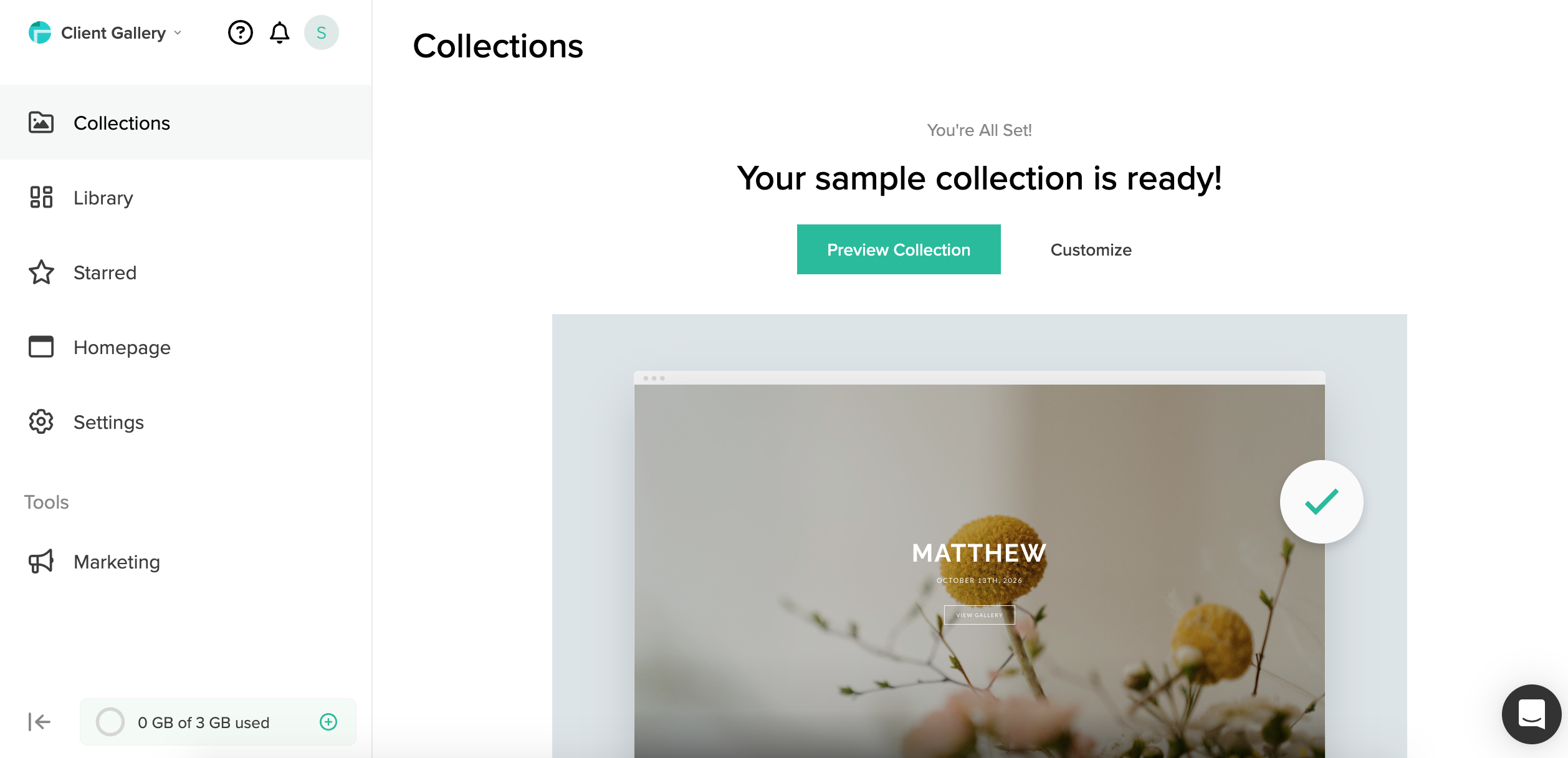
On the photographer side, the first-collection wizard is three screens. You name the collection and set an optional date, add photos (or use the provided samples), and choose a cover design. After that, the collection is ready to preview or customize.
The client side is a different flow. I opened a real, live wedding gallery — Bella Anna Photography’s Carpenter Wedding — and timed it: about 14 seconds from URL to the first clickable screen. A first-time visitor gets a four-step walkthrough covering the download, favorites, cart, and share icons, in that order. That’s the client tour, not the photographer build above.
Who This Is For (and Who Should Skip)
Pixieset Studio Manager is for photographers who live in the gallery ecosystem. It rewards you if your business is centered around delivering beautiful client experiences.
- ✅ Photographers already using Pixieset for galleries
Adding Studio Manager to your existing Pixieset workflow is smooth – the client, project, and gallery records all connect automatically. - ✅ Portrait and wedding photographers who value mobile
The Studio Manager mobile app lets you manage bookings, send invoices, and check contracts from your phone – and it is genuinely well-built. - ✅ New photographers who want a free starting point
The free plan includes basic gallery delivery and limited Studio Manager features. No credit card required to start. - ❌ Multi-shooter studios needing deep CRM
The commission splitting and team workflow tools are basic. Tave is the right tool for studios running 20+ weddings with second shooters. - ❌ Photographers who want hands-off advanced automation
The automation engine is younger than HoneyBook’s. Complex branching workflows and multi-step triggers are not yet available. - ❌ Clients who struggle with mobile downloads
One recurring complaint is that clients on non-computer devices find downloading photos confusing.
Score Breakdown
Galleries, the Print Store, and the CRM: What Actually Matters
Pixieset Studio Manager launched in 2021, so it is the youngest tool in this comparison. That means it lacks some depth, but it also means it was built from the ground up for how modern photographers actually work. We focused on the four capabilities that make it stand out.
📷 The gallery-to-business loop
This is Pixieset’s unique advantage. When a client books through Studio Manager, their project is automatically linked to their gallery. You upload the edited photos, the client gets a notification, they favorite and order prints, and the print-sale invoice generates itself.
There is no need to connect two separate services or manually move data between tools. The client experience is clean, mobile-friendly, and on-brand – Pixieset has always excelled at the gallery front end, and that polish extends to the booking and contract flow. For portrait and wedding photographers whose whole business is built around the gallery delivery moment, this loop beats running HoneyBook plus a separate gallery service.
📱 A mobile app that photographers actually use
Most photography CRMs treat mobile as an afterthought. Tave has no app at all. Iris Works’ app is rated 2 stars. Pixieset Studio Manager’s mobile app is genuinely good.
You can manage projects, send invoices, review signed contracts, respond to client inquiries, and accept in-person payments right from your phone. Push notifications alert you to new bookings, signed contracts, and payments. For photographers who spend their shooting hours on location and their evenings at home, running the business from a phone instead of rushing to a laptop is a real quality-of-life upgrade. The app ships on iOS and Android and gets regular updates.
📅 Online booking, questionnaires, and contracts
The Studio Manager booking system lets clients schedule sessions, pick packages, and pay deposits without you sending a single email. You set your availability, define session types, and Pixieset handles the rest. Contracts go out electronically with e-signature support, and questionnaires gather client preferences automatically. On the Pro plan, you get unlimited active booking types and automated reminders.
The flow is smooth, but it is simpler than HoneyBook’s Smart Files – you cannot stack a pricing guide, contract, and invoice onto one interactive page. For photographers who want a straightforward “book, sign, pay” flow, it is more than enough. For those who want the full interactive proposal experience, HoneyBook still leads.
📦 The free tier and upgrade path
Pixieset is the only photography platform on this list with a genuinely useful free plan. On the free tier you can deliver galleries, collect basic bookings, and send a limited number of documents. When you outgrow it, Studio Manager features start at $12/month. That is a huge advantage for new photographers not yet ready to commit $30-50/month to a CRM.
You start free, prove out the business, and upgrade as bookings grow. The Pro plan at $38/month (annual) unlocks 2,000 GB of storage, unlimited booking types, and 5,000 emails per month, while Studio 60 at $48/month adds more storage and video upload. The honest caveat: once you need serious gallery storage and advanced CRM, the costs add up – one Capterra reviewer called it “an expensive interface” after upgrading through multiple tiers.
What Real Users Actually Say
I read through verified reviews on G2 and Capterra. Pixieset holds an aggregate 4.6/5 across 37 reviews, with G2 at 4.9/5 and Capterra at 4.5/5. The high scores reflect the gallery experience; the lower scores tend to cite support delays and the cost of upgrading. Here is what verified users say.
The Good
“We’re absolutely in love with the Studio Manager! Since launching it in 2021, we honestly can’t imagine how we managed without it. Having all our clients, invoices, contracts, and information in one place has streamlined our workflow.”
– Verified photography studio, Pixieset testimonial
“I make sure to update my availability at regular intervals through the year which gives me a long range perspective on upcoming events. The mobile app means I never miss a booking notification.”
– Verified portrait photographer, Capterra
The Complaints
“An expensive interface, which I don’t know if it’s worth the money! Customer service is 2 out of 5.”
– Verified user, Capterra
“Difficult for users not on a computer to download media. Clients on phones struggle to figure out how to save their full-resolution gallery.”
– Verified photographer, Capterra
“Recent reviews indicate dissatisfaction with customer support responsiveness and helpfulness. Some users have experienced persistent playback failures and performance issues with the web version.”
– Aggregated reviewer feedback, G2/Capterra
User feedback sourced from verified G2 and Capterra reviews of Pixieset.
Pricing: Every Plan, Laid Bare
Pixieset is not one price. It’s four products on separate tabs, each with its own free tier except the bundled Suite, and the Suite ties everything together. All figures below are in USD, verified on the live pricing page in October 2026.
Client Gallery
The delivered gallery and print store. This is the core product, with a permanent free tier and four paid plans billed annually by default.
| Plan | Price (annual / monthly) | What You Get |
|---|---|---|
| Free | $0 | 3 GB storage (1,000+ photos), no video, Pixieset branding. |
| Basic | $8/mo annual ($10/mo monthly) | 10 GB storage, 30 min video up to HD. |
| Plus | $16/mo annual ($20/mo monthly) | 100 GB storage, 1 hr video up to HD. |
| Pro (Recommended) | $24/mo annual ($30/mo monthly) | 1,000 GB storage, 2 hr video up to 4K. |
| Ultimate | $40/mo annual ($50/mo monthly) | Unlimited storage, 5 hr video up to 4K. |
Website
The portfolio site builder, sold separately from the gallery.
| Plan | Price (annual / monthly) | What You Get |
|---|---|---|
| Free | $0 | 15 pages, 100 photos, 5 blog posts. |
| Plus | $12/mo annual ($15/mo monthly) | Unlimited pages, photos, and blog posts. |
| Pro (Recommended) | $18/mo annual ($24/mo monthly) | Unlimited pages, photos, and blog posts. |
Studio Manager
The back-office CRM: contracts, booking, invoicing, questionnaires, and reminders. It shares the same Plus/Pro price points as Website but is a different product.
| Plan | Price (annual / monthly) | What You Get |
|---|---|---|
| Free | $0 | Unlimited invoices, 3 contracts, 3 questionnaires/quotes, 1 active session type. |
| Plus | $12/mo annual ($15/mo monthly) | Unlimited contracts, 3 active session types. |
| Pro (Recommended) | $18/mo annual ($24/mo monthly) | Unlimited everything. |
Pixieset Suite
The bundle combines Client Gallery, Studio Manager, Website, Store, and the Mobile Gallery App. There is no free Suite tier; it starts at $28/month and runs up to 37% off versus paying separately.
| Plan | Price (annual / monthly) | What You Get |
|---|---|---|
| Starter | $28/mo annual ($35/mo monthly) | 100 GB storage, 1 hour video up to HD. |
| Studio 60 | $48/mo annual ($60/mo monthly) | 2 TB gallery storage, 2 hours video, unlimited galleries and mobile apps. |
| Pro (Recommended) | $38/mo annual ($50/mo monthly) | 2,000 GB storage, 4 hours video up to 4K. |
| Ultimate | $55/mo annual ($65/mo monthly) | Unlimited storage, 10 hours video up to 4K. |
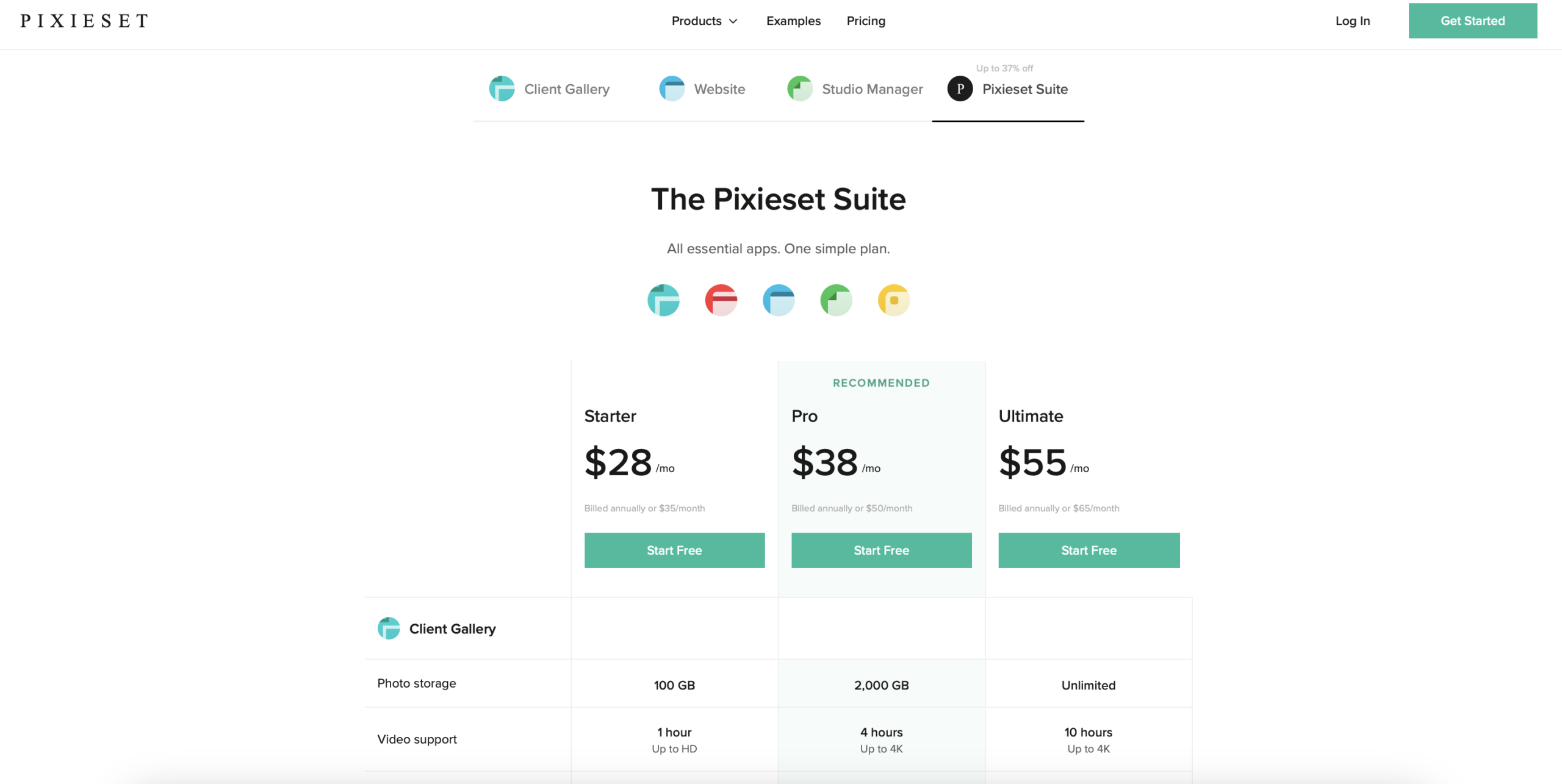
Payment processing runs through Stripe and PayPal at their standard rates. You can run a real business on the free gallery for a while, but a photographer who wants the CRM, a portfolio site, more storage, or no branding moves to a paid tier. That stacking, not any single price, is what feeds the “expensive interface” complaints.
Pricing, Decoded: How the Free Tier Pulls You Upmarket
I read pricing pages the way I used to when I worked on SaaS growth — not for the headline number, but for the path the vendor actually wants you to walk. Pixieset’s map is unusually clear once you trace it. The figures I reference are the Client Gallery tiers ($0 to $40); Website, Studio Manager, and the Suite are separate tabs, as the section above lays out.
The 15% hook
On the free plan, Pixieset keeps 15% of every store order — prints, canvases, albums, the whole print catalog — per the Store “commission fee” row in the official plan comparison. Every paid tier, from Basic on up, is commission-free. Think about what that does. A photographer who starts free and builds real print sales is never chased by a sales rep; the 15% line item does the chasing.
Once your monthly print sales clear roughly the cost of a plan, upgrading stops feeling optional, and Pixieset lands a paid customer at the exact moment you’re making money. It’s a textbook conversion trigger — fair right up until the moment it isn’t.
Annual anchoring and the cap ladder
The page opens on annual billing by default, up to 37% off, with month-to-month rates quietly higher ($10, $20, $30, $50 versus $8, $16, $24, $40). Most people anchor on the lower number and pre-pay a year before they’ve really used the product. That’s lock-in by design.
Then comes the cap ladder. Storage runs 3 GB to 10, 100, 1,000, and unlimited, and the same staircase applies to video, branded mobile apps, your own domain, and removing the Pixieset logo. The free tier genuinely works, which is why people trust it. But every growth milestone — your first paid print, your second thousand photos — sits one tier up.
The headline price isn’t always the all-in price
Some capabilities are sold as separate add-ons. The Photo Editor is $12/month, extra campaign email runs $10 per additional 5,000 sends, and added video storage is $5 per hour per month. None of it is hidden, but a buyer who budgets for the headline plan and later wants editing, email blasts, and more video lands noticeably higher. That stacking — not any single price — is the real source of the “expensive interface” complaints.
Why the onboarding is also a growth loop
Go back to that forced four-step tour. It isn’t just hand-holding. The third slide teaches clients to “buy online” before they’ve seen a single photo — Pixieset is training your clients to spend money in your store, which both grows your print revenue and nudges you toward a commission-free paid plan.
The Favorites button works the same trick. A client can’t save one heart without entering an email, and that prompt carries a marketing opt-in from your studio. Pixieset captures a warm client lead at the exact moment someone is most excited about the photos.
None of this is sinister — it’s sharp product and growth design, and you benefit from the print sales too. Just go in knowing the free plan isn’t a charity, the annual number is an anchor, and the tour is a sales tool. Read it that way and the whole pricing structure clicks.
The Unfiltered Pros & Cons
Pros
- ✓ Best-in-class gallery experience bundled with CRM – no separate gallery bill
- ✓ Genuinely useful free plan with no credit card required to start
- ✓ The Studio Manager mobile app is polished and feature-complete
- ✓ Highest G2 rating in the category at 4.9/5
- ✓ Smooth loop from booking to contract to gallery delivery to print sales
Cons
- ✗ CRM depth trails HoneyBook and Tave – no complex multi-shooter workflows
- ✗ Support responsiveness has drawn recent complaints and delayed tickets
- ✗ Costs can creep up as you add gallery storage and CRM features
- ✗ Mobile gallery download experience confuses some clients
- ✗ Young product (launched 2021) – enterprise features still maturing
Bottom line: Start free on Pixieset if your gallery is the product and you want bookings, contracts, and print sales in one branded loop; skip it if you run a multi-shooter studio needing deep commission splits. It’s our top gallery-led pick in the best studio management software for photographers roundup.
Final Verdict
Pixieset Studio Manager is the best choice for photographers who want their gallery experience to lead their business. By bundling industry-leading galleries with a growing CRM, a polished mobile app, and a free starting tier, it removes the friction between delivery and sales. The CRM is younger and less deep than dedicated tools, and support responsiveness has slipped, but the end-to-end client loop is the smoothest in the category. If galleries are your product, Pixieset is your platform.
Start on the free plan if you are a new photographer or currently evaluating. When you outgrow it, upgrade to Studio Manager at $12/month for bookings and contracts, then move to Pro at $38/month when you need serious storage and email marketing. The mobile app alone justifies the upgrade for on-location shooters.
Skip it if you run a multi-shooter wedding studio that needs Tave-level commission splits and timeline automation. The CRM is still too young for that. But for the solo portrait, family, or elopement photographer who wants beautiful galleries and a capable CRM in one place, Pixieset earns its 4.3 – and its 4.9 on G2 tells you how happy most users are.
Frequently Asked Questions
Is Pixieset Studio Manager free?
There is a free plan that includes basic gallery delivery and limited bookings. To unlock Studio Manager features like unlimited contracts, online booking, and automated reminders, you need a paid subscription starting at $12/month.
How much does Pixieset cost per month?
Each product is priced separately. Client Gallery runs $0 to $40/month (annual), Website and Studio Manager each run $0 to $18/month, and the bundled Suite runs $28 to $55/month. If you only need galleries, pay gallery prices; if you want galleries, the CRM, and a site together, compare the Suite.
Does Pixieset replace HoneyBook or Tave?
It replaces the booking, contract, invoice, and email marketing functions of those tools for most solo photographers. But it does not have the deep multi-shooter workflows, commission splits, or advanced automation that Tave offers. If you are a solo shooter, it can replace HoneyBook. If you run a team, you may need both.
Does Pixieset have a mobile app?
Yes. The Studio Manager mobile app is available on iOS and Android and lets you manage projects, send invoices, review contracts, accept in-person payments, and receive push notifications for new bookings and signed documents.
Can clients download photos on their phone?
Yes, but some reviewers note the mobile download experience is less intuitive than the desktop web experience. Pixieset has been improving this, and clients can use the Pixieset mobile app to download favorites. Full-resolution downloads are easiest on a computer.
Why do my clients have to click through a tour before seeing photos?
Pixieset shows every first-time visitor a four-step walkthrough covering the download, favorites, cart, and share icons. It appears once per device and then suppresses; the documented gallery settings don’t list a toggle to turn it off. It’s part of the standard gallery experience, not something the photographer controls.
Do clients have to enter an email just to favorite photos?
Yes. Pixieset ties the Favorites list to an email address so clients can revisit and share it, and the prompt includes an opt-in to news and promotions from your studio. There is no anonymous favorite option, so tell less technical clients to expect the email step.
Does Pixieset take a cut of my print and product sales?
On the free plan, yes — Pixieset charges a 15% commission on Store orders. Every paid plan (Basic and up, annual or monthly) is commission-free. That 15% is the single biggest reason selling photographers upgrade.
How much does Pixieset Studio Manager cost in 2026?
Studio Manager is sold as its own tab, separate from the Client Gallery and Website products. It runs Free ($0, with 3 contracts and 3 questionnaires), Plus at $12/month billed annually ($15 monthly) for unlimited contracts, and Pro at $18/month billed annually ($24 monthly) for unlimited booking types and emails. If you want galleries, the CRM, and a portfolio site together, the bundled Suite starts at $28/month. These figures were verified on Pixieset’s live pricing page in October 2026.
Is Pixieset a good CRM for home stagers or web design agencies?
For home stagers, yes — it is one of the better fits, because the entire product is built around delivering polished photo galleries to clients, and stagers run on before-and-after room photos. For web design agencies, not really: Pixieset’s CRM is tuned for photography bookings, contracts, invoicing, and gallery delivery, not general agency project pipelines, task tracking, or developer hand-offs. If your business delivers images to clients, Pixieset is a strong pick; if you run a web design shop, a general-purpose agency CRM will serve you better.
What do Pixieset reviews say overall?
Pixieset averages 4.6 out of 5 across 37+ verified reviews, with G2 at 4.9/5 and Capterra at 4.5/5 — among the highest in the photography CRM category. Reviewers consistently praise the gallery experience, the polished mobile app, and the smooth book-to-gallery loop. The recurring complaints are slow support responses, clients struggling to download full-resolution photos on phones, and costs stacking up as you climb the storage and CRM tiers. If you’d rather have galleries and CRM fully bundled by design, our Sprout Studio review covers that alternative.
About the Author