You know that gut-dropping moment when a real inquiry lands in your inbox and you freeze — because your “client list” is still a Notes app folder and your last contract was a Google Doc you never sent? Iris Works is the tool that gets you from “I run my business out of a spreadsheet” to “I sent a branded contract and a deposit invoice before lunch” in one afternoon. No gallery upsell, no design canvas, no feature creep. Just the boring back office, done cheaply.
The Short Version
Iris Works is the no-nonsense photography CRM that has been quietly running small studios for over a decade. It does not try to be everything. It does not have built-in galleries, AI assistants, or a fancy design canvas.
What it does is book clients, send contracts, process invoices, and automate emails – and it does those things at a price that starts at $14.95/month, roughly half what HoneyBook charges. Capterra users rate it 4.6 out of 5, among the highest scores in the photography CRM category.
The Iris Works value proposition is simplicity and affordability. If you are a solo portrait, family, or wedding photographer who needs to stop tracking leads in a spreadsheet and start sending professional contracts and invoices, Iris Works gets you there in an afternoon. The interface is intentionally straightforward, the templates are included for free, and the company will even migrate your data from your old CRM at no charge. It is the kind of tool that fades into the background and lets you focus on shooting.
Where Iris Works loses ground is where it intentionally chooses not to compete. The feature set is basic: no built-in galleries, no design proofing, no AI tools, and the automation engine is shallower than Tave or HoneyBook. The mobile app is consistently rated around 1.8-2.0 stars on the App Store, which is genuinely bad.
Feature updates roll out slowly, and several reviewers mention requesting improvements that never arrived. If you want a simple, reliable back office at a fair price, this is a gem. If you want a growing, feature-rich platform with regular updates, it may feel stagnant.
Who This Is For (and Who Should Skip)
Iris Works is built for a specific kind of photographer: the one who wants the business admin handled without learning a complex platform.
- ✅ Solo and part-time photographers on a budget
At $14.95/month, it is the cheapest serious CRM in the photography category. No credit card trial, no upsell pressure. - ✅ Photographers migrating from spreadsheets or paper
Free data migration and included templates mean you can go from “I track clients in Notes” to “I send branded contracts” in a day. - ✅ Studios that prioritize booking and invoicing over galleries
If you already use a separate gallery service and just need the back office handled, Iris Works pairs well with it. - ❌ Photographers who want built-in client galleries
There is no gallery system. You will need Pixieset, Pic-Time, or ShootProof for delivery. - ❌ Power users who need deep automation and workflows
The automation engine is basic. SLR Lounge noted it “lacked automated invoicing” and did not have enough automations for hands-off studios. - ❌ Photographers who live on their phone
The mobile app is the weakest part of the product, with App Store ratings around 2 stars.
Score Breakdown
What Actually Matters: Features, Reviewed
Iris Works does not have 50 features. It has about 10, and it executes most of them competently. We focused on the four that photographers actually care about day to day.
📝 Contracts, invoices, and questionnaires that just work
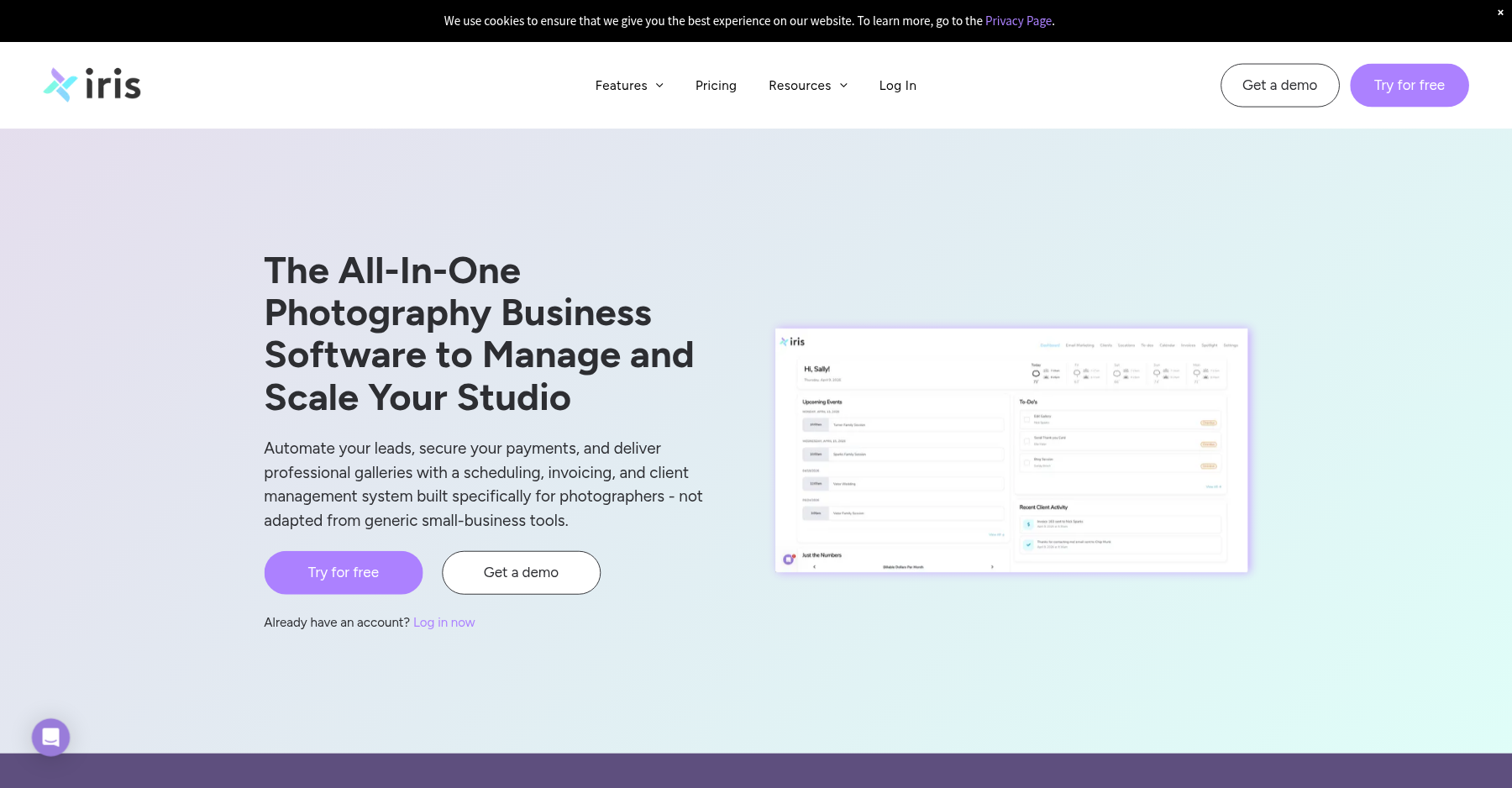
This is the core of Iris Works, and it does it well. Electronic contracts with free templates, invoices and quotes, and customizable questionnaires all work without fuss. You can send a contract, get it signed, and invoice the deposit in one flow. The templates are legal-grade and specific to photography – weddings, family sessions, boudoir – so you are not starting from a blank document.
The limitation is flexibility: one reviewer noted they have to create two separate invoices for every client because Iris Works does not handle retainer-plus-balance billing cleanly. Another asked for automatic invoice reminder emails that still are not a feature. For standard sessions with a single invoice, it is fine. For complex billing structures, you will hit walls.
📨 Custom lead pages and website integration
Iris Works lets you build a lead capture page and embed it on your existing website, so inquiries flow directly into the CRM as new leads. This sounds basic, but it is the feature that prevents leads from getting lost in your inbox. You can customize the lead page questions, set auto-responders, and route leads into workflows.
Online booking actually ships on the $14.95 Starter, so clients can pick their own session time from day one; the custom lead page that feeds those inquiries arrives on Basic. The lead page builder is not as fancy as HoneyBook’s, but it works and integrates cleanly. The company also offers free migration from other CRMs, so your existing client database comes with you at no charge – a nice touch many competitors charge for.
⚙️ Workflows and automation – basic but functional
Iris Works includes automated workflows that send emails, create tasks, and update lead stages based on triggers. The concept is solid: when a lead fills out your form, an automated welcome email goes out; when a contract is signed, a task to schedule the session appears. But the automation depth is limited.
SLR Lounge’s testing noted that Iris Works “lacked automated invoicing” and did not have enough hands-off automation for studios that want a fully self-running pipeline. You cannot build complex logic trees like you can in HoneyBook or Tave. For a solo photographer who wants basic nudges – “send a reminder 3 days before the session” – it is sufficient, but for a studio that wants 18-month wedding timelines with branching triggers, it is not enough.
📱 The mobile app problem
Here is the elephant in the room. Iris Works has a mobile app, and it is genuinely poorly rated – around 1.8 to 2.0 stars on the App Store and Google Play. Photographers are often on location, between shoots, or at weddings when they need to check a client detail, send a quick invoice, or look up a contract.
The web interface works on mobile browsers, but the dedicated app is described as slow, buggy, and missing most desktop features. One reviewer noted “the website is not that great compared to the app” – or rather, the app is not great compared to the website. If you live on your phone during shoots, this is a real limitation. The desktop experience is fine; the mobile side is the weakest part of the product by a wide margin.
What Real Users Actually Say
I read through dozens of verified Capterra reviews. Iris Works sits at 4.6/5 on Capterra, which is excellent. The praise centers on affordability and ease of use; the complaints center on missing features and slow development. Here is what verified users say.
The Good
“Iris Works keeps studio management visual, letting photographers automate emails, questionnaires, and invoices without building complex logic trees. Pricing is transparent and starts at $9.95 a month, with no surprise fees.”
– Verified studio owner, Capterra
“The free contract and questionnaire templates save me so much time. The custom lead page integrated into my website has turned web traffic into actual bookings.”
– Verified photographer, Capterra
The Complaints
“The software is pretty simple and there are some basic features missing, like being able to sort client list alphabetically, or being able to click the assigned client in the to-do list and going right to their profile. Also, it seems like it takes a long time for them to roll out new features and fixes to common requests.”
– Verified user, Capterra
“One time, Iris-Works had a glitch and would not load. I tried to contact them to see how long it would take to get the program up and running, but I had trouble reaching anyone by phone/email.”
– Michelle S., verified review on Capterra
“Lack of communication about features and when they are supposed to be released. I really wish I could do invoicing a little differently – I have to create two invoices for everyone since I do a retainer and then the rest due a couple of days prior.”
– Ashley H., verified review on Capterra
User feedback sourced from verified Capterra reviews of Iris Works.
Pricing: Every Plan, Laid Bare
Iris Works offers four tiers, all billed annually with a 14-day free trial (no credit card required). There is no permanent free plan. The pricing is straightforward and there are no per-lead or per-client caps. Current public pricing (USD, annual billing):
| Plan | Price | What You Get |
|---|---|---|
| Starter | $14.95/mo ($149/yr) | Online booking, a booking website, online payment processing, e-contracts, and invoice templates on booking. |
| Basic | $29.95/mo ($299/yr) | Everything in Starter, plus workflows and automation, a custom integrated lead page, e-contracts and free templates, invoices and quotes, and locations. |
| Pro | $39.95/mo ($399/yr) | Everything in Basic, plus email marketing (your choice alongside booking) and free account setup. |
| Pro Plus | $49.95/mo ($499/yr) | Everything in Pro, plus both online booking and email marketing, additional users, and priority support. |
The pricing is genuinely the most competitive in the photography CRM space. The Starter plan at $14.95/month already includes online booking, online payments, and e-contracts – the core book-and-get-paid loop – while workflows, automation, and the custom lead page unlock on Basic at $29.95. Even the top-tier Pro Plus at $49.95 is less than HoneyBook’s Essentials plan. Payment processing runs through Square at standard Square rates.
The gating choice that actually trips people up is at Pro: email marketing is offered as an either-or add-on, and only becomes bundled alongside booking on Pro Plus. Most photographers who want both booking and email marketing will land on Pro Plus at $49.95. But even Pro is reasonable, and the free migration service is worth real money if you are coming from another platform. If budget is your primary constraint, Iris Works is the clear value pick.
The Unfiltered Pros & Cons
Pros
- ✓ Lowest starting price in the photography CRM category at $14.95/month
- ✓ Clean, uncluttered interface that is easy to learn in an afternoon
- ✓ Free data migration from your old CRM saves hours of manual work
- ✓ Free contract and questionnaire templates tailored to photography
- ✓ No per-lead or per-client caps on any plan
Cons
- ✗ Mobile app is poorly rated (~2 stars) – desktop-first experience
- ✗ No built-in client galleries – you need a separate delivery tool
- ✗ Feature updates roll out slowly; requested improvements linger
- ✗ Automation is basic – no hands-off invoicing reminders or complex triggers
- ✗ No QuickBooks integration and limited third-party ecosystem
Bottom line: Pick Iris Works if you’re a budget solo or part-time photographer who just wants contracts, invoices, and lead tracking without the fluff; skip it if you need built-in galleries, a decent mobile app, or deep hands-off automation. It’s the value pick in our best studio management software for photographers guide.
Final Verdict
Iris Works is the budget-friendly, no-fuss photography CRM that does the essentials well and asks almost nothing in return. At $14.95/month, it is half the price of HoneyBook, and the free migration and templates mean you can be up and running in a day. It will not wow you with galleries, AI, or deep automation, but it will handle your contracts, invoices, and lead tracking reliably. The mobile app and slow feature development are real weaknesses, but for a solo photographer who just wants the back office handled, it is excellent value.
Buy the Starter plan if you are a new or part-time photographer who needs to send professional contracts and invoices without a complex setup. The free migration means you can switch from whatever you are using now without losing client data. The Pro plan at $39.95 is worth it once you want email marketing on top of the workflows and lead page; Pro Plus at $49.95 bundles both booking and email marketing and adds extra seats.
Skip it if you need built-in galleries, a polished mobile app, or enterprise-grade automation. If your studio is growing past 20 sessions a year and you want more hands-off workflows, look at HoneyBook or Sprout Studio. But for the photographers who just want a simple, affordable tool that works, Iris Works earns its 4.5 on Capterra and its 4.1 in this review.
Frequently Asked Questions
How much does Iris Works cost?
Plans start at $14.95/month (Starter) billed annually, going up to $49.95/month (Pro Plus). Monthly billing is available at a premium. There is a 14-day free trial with no credit card required. All plans include unlimited clients and jobs.
Does Iris Works include client galleries?
No. Iris Works is a CRM and business management tool, not a gallery delivery service. You will need a separate tool like Pixieset, Pic-Time, or ShootProof for delivering final photos to clients. It integrates with ShootProof.
Is there a free plan?
There is no permanent free plan, but the 14-day free trial gives you access to most features without entering a credit card. The company also offers free data migration from your existing CRM.
Does Iris Works have a mobile app?
Yes, but it is the weakest part of the product. App Store ratings are around 1.8-2.0 stars, with users citing bugs, slow performance, and missing features. Most users manage their business through the desktop web interface.
What payment processors does Iris Works support?
Iris Works integrates with Square for payment processing at standard Square rates. You can also send invoices and accept checks or bank transfers manually. There is no built-in payment processor lock-in.
Iris Works vs HoneyBook: which is better for photographers?
Pick Iris Works if your priority is cheap, simple back-office work — contracts, invoices, and lead tracking from $14.95/month, roughly half HoneyBook’s price. Pick HoneyBook if you want a more polished client experience, deeper automation with branching logic, interactive proposals, and a much better mobile app. The trade-off is straight: Iris Works wins on price and simplicity, HoneyBook wins on polish and power. Solo budget shooters lean Iris Works; growing studios that want a modern client journey lean HoneyBook.
Is Iris Works good for independent solo photographers?
Yes — it is one of the best fits for an independent solo or part-time photographer on a budget. At $14.95/month the Starter plan already handles online booking, online payments, and e-contracts, and the higher tiers add workflows, a custom lead page, and email marketing — all without the galleries, design canvas, and feature creep you would pay for elsewhere, and the company migrates your data from an old CRM for free. Where it stops being the right fit is once you need deep hands-off automation, a real mobile app, or gallery delivery — at that point a tool like Sprout Studio or Dubsado is the next step up.
About the Author