The Short Version
Bloom is not a generic CRM that happened to work for photographers. It is a photographer’s business tool first – the language, the templates, the workflows, and the client galleries all assume you book shoots, send contracts, collect a deposit, and deliver finished images. That focus is its strength and its ceiling. Compared with Dubsado, which is powerful but takes a weekend to configure, or HoneyBook, which is polished but pricey, Bloom makes most of the decisions for you: it templates the inquiry-to-onboarding flow, and you customize rather than build from scratch.
The core experience is a guided pipeline. A lead fills out a questionnaire on your site, gets routed into a workflow that sends a proposal and contract, pays a 50% deposit automatically, receives a thank-you and a scheduling link, and after the shoot you deliver images through a branded client gallery where they can favorite, comment, and download. Bundled on top is a drag-and-drop portfolio website, a live-chat widget for your site, and lead-management pipelines. For a solo photographer replacing a half-dozen tools, the consolidation is real, and the interface is noticeably more modern than the legacy CRMs in this category.
The honest weaknesses are where Bloom’s niche bites. There is no meaningful time tracking or expense accounting, because the product assumes project-based package pricing rather than hourly billing – that is fine for a photographer but excludes consultants and agencies. The galleries are serviceable but not as fully featured as dedicated proofing tools, and several reviewers say the design templates, especially for websites and galleries, need more variety. And the pricing needs careful reading: the prominent $7/month is a heavily discounted first-year rate that steps up on renewal. None of this is a dealbreaker for its intended user. It just means Bloom is a specialized instrument, not a general-purpose business operating system.
Who This Is For (and Who Should Skip)
Bloom optimizes hard for one kind of business. It rewards photographers and creative solopreneurs, and politely turns away everyone else.
- ✅ Wedding, portrait, and headshot photographers
The inquiry-to-contract-to-deposit-to-gallery workflow is built around exactly how these bookings work. - ✅ Creative solopreneurs who hate complexity
The guided, opinionated setup takes an evening; it templates most of the decisions that other CRMs force on you. - ✅ Shoppers who want a modern UI plus a built-in portfolio site
You get a client portal, a website, and live chat in one subscription instead of stitching together three tools. - ❌ Hourly consultants, agencies, or anyone billing by time
There is no real time tracking, no expense ledger, and no team-grade permissions. Bloom assumes package pricing. - ❌ Shoppers drawn only by the $7 headline price
That rate is a promotional first-year discount; renewal pricing and the Starter-tier payment fee can make it more expensive than it looks.
Score Breakdown
What Actually Matters: Features, Reviewed
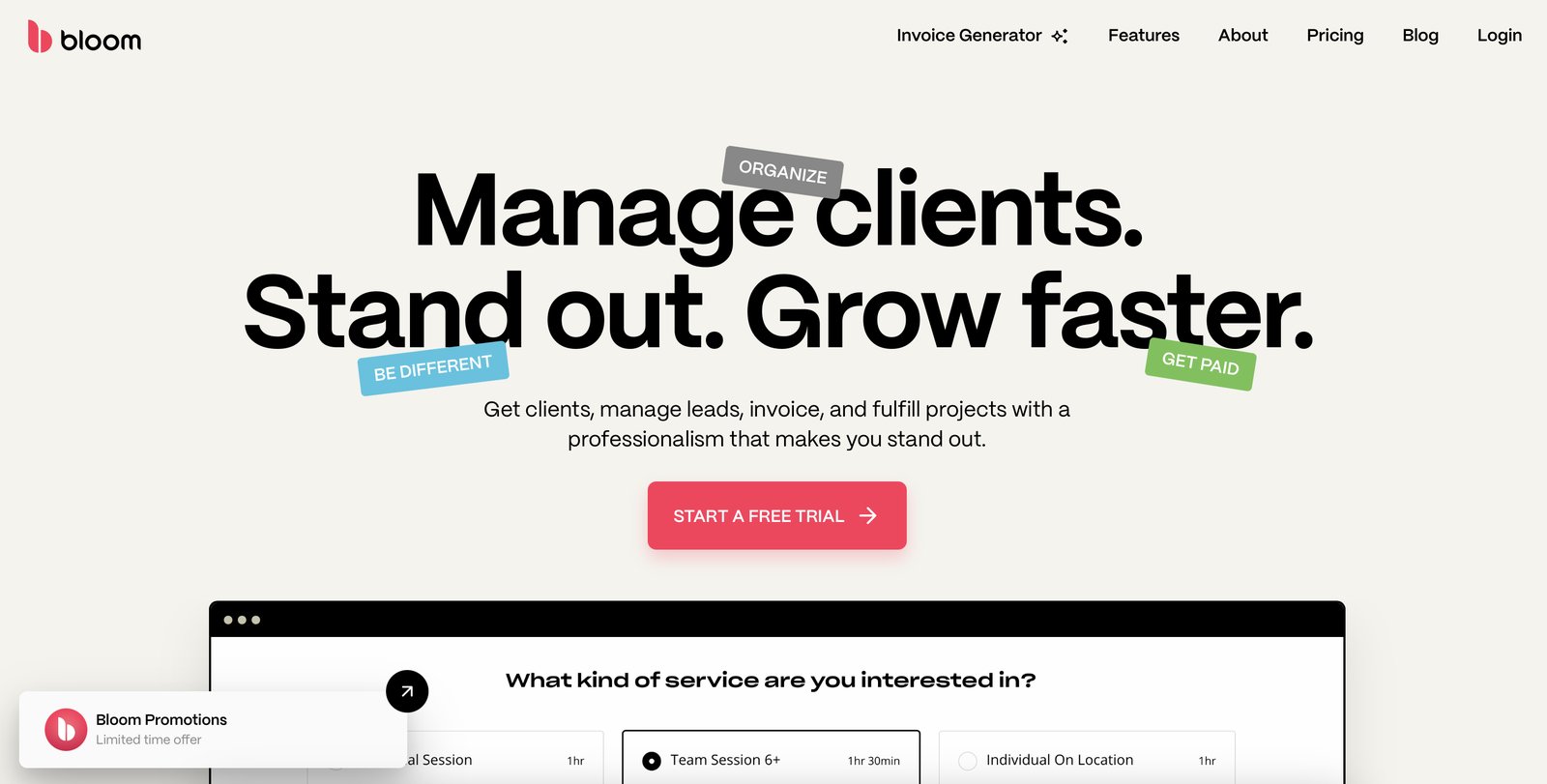
Bloom lists dozens of features on its marketing page – workflows, scheduling, contracts, websites, live chat, galleries, automations. Most of our testing time went to the four that actually decide whether a photographer keeps paying, because those are the ones that touch every single client.
🤝 The guided, photographer-first client workflow
This is Bloom’s real product. You define a workflow for each type of shoot – say, “wedding” versus “headshot” – and then every new lead walks the same path: an inquiry form on your site, a one-question-at-a-time questionnaire that feels modern to the client, an automated sequence of emails, a contract to e-sign, and an automatic charge for the deposit. Reviewers specifically call out the auto-charge on the 50% deposit as a small miracle that removes the tedious back-and-forth of collecting balances. The reason this works for photographers is that Bloom already knows the shape of the job, so you are not building an automation from a blank canvas. The trade-off is opinionation: if Bloom’s way of doing onboarding is not your way, there is not always an escape hatch.
📷 Client galleries and image delivery
Because it is built for photographers, Bloom ships private client galleries where you deliver finished work, and clients can favorite images, leave comments, and choose sizes for download. Branding the gallery to your studio goes a long way toward looking professional between shoots. But this is the feature that draws the most measured criticism. Real users repeatedly say the gallery pages still need more visual polish and template variety – that as a photographer whose work has to stand out, the gallery is not yet a full replacement for a dedicated proofing or portfolio tool. It is perfectly functional for delivery, just not the showpiece that shooters with strong aesthetic standards want.
🌐️ The built-in portfolio website and live chat
Two bundled features punch above their weight. First, a drag-and-drop website builder with photography-oriented templates lets you stand up a portfolio and booking site without paying Squarespace separately, and your booking, contact, and lead tools tie straight into it. Second, a live messenger widget you can embed on that site lets leads ask questions and book without leaving the page – which feeds the same pipeline as your forms. For a solo operator, collapsing “portfolio site + contact form + CRM” into one subscription is a genuine cost saving. The honest limitation is that the website builder is template-bound and basic; if your whole brand depends on a highly customized portfolio, you will outgrow it quickly and want a real designer site.
💰 The pricing model – read the fine print
This is the section most likely to trip up an unsuspecting buyer. Bloom advertises aggressive first-year pricing (we saw 50% off the first year across the plans), which is how a $34/month tool becomes a $17/month “headline” number. The details that matter: on the entry Starter plan, Bloom charges a 1.5% platform fee on top of standard processing for digital payments, which quietly nibbles at your margins on every invoice; Standard and Plus drop that fee. Bloom does not charge a commission on your sales, which is good. But because the promotional rate is locked for 12 months, you should price your budget around the renewal price, not the launch price, before you commit. It is still cheap – just cheaper on the brochure than on the second invoice.
What Real Users Actually Say
Bloom sits at 4.5 on Capterra across its (still relatively small) review base, with especially high marks for value. I read through the verified reviews to separate the sales page from the day-to-day experience. Here is what photographers actually say.
The Good
“I have witnessed the growth and developments of this platform over the last 5 years. It’s incredible how fast suggestions on new features are designed and implemented. It just keeps getting better and better. I highly recommend this CRM. I saved a ton of money on multiple subscriptions to other programs that are all included in Bloom.”
– Martin M., Wedding Photographer, verified review on Capterra
“The automated emails and touchpoints allow me to send out contracts, invoices, questionnaires, and the like quickly and get back to what I love: photography. The auto charge for the 50% deposit is incredible because it cuts out a really tedious task, collecting the balance, completely!”
– Michelle V., Photographer-Owner, verified review on Capterra
The Complaints
“As a photographer, I want my work to stand out. Although Bloom is improving this area, the gallery pages still need work to become a full-fledged one stop shop for me.”
– Scott F., Photographer, verified review on Capterra
“They iterate so fast that sometimes we have to re-learn different parts of the software.”
– Ryan B., Studio Owner, verified review on Capterra
User feedback sourced from G2 and Capterra reviews.
Pricing: Every Plan, Laid Bare
Bloom runs on three paid tiers with a free trial rather than a permanent free plan. The pricing page leads with a deep first-year discount, so it is important to read both the promotional annual price and the underlying month-to-month rate. All three plans include the core studio workflow. Here is the current public pricing (USD), verified on the live pricing page.
| Plan | Price | What You Get |
|---|---|---|
| Free Trial | Limited-time trial, no annual commitment to start | Test the lead-to-client workflow before paying. Lets you explore proposals, contracts, invoicing, scheduling, and galleries; convert to a paid plan to keep live workflows and remove limits. |
| Starter (Side Jobs) | $14/month month-to-month, or $7/month on the annual first-year rate | For side-hustle shooters. Projects/bookings, invoicing & payments, workflows, client portal, scheduling, contract signing, professional website, live messenger widget, lead management, packages & add-ons, client galleries, and automations. Note: a 1.5% platform fee applies on digital card/ACH payments. |
| Standard (Solo Business) | $34/month month-to-month, or $17/month on the annual first-year rate | For full-time solo operators. Everything in Starter, with no Bloom platform payment fee. This is the plan most working photographers land on once they are billing enough that the 1.5% Starter fee starts to sting. |
| Plus (Small Teams) | $66/month month-to-month, or $33/month on the annual first-year rate | For agencies and small studios. Everything in Standard, removes the "Powered by Bloom" branding, and adds team/studio seats for collaborators working across projects. |
The headline $7/month looks like a steal, and on a heavily discounted first-year annual plan it genuinely is – but it is a promotional rate, not the steady-state price, and several independent reviewers warn to confirm renewal pricing before choosing a plan. The structural fee choice is more important than the tier: on Starter, Bloom takes 1.5% on every digital payment, which is fine while you are testing the waters but becomes a real cost once you are booking clients every week, which is exactly why Standard exists. Bloom does not take a commission on your sales and does not require a long contract – you can go month-to-month. Stacked against Dubsado or HoneyBook, even the full $34 Standard rate is competitive for an all-in creative stack; the discipline is budgeting for the renewal price, not the launch price.
The Unfiltered Pros & Cons
Pros
- ✓ Photographer-first workflows that guide leads from inquiry to paid deposit automatically
- ✓ Genuinely modern, easy interface; a working setup takes about a day
- ✓ Bundles a portfolio website and live chat on top of the CRM and galleries
- ✓ Strong value versus Dubsado/HoneyBook for solo creative businesses
- ✓ Auto-charge deposits and automated touchpoints remove real admin drudgery
Cons
- ✗ No real time tracking, expenses, or accounting - it is package-pricing only
- ✗ Client galleries lack the polish and template variety of dedicated proofing tools
- ✗ Headline price is a first-year promo; renewal steps up and Starter takes 1.5%
- ✗ Website builder is template-bound and too basic for strong custom branding
- ✗ Rapid release cadence means the UI occasionally changes under long-time users
Final Verdict
Bloom is a stylish, opinionated studio-management platform built for photographers and creative solopreneurs who want the whole client journey - lead capture, questionnaires, contracts, invoicing, scheduling, and image galleries - in one modern package. It is genuinely easy to set up, cheap compared to Dubsado or HoneyBook, and its guided workflows remove a lot of busywork. But it is a niche tool: there is no real time tracking or expense accounting, the client galleries are simpler than dedicated proofing tools, and the tempting headline price is a first-year promotional rate that roughly doubles on renewal. If you shoot weddings, portraits, or headshots and hate software, it is excellent. If you bill hourly or need a deep business-operations suite, look elsewhere.
If you are a wedding, portrait, or headshot photographer – or a closely related creative who sells packaged sessions – Bloom is worth a trial. The guided workflow will take the repetitive back-and-forth out of your inquiries, the auto-deposit feature alone recovers hours a month, and bundling a portfolio site and galleries into one cheap subscription saves you stacking three other tools. Set it up on a quiet Sunday and it will mostly run itself.
Skip it if you bill by the hour, run an agency, or need real books and expense tracking. Bloom deliberately ignores those problems, and forcing them onto the platform will feel like squeezing a square peg into a round hole. Also budget for the renewal price rather than the seductive first-year rate, and be honest with yourself about whether simple galleries are enough for your portfolio. For the right creative solo business, Bloom earns a 3.7 – a focused, good-looking tool that does its specific job well.
Frequently Asked Questions
Is Bloom free to use?
Bloom offers a free trial rather than a permanent free plan. The trial lets you explore the full client workflow – inquiries, contracts, invoicing, scheduling, and galleries – before you commit to a paid subscription. There is no free tier for ongoing use.
How much does Bloom cost per month?
On month-to-month billing, Starter is $14/month, Standard is $34/month, and Plus is $66/month. On the annual first-year promotion those drop to $7, $17, and $33/month respectively, then renew at the higher ongoing rate. Bloom does not charge a commission on your sales.
Does Bloom charge payment processing fees?
On the Starter plan, Bloom adds a 1.5% platform fee on top of standard processing for digital card and ACH payments. The Standard and Plus plans have no additional Bloom platform fee beyond your payment processor’s own charges.
Is Bloom only for photographers?
It is built primarily for photographers and creative solopreneurs who sell packaged sessions – weddings, portraits, headshots. It can serve related creative businesses, but it intentionally lacks time tracking and expense accounting, so hourly consultants and agencies will outgrow it quickly.
About the Author