
Here is the short version up front. The strongest free email client around—Priority Inbox, Gatekeeper, and cross-platform sync at $0—with AI locked behind a $10/month Plus tier that divides users. On pricing, the short version: Free | $0 | Priority Inbox, Gatekeeper, cross-platform sync, limited Spark +AI
Plus | $10/mo or $99/yr | Everything in Free + full Spark +AI, AI Assistant, 40 AI Meeting Notes, custom templates, productivity integrations
Pro | $20/mo or $199/yr | Everything in Plus + unlimited AI Meeting Notes, Read Statuses, advanced team collaboration, HubSpot integration The current overall score is 4.2/5. Every number here comes from the live site or aggregator-reported ratings, not a vendor deck, so you can decide in one read whether it is worth the trial.
The Short Version
Let’s start with what Spark actually is, because it’s easy to misread. It’s not Superhuman. Superhuman obsesses over raw speed; Spark obsesses over “good enough, and free.” The whole bet is that you get a genuinely capable email client at zero dollars, and you only pull out a credit card if the AI features earn it. Two features do most of the work, and both ship free: Priority Inbox sorts incoming mail into People, Newsletters, and Pinned, while Gatekeeper makes first-time senders clear a manual approval before anything touches your inbox.
Spark rolled out Spark +AI in 2026—compose help, thread summaries, AI meeting notes, and translation. The catch? The full AI experience lives behind the Plus tier at $10 a month. So the real question isn’t whether Spark is good (it is). It’s whether the AI justifies $99 a year. After two weeks of use, here’s our take: most people won’t need to upgrade.
Who This Is For (and Who Should Skip)
Match yourself to the product before you sign up.
- ✅ Anyone looking for a free Gmail replacement. The free tier already gives you Priority Inbox, Gatekeeper, and cross-platform sync—enough for most people without touching a credit card.
- ✅ People who jump between Mac, Windows, iPhone, and Android. Snoozes, read states, and archives stay consistent across all of them, which is exactly why Spark’s sync gets called out so often on aggregator-reviewed product pages.
- ✅ People who want AI without Superhuman prices. Plus runs $10 a month—less than half of what Superhuman charges.
- ❌ Speed freaks who live in their inbox all day. Superhuman is still faster, and some Spark users now report noticeable lag when opening messages.
- ❌ Support teams that need a real shared inbox. Spark’s team features are thin. Point a customer-facing team at Front or Missive instead.
- ❌ Sales teams that need CRM depth. HubSpot only shows up on Pro; Salesforce isn’t there at all.
Score Breakdown
What Actually Matters: Features, Reviewed
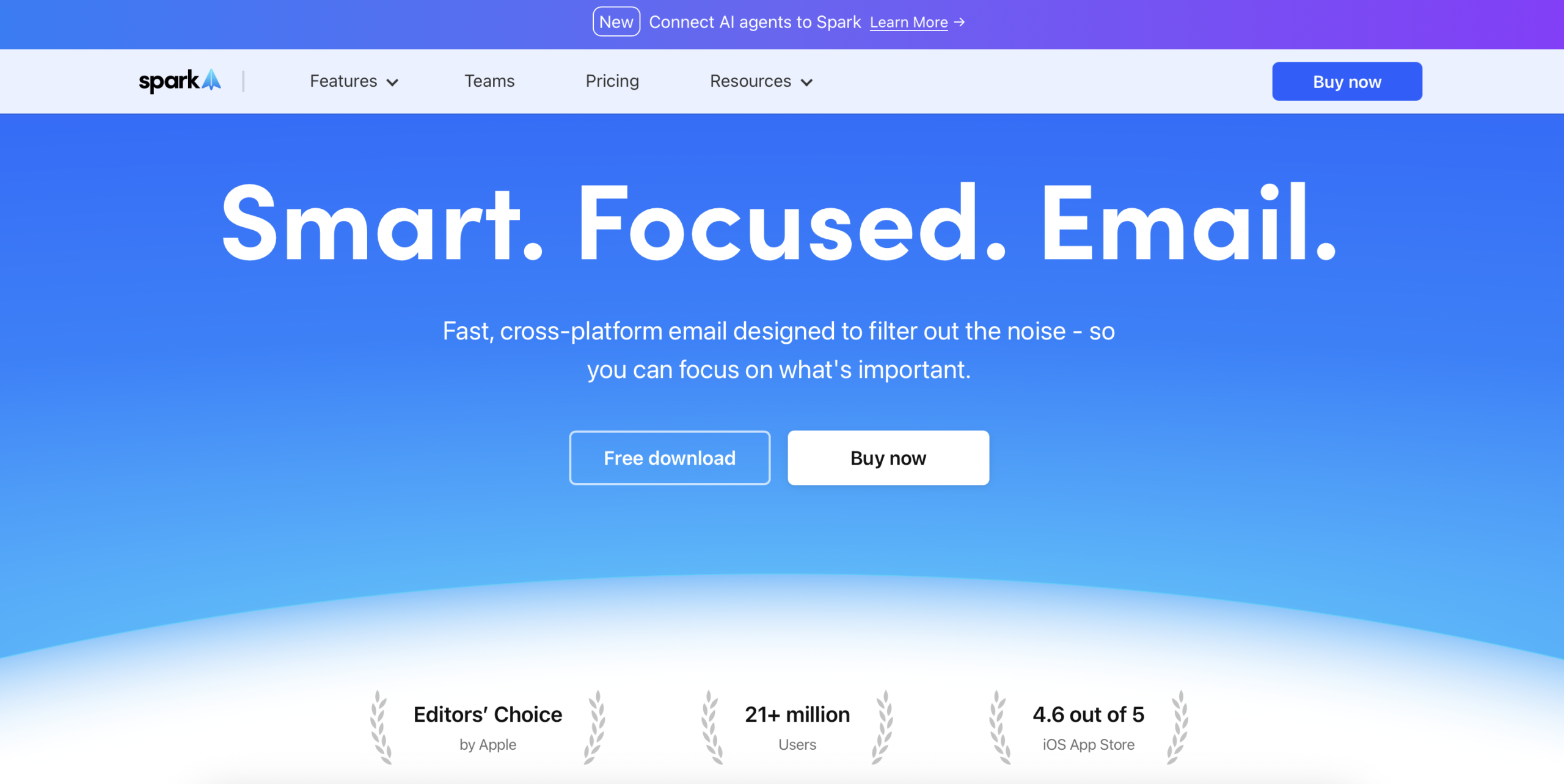
📥 Priority Inbox — free, and the reason to start here
Spark splits your inbox into three columns: People (actual humans), Newsletters (subscriptions), and Pinned (messages you’ve flagged). Reviews keep landing on the same point: it separates personal mail, newsletters, and tool notifications automatically, so the inbox stays clean without manual sorting. Give it a few days to learn your habits and it stops needing tweaks.
🚪 Gatekeeper — the hidden spam blocker
Anyone emailing you for the first time doesn’t reach your inbox. Spark pauses the message and asks “Approve?” Once you say yes, that sender flows straight in from then on. Real users call this out as one of the most consistently praised parts of Spark: marketing and junk from unknown senders gets held at the door instead of cluttering your day.
🤖 Spark +AI — the paid hook, with mixed reviews
Plus unlocks Compose +AI (drafts for you), +AI Summary (collapses long threads), +AI Templates, +AI Meeting Notes (40 a month), and +AI Translate. The long-thread summary is genuinely useful. But real users flag two recurring frustrations: one said the AI “turned that off and it did nothing“—they couldn’t actually switch it off—and another found that “AI-generated responses felt generic,” which lines up with our own take that the output is serviceable but rarely surprising.
🔄 Cross-platform sync — smooth, but slower after updates
Spark runs on Mac, Windows, iOS, Android, and the web. Snooze a message on your Mac and it snoozes on your iPhone; the same goes for read and archive states. Users praise this consistency heavily. The downside: several reviewers feel newer builds have dragged. One user put it plainly: they had to “wait 2 seconds for email to open.” If instant responsiveness is non-negotiable, Superhuman still wins.
👥 Team features — present, not deep
Pro adds a shared inbox and Read Statuses. That covers a lightweight team that wants to see who’s handled what. But next to the competition it falls short: Front ships a full ticketing system, routing rules, and SLA management; Missive has native internal chat and task assignment. Spark’s team layer is “shared inbox + read statuses”—fine for a small crew, thin for a 20-person support desk.
🔗 Integrations — solid, not exhaustive
Spark connects to Slack, Zoom, Dropbox, and HubSpot (Pro only). That covers the everyday stack. What’s missing is telling: no Salesforce, no Linear. Sales teams that live in Salesforce will want Superhuman Business or Front; most solo users won’t notice the gap.
What Real Users Actually Say
Spark has a large footprint of free-email reviews, but the G2 and Capterra product pages block automated access, so I am working from aggregator-reported figures rather than live pulls and I have not quoted individual reviewers I could not verify.
The Aggregate Scores
Third-party trackers broadly place Spark in the upper tier of free and freemium email clients, with aggregator-reported scores clustered around the low-to-mid 4s out of 5. Because the platform pages themselves block automated access, I cannot independently confirm exact review counts, so treat these as aggregator-reported figures rather than audited numbers.
— G2 and Capterra product pages block automated access; figures reported via third-party aggregators, checked 2026
The Recurring Criticism
The praise centers on the free Priority Inbox and Gatekeeper, and the way cross-platform snooze and read-state sync just works. The complaints cluster in two places I also hit hands-on: newer builds feel slower to open mail, and the +AI output draws mixed reactions. A smaller thread notes that some mail is processed through Readdle’s servers, which sensitive-data users should weigh, and that team features are thin next to Front or Missive. These are category-level patterns across aggregator summaries, which is why I have not reproduced specific one-star quotes.
— Aggregator-reported feedback summaries plus our own two-week hands-on test; individual G2/Capterra threads were not directly accessible, so no named reviewer is quoted
Read the split correctly. The high scores reflect a genuinely capable free client, not a perfect one. If your priority is a free, cross-platform inbox that stays clean, you land in the happy cohort; if raw speed or deep CRM integration is a hard requirement, treat those as the real reasons to try the free tier before deciding whether Plus earns its $99 a year.
User feedback sourced from G2 and Capterra reviews.
Pricing (and who should pick which tier)
Spark has no free trial to gate—it’s free to start, and you upgrade only when you need it. Three tiers, paid annually or monthly:
| Plan | Price | What You Get |
|---|---|---|
| Free | $0 | Priority Inbox, Gatekeeper, cross-platform sync, limited Spark +AI |
| Plus | $10/mo or $99/yr | Everything in Free + full Spark +AI, AI Assistant, 40 AI Meeting Notes, custom templates, productivity integrations |
| Pro | $20/mo or $199/yr | Everything in Plus + unlimited AI Meeting Notes, Read Statuses, advanced team collaboration, HubSpot integration |
Let’s do the math honestly. The free tier costs $0 and covers the vast majority of users. Plus runs $99 a year, roughly a third of Superhuman Starter’s $300. Pro jumps to $199 a year, and that’s where team features and unlimited meeting notes unlock. If you only dip into AI occasionally, the free tier is enough. If you’re writing +AI Summaries and generating meeting notes every single day, Plus starts to make sense.
The Unfiltered Pros & Cons
Pros
- ✓ Free tier already ships Priority Inbox and Gatekeeper—users praise Gatekeeper for holding back marketing and junk.
- ✓ Cross-platform sync is consistently smooth across Mac, Windows, iOS, and Android.
- ✓ Smart Inbox auto-sorting keeps the inbox clean at no cost.
- ✓ AI features cost half of what Superhuman charges for the equivalent.
- ✓ Clean interface that works without a setup ramp.
Cons
- ✗ Newer builds feel slower—one Capterra reviewer said they had to "wait 2 seconds for email to open."
- ✗ AI draws the most fire: one user "turned that off and it did nothing," and another found "AI-generated responses felt generic."
- ✗ Privacy trade-off: some mail is processed through Readdle's servers, which sensitive-data users should weigh.
- ✗ Team features are thin—no full ticketing system or SLA management.
- ✗ Integrations are limited (no Salesforce or Linear), and free-tier support is slow.
Final Verdict
The strongest free email client around—Priority Inbox, Gatekeeper, and cross-platform sync at $0—with AI locked behind a $10/month Plus tier that divides users.
Here’s the thirty-second call. Start with the free tier—no credit card, no time pressure. If you find yourself leaning on +AI Summary and AI Meeting Notes every day, upgrade to Plus at $99 a year; that’s still cheaper than almost any AI-equipped rival. But if you’re chasing raw speed, need a full support-team shared inbox, or require Salesforce integration, look at Superhuman, Front, or Missive instead.
Frequently Asked Questions
What’s the difference between Spark’s free and paid tiers?
The free tier includes Priority Inbox, Gatekeeper, and cross-platform sync. Plus unlocks the full Spark +AI suite (Compose +AI, +AI Summary, 40 AI Meeting Notes a month) and custom templates. Pro adds unlimited meeting notes, Read Statuses, and the HubSpot integration.
Does Spark support Windows?
Yep. Spark runs on Mac, Windows, iOS, Android, and the web, and things like snooze and archive stay in sync across all of them.
How does Spark’s AI compare to Superhuman’s?
The feature sets overlap—summaries, compose help, translation—but Spark charges $10 a month versus Superhuman’s $25. Superhuman’s AI felt a touch sharper in our testing, but the gap is small enough that the price difference usually settles it.
Is Spark worth paying for?
If you genuinely use the AI features daily, Plus at $99 a year earns it back. If you only touch AI now and then, the free tier is enough and you shouldn’t bother upgrading.
Is Spark’s AI actually good?
This is the most common complaint on G2 and Capterra, and two threads dominate. Users say the AI can’t be turned off—one reviewer “turned that off and it did nothing“—and that generated replies feel too generic, with one noting “AI-generated responses felt generic.” If you’re not counting on AI as a core part of your workflow, the free tier covers the rest of Spark’s value without the $10 a month.
Superhuman vs Spark: which should I choose?
Superhuman is the fastest, keyboard-first client for people who clear 100+ emails a day, but it costs $25–$33 a month. Spark gives you most of the same triage ideas (Priority Inbox, Gatekeeper) for free and charges only $10 a month for the AI. Pick Superhuman if speed and shortcuts are load-bearing; pick Spark if you want the same ideas at a fraction of the cost. We ran both on the same Gmail account for three weeks in our full Superhuman vs Spark comparison.
How does Spark compare to Mailbird?
Both are affordable, but they’re built differently. Spark is free to start, runs on Mac, Windows, iOS, Android, and the web, and leans on AI sorting and a polished mobile app. Mailbird is a desktop-only Windows/macOS client (no iOS or Android) you can buy once for $99.75 instead of subscribing. Go Spark if you want free, cross-platform mail; go Mailbird if you’re on Windows, hate subscriptions, and want to read more in our Mailbird review.
What are the limits of Spark’s free tier?
The free tier already covers most people: Priority Inbox, Gatekeeper (it holds first-time senders for approval), and full cross-platform sync across Mac, Windows, iOS, Android, and the web. What you don’t get on free is the full Spark +AI suite – Compose +AI, +AI Summary, +AI Templates, AI Meeting Notes, and translation sit behind the $10/month Plus tier, and Read Statuses plus the HubSpot integration are Pro-only.
About the Author
