The Short Version
If the phrase “chart of accounts” makes you want to slam the laptop shut, Kashoo was built for you. It strips out most of the clutter that turns QuickBooks into a part-time job and gets you to a clean set of books in an afternoon — genuinely simple accounting software that never asks you to become a bookkeeper to use it.
After two weeks of using it on a live test business — connecting a checking account and a business credit card, sending invoices, and reconciling a month’s worth of transactions — I found Kashoo genuinely fast to navigate. The tradeoff is that it deliberately stops at “good enough for a small service business.” There is no real inventory module, no native time tracking, and a very short list of integrations.
If your needs stay that simple, the price is hard to beat. If you’re already running payroll, tracking billable hours, or managing stock, you will eventually hit a wall.
The headline: this is a focused, cheap, unlimited-user accounting tool for solopreneurs and very small service businesses. It is not a growth platform, and the bank feed reliability is the one thing you should vet on your own accounts before committing to a year. If you want to weigh it against the usual suspects, see how it compares to QuickBooks, or check our roundup of the best accounting software for small business for the full field.
Who This Is For (and Who Should Skip)
- ✅ Solopreneurs, consultants, and freelancers who hate accounting software
If spreadsheets stress you out and you just need invoices, expense categorization, and a P&L that makes sense, Kashoo removes the learning curve. Unlimited users means you can hand the login to your accountant at tax time for free. - ✅ Very small service businesses on a fixed budget The flat monthly price with no per-seat fees is a real advantage once you bring on a bookkeeper or part-time assistant. Most competitors charge you every time you add a login.
- ✅ Canadian and US small teams that need multi-currency Kashoo handles multi-currency natively and includes sales tax tracking, which is rarer than you’d expect in this price band.
- ❌ Product sellers who need real inventory You get a basic “items” list, not inventory tracking. There is no stock level, COGS automation, or reorder alerts. Once you hold physical product, look elsewhere.
- ❌ Businesses that need time tracking or project profitability billing There is no built-in timer, no employee time sheets, and no way to invoice for billable hours from within the app.
- ❌ Teams that live in a deep app ecosystem Kashoo integrates with Square and PaymentEvolution for payroll, and that is roughly the ceiling. If your stack runs through Shopify, ADP, Expensify, or a dozen niche tools, expect a lot of CSV hand-offs.
Score Breakdown
What Actually Matters: Features, Reviewed
Kashoo’s feature list looks short on the pricing page, but that is mostly because the team decided not to bolt on modules nobody uses. What’s there works well. The problem is what is not there once your business grows a layer.
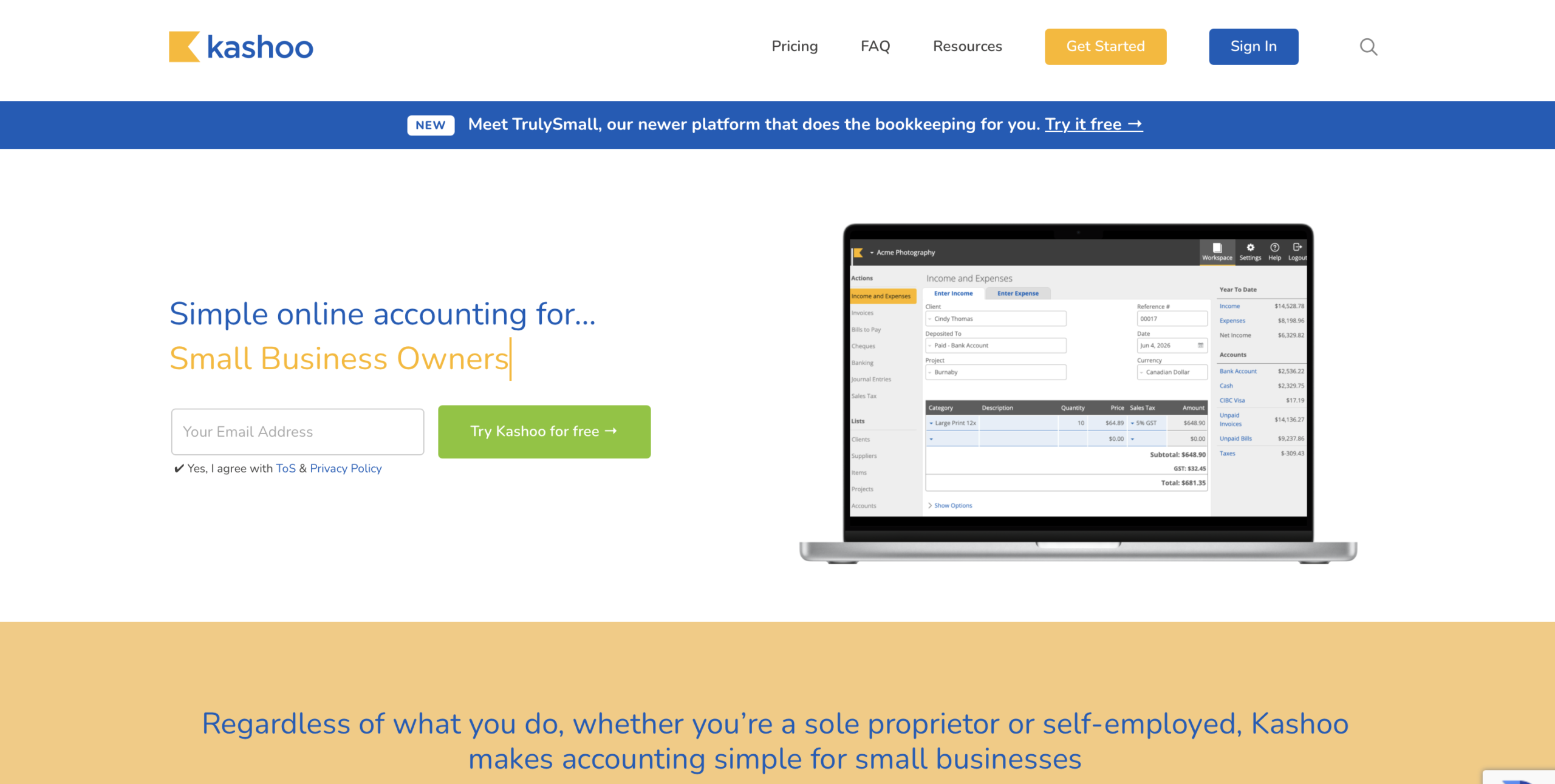
💳 Invoicing that gets out of your way
Sending an invoice takes about twenty seconds. You pick a contact, add line items, choose a sales tax rate, and hit send. Kashoo lets you accept card and ACH payments, and the free TrulySmall Invoicing tier alone is worth a look if all you do is bill clients. Templates are clean but not heavily customizable — you can add a logo and pick colors, not rearrange fields.
💳 Bank feeds and automatic categorization
This is both Kashoo’s biggest time-saver and its biggest weak spot. Connected transactions flow in and the app suggests categories, which cuts bookkeeping from hours to minutes for clean accounts. But the feed reliability is inconsistent across users.
One long-time Capterra reviewer wrote, “its data bank feeds have often failed, resulting in duplicate bank entries, up to four entries for a single transaction,” and support was unable to fix it. Another noted their CAD credit card “show up in USD, even though the card is CAD… They had no fix for this, so the feed became largely useless.” Test your own bank before annual billing.
💳 Double-entry ledger you don’t have to think about
Underneath the friendly UI is a real double-entry ledger, which means your books are audit-ready rather than a cash-basis notebook. You can drill into any transaction to see the split, and accountant access is included at no extra seat cost. That combination — non-accountant friendly on top, proper ledger underneath — is the whole reason Kashoo has survived against QuickBooks.
💳 Projects and items (the “almost” features)
You can tag income and expenses to projects, which is enough to see roughly how profitable a client engagement was. The items feature lets you keep a price list for recurring invoice lines. Both are useful but shallow: there is no budget vs. actual reporting, no unit-of-measure tracking, and no inventory quantity management. Think of them as labeling tools, not operations modules.
💳 Reporting and mobile
You get the essentials: profit and loss, balance sheet, receivables aging, expense summary. Reports export to CSV. You cannot build custom report templates or drill into pivots the way you can in Xero. The iOS app is solid; the Android experience is noticeably thinner, and several reviewers complain the in-app chat support has never worked for them.
Pricing: What You Actually Pay
| Plan | Price | What You Get |
|---|---|---|
| TrulySmall Invoicing | $0/month | Free forever invoicing, unlimited invoices, online payment acceptance |
| TrulySmall Accounting | $20/month ($216/yr) | Full double-entry books, bank feeds, expense tracking, sales tax, basic reports |
| Kashoo Accounting | $30/month ($27/mo billed annually at $324/yr) | Multi-currency, projects, item tracking, unlimited users, Square + payroll sync |
Pros & Cons
Pros
- ✓ Extremely easy to learn; non-accountants can be up and running the same day
- ✓ Unlimited users at no extra seat cost
- ✓ Genuine double-entry accounting under a friendly UI
- ✓ Affordable flat pricing, especially on annual billing
- ✓ Multi-currency and sales tax tracking included
Cons
- ✗ Bank feeds are unreliable for some users, with duplicate entries and currency conversion bugs reported
- ✗ No real inventory management or time tracking
- ✗ Very limited third-party integrations beyond Square and PaymentEvolution
- ✗ Reporting lacks customization and drill-down
- ✗ Android app and in-app chat support are weak
Bottom line: Kashoo is for solopreneurs and tiny service businesses who want dead-simple books with unlimited user seats at a flat price; skip it if you need inventory, billable-time tracking, or a deep app ecosystem — and if budget is everything, Wave’s free tier is worth a look first.
Final Verdict
Kashoo is the right call when you want clean books without accounting software becoming a part-time job. It stops where serious inventory, time tracking, and ecosystem integrations begin, so size yourself honestly before signing up.
Frequently Asked Questions
Is Kashoo really unlimited users?
Yes. There’s no per-seat surcharge on either paid plan. You can invite your accountant, a bookkeeper, and an admin without the bill creeping up — which is unusual at this price.
Does Kashoo integrate with QuickBooks or Xero?
No. Kashoo is a standalone ledger, not a bolt-on. Its main integrations are Square for payments and PaymentEvolution for payroll. If you already run QuickBooks, moving away means a manual CSV export and import — there’s no two-way sync.
Is there a free version?
There’s a free TrulySmall Invoicing tier that lets you send unlimited invoices and take online payments — but no full bookkeeping. Once you need bank feeds, expense tracking, and reconciliation, you move to a paid plan starting around $20/month billed annually.
Does Kashoo handle inventory?
Only at a line-item level. You can build a product list and track what you sold, but there are no stock quantities, reorder points, or automated COGS. Retailers and product businesses should look at QuickBooks Online or Xero instead.
How reliable are the bank feeds?
It’s the most common complaint in reviews. Plenty of users report trouble-free feeds, but a vocal subset sees duplicate entries, wrong currency conversion, and dropped connections. Connect your own bank during the trial before you commit to an annual plan.
About the Author