Short on time? Here’s the gotcha: Nimbus — now rebranded as FuseBase — quietly repositioned its entry plan at a higher price point, and anyone still Googling “Nimbus portal” is stumbling onto a product that barely resembles the note-taking tool it used to be. It’s now one of the most feature-rich branded client portals on the market in 2026. I spent three weeks running a live consulting client through it, and I came away genuinely impressed by the document experience, the built-in AI assistant, and how polished the white-label portal looks. It’s now an AI Agents-first client portal, sold in four tiers that scale from a single client to unlimited. Pricing climbs fast past the entry plan, though, and a handful of support horror stories keep me from a blanket recommendation.
This isn’t a sponsored review. I signed up with my own card, used the product with real client work, and cross-checked every pricing claim against FuseBase’s live pricing page plus aggregated G2 and Capterra reviews. By the end of this post you’ll know exactly who Nimbus/FuseBase is for, who should skip it, and whether the 2026 price tag actually justifies the switch from something like Notion or Google Drive. Comparing your options more broadly? Start with our roundup of the best client portal software.
What Is Nimbus / FuseBase, and Who Is It For?
Nimbus originally launched as Nimbus Note, a note-taking and workspace tool in the Evernote/Notion category. In 2024 the company pivoted hard into client collaboration and rebranded as FuseBase. The product today is a branded client portal platform: you create a separate portal for each client, drop in documents, tasks, forms, chat, and a knowledge base, and the client logs in under your branding (or your custom domain) to see only their stuff.
I tested it as a solo consultant handing off research reports, Loom-style walkthroughs, and monthly status updates. The portal felt like a mini website I could edit without touching code. My client told me the login page looked “more expensive” than the shared Google Drive folder I’d been using — which is the whole point of a client portal.
- ✅ Independent consultants and boutique agencies shipping document-heavy deliverables
- ✅ Teams that want a knowledge-base style portal with nested pages and rich embeds
- ✅ Businesses that want built-in AI summarization and workflow automation out of the box
- ✅ Companies ready to pay for white-label and custom-domain branding
- ❌ Solos on a tight budget — the entry paid tier nearly doubled after the rebrand
- ❌ Teams that need heavy invoicing, billing, or approvals workflow — Nimbus is light there
- ❌ Users who want rock-solid support with fast ticket response (more on that below)
Our Overall Score
4.1/ 5
Based on hands-on testing plus aggregated G2 (4.7/5) and Capterra (4.7/5) ratings.
Core Features I Tested
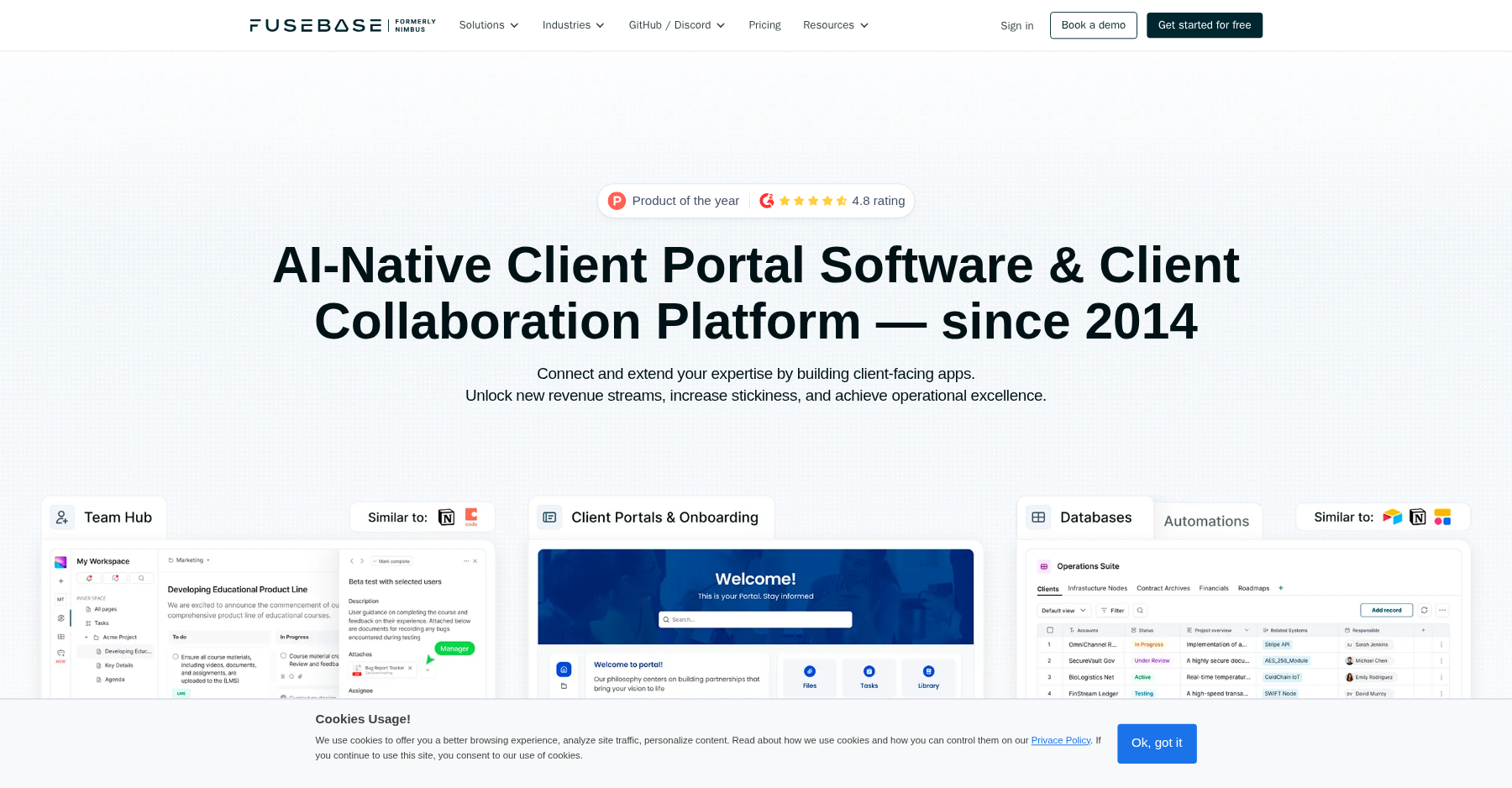
Branded Client Portals
Each client gets a dedicated portal under your subdomain (e.g. yourstudio.fusebase.com) or, on Advanced, your own custom domain. You can set logo, colors, login page, and which blocks each client sees.
Rich Docs & Knowledge Base
The editor is genuinely good — nested pages, embeds, callouts, to-dos, and a table block. It feels like Notion, but gated behind a client login.
Built-in AI Assistant
AI requests (up to 1,000 on Solo, 10,000 on Essentials) let you summarize long documents, draft portal updates, and answer questions across the files in a client portal. It sounds like a gimmick until you’re staring at a 40-page contract at 9pm and just want the three action items pulled out.
Workflow Automation
Trigger actions on form submissions, file uploads, or status changes. I set up an automation that emailed me when a client uploaded a new document — it fired every time.
Real-time Chat & Forms
Clients can message you inside the portal without a separate Slack thread. Built-in forms collect onboarding info and feed it straight into the client’s workspace.
White-label & Permissions
Role-based access controls let you hide internal pages from clients. White-label (removing FuseBase branding, custom domain) unlocks on the Advanced plan.
Pricing (2026)
| Plan | Monthly | Annual (per mo, billed yearly) | What You Get |
|---|---|---|---|
| Solo | $39/mo | $32/mo | 1 member, 1 portal, 1 client, 1,000 AI requests, 1,000 automation runs, 5h transcriptions |
| Essentials | $99/mo | $82/mo | 5 members, 10 portals, 100 clients, 10,000 AI requests, 100h transcriptions |
| Advanced | $399/mo | $266/mo | 50 members, 100 portals, 1,000 clients, 50,000 AI requests, 300h transcriptions, granular permissions, FuseBase Work, white label |
| Unlimited | Custom | Custom | Unlimited members, portals, clients, and AI; contact sales |
Prices from fusebase.com. There is a limited free plan (one portal, one workspace, 20 AI prompts), and a 14-day free trial that covers every tier, with AI Agents included on all four paid tiers. Annual billing saves 30%: Solo $32/mo, Essentials $82/mo, Advanced $266/mo; Unlimited is custom pricing through sales.
What I Liked (Pros)
Pros
- The document/knowledge-base experience is the best in the client-portal category — it genuinely feels like a private Notion for your clients.
- Built-in AI summarization saved me hours on long contract and deliverable reviews during the test period.
- White-label portals under your own domain look professional; my client assumed I’d built a custom web app.
- Generous automation and form builders mean you can replace Typeform + Zapier for simple intake flows.
- No per-client seat fees on Essentials and below — inviting 100 clients doesn’t change your bill.
Cons
- Support responses have been unreliable for some long-time users. One G2 reviewer wrote: “I liked them as nimbus. Then they changed their direction and it did not serve me well any longer. I canceled my account. They billed me again. I requested reimbursement. They have not responded to ANY of my communication.”
- Another GetApp reviewer summed it up bluntly: “Customer service is the worst. Product is buggy. Portal feature isn’t available. They resort to stealing to make money.”
- You can’t share files directly inside chat — you have to jump to the file block, which breaks the conversation flow.
- Deleting a client portal isn’t self-serve; you have to contact support, which is awkward if you’re trying to clean up after a churned client.
- After the rebrand, pricing climbed fast. The Solo plan at $39/mo for one portal and one client is hard to justify if you only serve two or three retainers.
Verdict: Should You Buy Nimbus / FuseBase in 2026?
Nimbus (FuseBase) earns a 4.1/5 from me. It is the strongest choice on the market right now if your portal’s job is to host documents, wikis, and AI-assisted client collaboration. The editor is lovely, the AI features actually save time, and the white-label client portal experience is genuinely polished.
But I’d hesitate to recommend it to anyone who (a) needs predictable, fast support, or (b) needs invoicing/approvals baked into the portal. The post-rebrand price hikes and the handful of billing-and-support horror stories on G2 are real. If you’re a solo consultant with three to ten document-heavy clients, the $99 Essentials plan is the sweet spot. If you’re a two-person shop trying to keep monthly tool spend under $50, look at SuiteDash or Clientally instead; if you mainly need a flat-rate virtual data room, compare Onehub.
Bottom line: Best-in-class document-and-AI portal experience for consultants shipping rich deliverables; skip it if you need fast support, baked-in billing, or a sub-$50 monthly bill.
Frequently Asked Questions
Is Nimbus the same as FuseBase?
Yes. Nimbus — formerly Nimbus Web / Nimbus Note — rebranded to FuseBase back in 2024 and pivoted from a general note-taking tool into a branded client-portal platform. The product you sign up for today at fusebase.com is the same team, just wearing a new name.
Does FuseBase offer a free plan?
There is a limited free tier (one portal, one workspace). FuseBase also gives you a 14-day free trial that covers every paid plan, including AI Agents, so you can run real client work during the trial before committing.
Can I use my own domain?
Custom domains and full white-labeling are locked behind the Advanced plan — $399/month, or $266/month billed annually. Lower tiers use a branded subdomain under fusebase.com.
Is FuseBase worth the price in 2026?
It’s worth it if the AI Agents and document experience are what’s slowing you down. Solo ($39/month, or $32 annual) covers just one client and one portal, so most working consultants move to Essentials quickly. Annual billing saves 30%, which softens the jump.
What are the best Nimbus/FuseBase alternatives?
For a cheaper all-in-one portal, look at SuiteDash or Clientally. If you just need a flat-rate virtual data room, compare Onehub. Notion-native teams can often get away with Notion guest access plus a custom domain and skip the dedicated portal entirely.
What is the Nimbus / FuseBase client portal, exactly?
It is a branded, login-gated workspace for each of your clients. You set up a portal, drop in documents, a wiki, tasks, forms, and chat, and the client signs in under your logo (or your own domain on the Advanced plan) to see only their files. It started as the Nimbus Note note-taking app, but after the rebrand the portal product is essentially a private, Notion-style knowledge base that you hand the keys to each client. For a flatter, folder-based secure file share, you would be looking at a different kind of tool, like Huddle.
Is Nimbus Web Inc. still the company behind FuseBase?
Yes. FuseBase is operated by Nimbus Web, the Delaware company that built Nimbus Note. The note-taking app still exists at thefusebase.com/note, and the client-portal platform you sign up for today at fusebase.com is the same team under a new name. So if you are looking up an old invoice or agreement under “Nimbus,” that is the same company now invoicing you as FuseBase.
About the Author