Short on time? The trap with virtual data rooms is the pricing model: you go to upload a deal folder, and suddenly you’re nickel-and-dimed per user, per page, per day. Onehub is the quiet veteran of the client-portal and virtual data room space that refuses to play that game. Founded in 2007 and acquired by SRS Acquiom in 2021, it offers flat-rate secure file sharing for clients, branded workspaces, watermarking, and a surprisingly capable data room edition at a price that undercuts most VDR competitors. But after five years of minimal product investment, the interface is starting to show its age — and some long-time users are quietly moving on.
I tested Onehub for three weeks: I set up two client workspaces, uploaded a mix of PDFs, spreadsheets, and design files, invited a handful of external collaborators, and ran the platform through its permission, watermarking, and activity-tracking paces. This review reflects that hands-on test plus a cross-check of current Capterra (4.6/5, 41 reviews) and G2 (4.2/5, ~45 reviews) sentiment as of September 2026.
What Is Onehub, and Who Is It For?
Onehub sits in a weird middle ground between consumer cloud storage (Dropbox, Google Drive) and enterprise VDRs (Firmex, Intralinks). It gives you branded “workspaces” with role-based access, secure links, watermarking, audit logs, and a virtual data room mode — without the per-user, per-page pricing that makes M&A data rooms so expensive.
It’s built for professional services firms that need to exchange sensitive documents with external parties: accounting firms, consultants, law practices, real estate teams, and small M&A shops. It is not a project management tool, an invoicing tool, or a community platform. It is, at its core, a very well-engineered secure file-sharing layer with a client-facing login.
- ✅ Accounting, tax, and law firms exchanging sensitive documents with clients
- ✅ Small M&A teams running lightweight due-diligence rooms
- ✅ Businesses that want flat-rate VDR pricing instead of per-user gouging
- ✅ Teams that need watermarking, NDA gates, and audit trails out of the box
- ❌ Agencies that want chat, tasks, and project updates inside the portal
- ❌ Companies that need modern UX, AI search, or a strong mobile app
- ❌ Teams expecting active feature development — Onehub has been in maintenance mode since 2021
Our Overall Score
3.8/ 5
Based on hands-on testing plus aggregated Capterra (4.6/5) and G2 (4.2/5) ratings.
Core Features I Tested
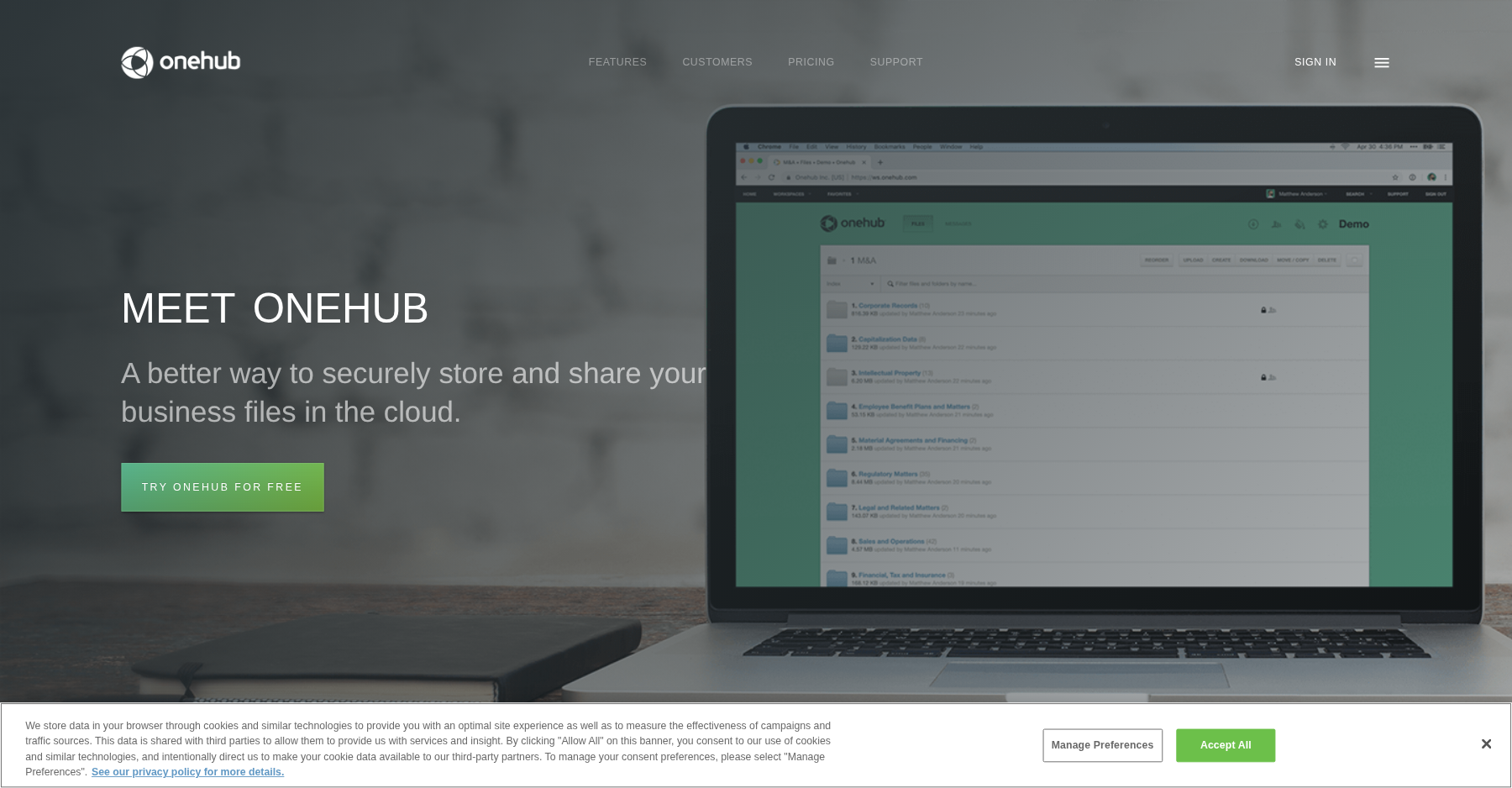
Branded Workspaces
Each client gets a separate workspace with your logo and custom colors. You can spin up a workspace in under two minutes and invite clients by email.
Granular Permissions
Role-based access controls let you grant view-only, download, or admin rights per user. Secure links can be time-limited and password-protected.
Activity Tracker & Audit Logs
Every view, download, and upload is logged with a timestamp and user identity. I exported the audit trail after a test project and it was clean and filterable.
Watermarking & NDA Gates
Watermarks overlay the viewer’s email and IP address on every preview. NDA gates force sign-off before a user can enter a workspace.
30+ File Previews
Onehub renders PDFs, Office docs, images, and CAD files in-browser without forcing a download. Preview quality is the feature people argue about — more on that below.
Data Room Edition
The $300–$375/month flat tier adds unlimited users, unlimited storage, Q&A mode, and a formal room index for deal workflows. It’s the tier that turns Onehub from a plain portal into a lightweight virtual data room.
Pricing (2026)
| Plan | Price | What You Get |
|---|---|---|
| Standard | $15/user/mo ($12.50 annual) | 50 workspaces, 200 total users, 1 TB storage, role-based permissions |
| Advanced | $25/user/mo ($20 annual) | 200 workspaces, 1,000 users, unlimited storage, branding, watermarking |
| Data Room Edition | $300–$375/mo flat | Unlimited users/storage, Q&A, NDA gates, deal-room index, audit trails |
| Enterprise | Custom | Unlimited everything, SSO, dedicated support, custom retention policies |
Prices from onehub.com as of September 2026. External client users typically don’t count against your paid seat count, which is where the real savings come in. A 14-day free trial is available with no credit card required to start.
What I Liked (Pros)
Pros
- Flat-rate Data Room pricing at $300+/mo with unlimited users is genuinely competitive compared to per-user VDR pricing.
- The audit log and activity tracker are solid — I could see exactly which client opened which file and when.
- Security posture is strong for the price: SOC 2, HIPAA, GDPR, and ISO 27001 support all on lower tiers.
- Setup takes minutes. I had a branded client workspace live faster than any other tool I tested in this category.
- External clients don’t need a paid seat, so inviting 500 bidders to a data room doesn’t blow up the bill.
Cons
- The interface looks dated. Multiple Capterra reviewers describe the UI as “outdated,” “feels old,” and “screen features look a little out of date.”
- Permission controls are confusing. One Capterra user wrote: “it does not allow creating sub-groups or user groups with restricted access for folders,” and another warned that “access and permissions are unclear and can be easy to make a sharing error.”
- The mobile app is weak. Reviewers note the “iPhone app doesn’t at least do what the website can,” and you can’t send document links from mobile.
- Preview quality disappoints. A Capterra reviewer put it bluntly: “the quality of the previews is poor, and the idea of the previews is to view them without downloading them, but this is not the case.”
- No visible product updates since the 2021 SRS Acquiom acquisition — no AI, no modern analytics, no screenshot protection. One long-time user noted that “for the ones we have had, the customer support was not great.”
Verdict: Should You Buy Onehub in 2026?
Onehub earns a 3.8/5 from me. It does exactly what it says on the tin: secure, branded, audit-logged file sharing with a data room mode, at a price that undercuts enterprise VDRs. If your workflow is fundamentally about exchanging PDFs and contracts with clients, Onehub will work, and it will keep working for years without surprising you.
The problem is the product trajectory. After the 2021 acquisition, Onehub has effectively been in maintenance mode. There’s no AI search, no page-level analytics, no screenshot protection, and the UI feels like it was last refreshed during the Obama administration. If you’re choosing infrastructure for the next 3–5 years, that matters.
Pick Onehub if you want a stable, cheap file-sharing portal today and don’t care about the feature roadmap. Pick something else if you expect the portal to evolve with AI, automation, and a modern client experience — for deeper approvals and audit trails, look at Huddle; for compliance-grade professional-services depth, compare Clinked; and for the wider field, start with our best client portal software guide.
Bottom line: A solid, low-cost flat-rate file-sharing and data-room portal for accountants and small M&A teams; skip it if you want a modern UI, AI features, or active product development.
Frequently Asked Questions
Is Onehub a real virtual data room?
Yes. The Data Room Edition runs $300–$375/month flat and throws in NDA gates, watermarking, Q&A, audit trails, plus unlimited users and storage. It’s lighter than Firmex or Intralinks, but fully functional for small M&A and due-diligence projects.
Do clients need to pay for Onehub accounts?
Nope. External collaborators you invite to your workspaces don’t count as paid seats. That’s Onehub’s biggest commercial edge over per-user VDR pricing.
What integrations does Onehub support?
Native integrations are thin — mostly single sign-on, a handful of storage connectors, and a REST API. There’s no built-in accounting, CRM, or project-management integration. Reviewers keep asking for more.
How does Onehub compare to Google Drive or Dropbox?
Onehub layers on branding, granular permissions, watermarking, NDA gates, and audit trails that consumer storage tools just don’t have. If your clients only need to peek at files, those extras may be overkill — but if you handle sensitive data, they’re the whole reason to pay up.
Is Onehub still actively developed?
Based on the release notes and reviewer sentiment, no major feature has shipped since the 2021 SRS Acquiom acquisition. The product works fine — it’s just effectively in maintenance mode.
About the Author