The Short Version
Let’s get the naming out of the way first: this is Assembly — the white-label client portal for professional services (accounting, consulting, marketing, legal, and real-estate firms) — not Microsoft Copilot and not GitHub Copilot. The product has been through three names: it launched as Portal, became Copilot (formerly copilot.com), and in September 2026 officially rebranded to Assembly at assembly.com. Note that the old copilot.com domain now belongs to Microsoft and shows its unrelated AI assistant, which is exactly why we’ve redirected our review’s affiliate link away from it. What hasn’t changed is the core idea: give every client one branded login where they message you, sign contracts, pay invoices, and grab files without ever seeing your internal tools.
The product’s whole philosophy is restraint. It does not try to be a full accounting system, a project-management suite, or an HR platform. Instead it is a beautifully done portal with a lightweight CRM, Stripe-native invoicing and subscriptions, built-in legal-grade e-signatures, intake forms, file sharing, and an app layer that now lets you build onboarding wizards, document collectors, and client dashboards in plain English — plus embeds for tools like Calendly and Airtable directly inside your branded experience. The result is a client experience reviewers consistently describe as feeling like a custom-built app rather than templated SaaS.
Where Assembly gives up points is scope, not quality. There is no timer or billable-hour tracking, no native scheduling, and only the shallowest project management — those live in other tools you run alongside it. The good news on white-labeling: removing the “Powered by” badge now ships with the $99 Professional tier, not a $399+ gate as it did under the old Copilot pricing. The remaining budget surprise is the Advanced tier ($499/mo), which is what gates audit logs, granular client permissions, enforced MFA, and HIPAA/BAA. If you are a healthcare or compliance-heavy practice, that is a real line item to plan for.
Who This Is For (and Who Should Skip)
Assembly is deliberately a layer, not a suite. That is a strength for some buyers and a dealbreaker for others.
- ✅ Accounting, consulting, and advisory firms
A polished, secure client hub for documents, e-sign, billing, and messaging – with SOC 2 Type II and HIPAA/BAA on Advanced. - ✅ Agencies that already use best-of-breed tools
The app layer embeds Calendly, Airtable, and dashboards inside your portal instead of forcing you to replace them, and the AI app builder lets you spin up custom onboarding or tracker apps without code. - ✅ Teams whose client experience is part of the pitch
The portal feels like a custom app and measurably cuts down repeated “where’s my file?” emails. Badge-free branding now starts at the $99 Professional tier. - ❌ Hourly-billing firms that need time tracking
There is no timer and no billable-hour tracking; hours live in Toggl or Harvest and don’t flow into invoices. - ❌ Enterprises needing SSO, audit logs, or HIPAA on a budget
Those live on the $499 Advanced tier or Enterprise plan. If you need a complete business suite on one cheap subscription, look elsewhere.
Score Breakdown
What Actually Matters: Features, Reviewed
Assembly lists dozens of capabilities, but most of our testing time went to four that define what it actually is – and what it is not.
🏠 The branded client portal itself
This is the whole product, and it is excellent. Clients land on a subdomain or your custom domain, log in once (magic link or Google, with MFA on Advanced), and find a clean hub for messages, files, contracts, invoices, and onboarding tasks. The design language is modern and calm, and reviewers repeatedly say it “feels like a custom-built app.” For firms whose marketing promises a premium experience, that polish is a genuine competitive edge rather than decoration. The honest limitation is that the portal is mobile-responsive web, not a native iOS/Android app for you or your clients.
🤖 The AI app builder: build, don’t just embed
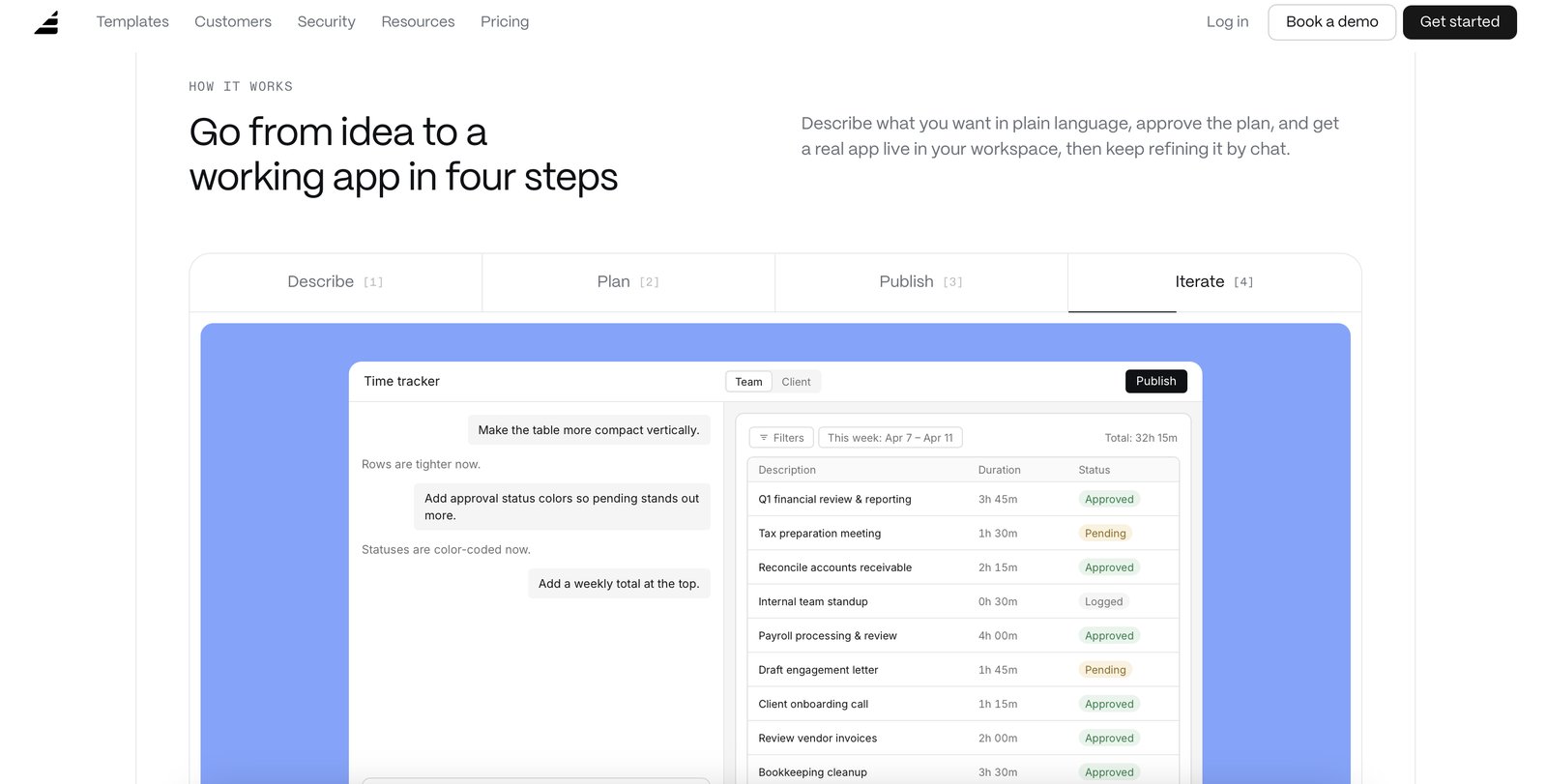
The biggest change since the Copilot days is the AI app builder: describe an onboarding wizard, document collector, time tracker, or client dashboard in plain English, answer a couple of questions, and Assembly builds it straight into your branded client experience – already wired to your contacts, permissions, and branding. There are 30+ pre-made templates, and apps run on build credits that refresh monthly. This is the smartest answer to the “all-in-one vs. best-of-breed” question, and it explains why Assembly can be polished yet deliberately light on native modules. The trade-off is that anything complex still routes through Zapier or Make, which costs extra and adds upkeep.
💳 Native billing and e-sign
Billing is Stripe-native: one-time invoices, recurring subscriptions, and pay links, plus legal-grade e-signatures built into contracts and proposals – no separate DocuSign bill. That keeps money and signatures inside the portal and closes the loop cleanly for service firms. It is strong, but remember Assembly is not an accounting ledger. It syncs to QuickBooks, and multiple G2 reviewers report sync quirks, so if accounting accuracy is mission-critical, validate that integration during your trial before you commit.
🔑 What it deliberately leaves out
I want to be blunt about the gaps because they are the reason to buy or walk away. There is no time tracking – no timers, no manual time entry, no billable-hour sync to invoices. There is no built-in scheduler; you embed Calendly. Project management is basic – no Gantt charts, no task dependencies, no resource planning. Automation is simple trigger-and-action with no conditional branching. If you run a fixed-fee productized service or an advisory firm, these omissions rarely bite. If you bill by the hour or run complex project timelines, you will keep several other subscriptions running alongside Assembly.
What Real Users Actually Say
I read through verified reviews on G2 and Capterra. Assembly (formerly Copilot, formerly Portal) sits near the top of G2’s client-portal category, with a very high rating across hundreds of reviews – praise concentrates on the portal experience, complaints concentrate on pricing and missing modules. Here is what surfaced.
The Good
“The overall value led me to pay for a year right away, and I would rate it a 10 out of 10 for recommending to others.”
– Verified user, G2
“Highly customizable, allowing clients access to pertinent information 24/7, reducing FAQ responses.”
– Verified user, Capterra
The Complaints
Multiple G2 reviewers flag the QuickBooks integration as unreliable, with syncs that drop or require manual cleanup – a recurring note worth testing on your own books during the trial.
– Observation synthesized from verified G2 reviews
Reviewers who anchor on the entry tier still wish Advanced were cheaper: audit logs, granular client access permissions, enforced MFA, and HIPAA/BAA all require the $499 Advanced plan, a step-up most solo and small-team buyers don’t budget for when they first evaluate.
– Observation synthesized from G2 and Capterra reviews
User feedback sourced from G2 and Capterra reviews.
Pricing: Every Plan, Laid Bare
Assembly now offers a free-forever plan and prices per workspace with active-contact caps rather than per-seat on every tier. There is no per-client charge, so you can onboard as many clients as your contact limit allows. Headline prices (USD; annual billing shown as monthly equivalent, monthly billing also available):
| Plan | Price | What You Get |
|---|---|---|
| Free | $0 forever | — 5 active contacts, 1 internal user; 3 apps. CRM, client experience, messaging, billing/payments, e-sign, 30+ pre-made apps. "Powered by" badge shown. |
| Starter | $29/mo | $49/mo 1 internal user; up to 50 active contacts. Everything in Free, plus API & MCP connector, email support, 200 build credits/mo. |
| Professional | $99/mo | (monthly available) 3 internal users; up to 500 active contacts. Custom domain, badge removed, automation builder, app visibility, AI model selection, priority email support. |
| Advanced | $499/mo | (monthly available) 5 internal users; unlimited active contacts. Audit log, client access permissions, enforced MFA, HIPAA compliance (BAA), personalized onboarding. |
| Enterprise | Custom | Custom Unlimited users, contacts, and apps; custom SSO; volume build credits; dedicated architect & success manager. |
Internal users are included per plan (1 on Free/Starter, 3 on Professional, 5 on Advanced) and extra apps run $5/month each. The math most buyers miss after the rebrand: the “Powered by” badge is now removed starting at the $99 Professional tier, which also unlocks custom domains, automation builder, and app visibility. What still costs serious money is Advanced at $499/mo – that is the only tier with audit logs, granular client access permissions, enforced MFA, and HIPAA/BAA. Build credits (for the AI app builder) refresh monthly and extra credits are $0.60 each. It is excellent software; just confirm which compliance tier you actually need before you fall in love with the demo.
The Unfiltered Pros & Cons
Pros
- ✓ Best-in-class client portal UX - reviewers say it feels like a custom-built app
- ✓ New AI app builder lets you spin up onboarding, document, and dashboard apps in plain English, plus embeds for Calendly/Airtable
- ✓ Stripe-native billing plus built-in legal-grade e-sign, no DocuSign needed
- ✓ Free-forever plan with real client features; badge removal now starts at the $99 Professional tier
- ✓ SOC 2 Type II with HIPAA/BAA available on Advanced; no per-client charges
Cons
- ✗ True compliance/enterprise features (audit logs, granular permissions, enforced MFA, HIPAA/BAA) need the $499 Advanced plan
- ✗ No native time tracking - hourly invoices are entered by hand
- ✗ No built-in scheduling (embed Calendly); project management is deliberately thin
- ✗ Active-contact caps per plan (5 / 50 / 500 / unlimited); multi-workspace teams pay separately
- ✗ No standalone mobile app (responsive web only); QuickBooks sync draws complaints
Final Verdict
Assembly (the client portal, formerly Copilot and originally Portal) builds the nicest-looking branded client experience in the category: messaging, files, contracts, and billing in one hub that feels like a custom app, now with an AI app builder for custom onboarding and dashboard workflows. It is a portal layer, not a full business suite - it integrates with your accounting, scheduling, and project tools rather than replacing them. Since the rebrand there is a free-forever plan and badge removal now starts at $99 Professional; the remaining budget gate is the $499 Advanced tier for audit logs, granular permissions, and HIPAA. There is still no native time tracking or built-in scheduling.
If you run an accounting, consulting, or advisory firm and the client experience is part of your product, Assembly is the best-looking portal you can stand up in days. The free plan lets you validate the workflow with real clients before paying, Professional at $99 gets you a custom domain and a badge-free branded experience, and Advanced is only necessary if you need audit logs, granular permissions, enforced MFA, or HIPAA. It integrates cleanly with the tools you already use, and the portal polish alone justifies the cost for firms that bill on trust and presentation.
Skip it if you need time tracking, scheduling, and project management inside the same subscription, or if you wanted one cheap tool to run your entire business. Assembly is a world-class front door, not the whole house. For the right buyer it earns a 4.1; for the hourly-billing, project-heavy shop that expects an all-in-one suite, it will feel like you paid for a lobby.
Frequently Asked Questions
Is this Assembly the same as Microsoft Copilot?
No. This is the white-label client portal originally launched as Portal, later called Copilot, and rebranded to Assembly in September 2026. It is built for accounting, consulting, legal, and marketing firms and has nothing to do with Microsoft’s Copilot AI assistant or GitHub Copilot. The old copilot.com domain now redirects to Microsoft; this product lives at assembly.com.
How much does Assembly cost?
There is a free-forever plan (5 active contacts, 1 user). Paid plans are Starter at $29/mo billed annually ($49 monthly) for 50 contacts and 1 user, Professional at $99/mo billed annually for 500 contacts and 3 users (with custom domain and badge removal), and Advanced at $499/mo billed annually for unlimited contacts, 5 users, audit logs, enforced MFA, and HIPAA/BAA. Enterprise is custom. You are never charged per client.
Do I have to pay extra to remove the “Powered by” branding?
No longer. As of the Assembly rebrand, the “Powered by” badge is removed starting at the $99 Professional tier, which also includes custom domains. (Under the old Copilot pricing, badge removal required the $399+ Advanced plan.)
Does Assembly include time tracking or scheduling?
No. There is no built-in timer or billable-hour tracking, and scheduling is handled by embedding Calendly rather than a native booking tool. Hour-based work and calendars live in other tools you connect alongside Assembly.
About the Author