Short on time? The default small-business stack is a patchwork: a bare file-sharing tool with no billing (like Onehub), glued to a project-management tool with a clunky client view (like Asana), glued to a separate invoicing app. Clientary — the product built by the team at clientary.com — tries to be the rare all-in-one: branded client portal, invoices, estimates, proposals, time tracking, expenses, and online payments under one flat-rate bill. At $19 to $59/month, it’s also one of the cheapest serious options on the market.
I ran Clientary for three weeks inside a small freelance workflow: I created a client, sent an estimate, got it approved, tracked billable hours, generated an invoice, and watched the client pay through the portal. This review reflects that hands-on test plus a cross-check of Capterra (4.7/5 across ~100 reviews) as of September 2026. It’s not perfect — the dashboard is slow at times and customization is shallow — but the value is hard to argue with. Shopping the whole category first? See our roundup of the best client portal software.
What Is Clientary, and Who Is It For?
Clientary is a flat-rate business-management platform for freelancers and small professional-services firms. The client-facing side is a branded portal where your clients see invoices, pay bills, approve estimates, sign contracts, and download deliverables. The internal side tracks projects, time, expenses, and retainer balances. Think of it as a lighter, cheaper alternative to HoneyBook, Dubsado, or Bonsai.
It’s best suited for solo operators and two- to five-person shops: freelancers, small agencies, bookkeepers, web studios, and consultants who bill by the hour or on retainer. It’s less suited to teams that need heavy CRM, advanced Gantt charts, or deep accounting integration — you’ll want QuickBooks or Xero alongside it for that.
- ✅ Solo freelancers and boutique agencies that want portal + billing in one tool
- ✅ Businesses that bill by the hour, on milestones, or on monthly retainers
- ✅ Teams that want unlimited clients on a flat monthly fee
- ✅ Users who want a flat-rate portal plus billing and can start on the $19 plan
- ❌ Companies that need heavy project management, Gantt charts, or team resource planning
- ❌ Teams that expect a polished native mobile app (the mobile web experience is so-so)
- ❌ Businesses needing advanced reporting, custom dashboards, or deep accounting integration
Our Overall Score
4.3/ 5
Based on hands-on testing plus aggregated Capterra rating of 4.7/5 (~100 reviews).
Core Features I Tested
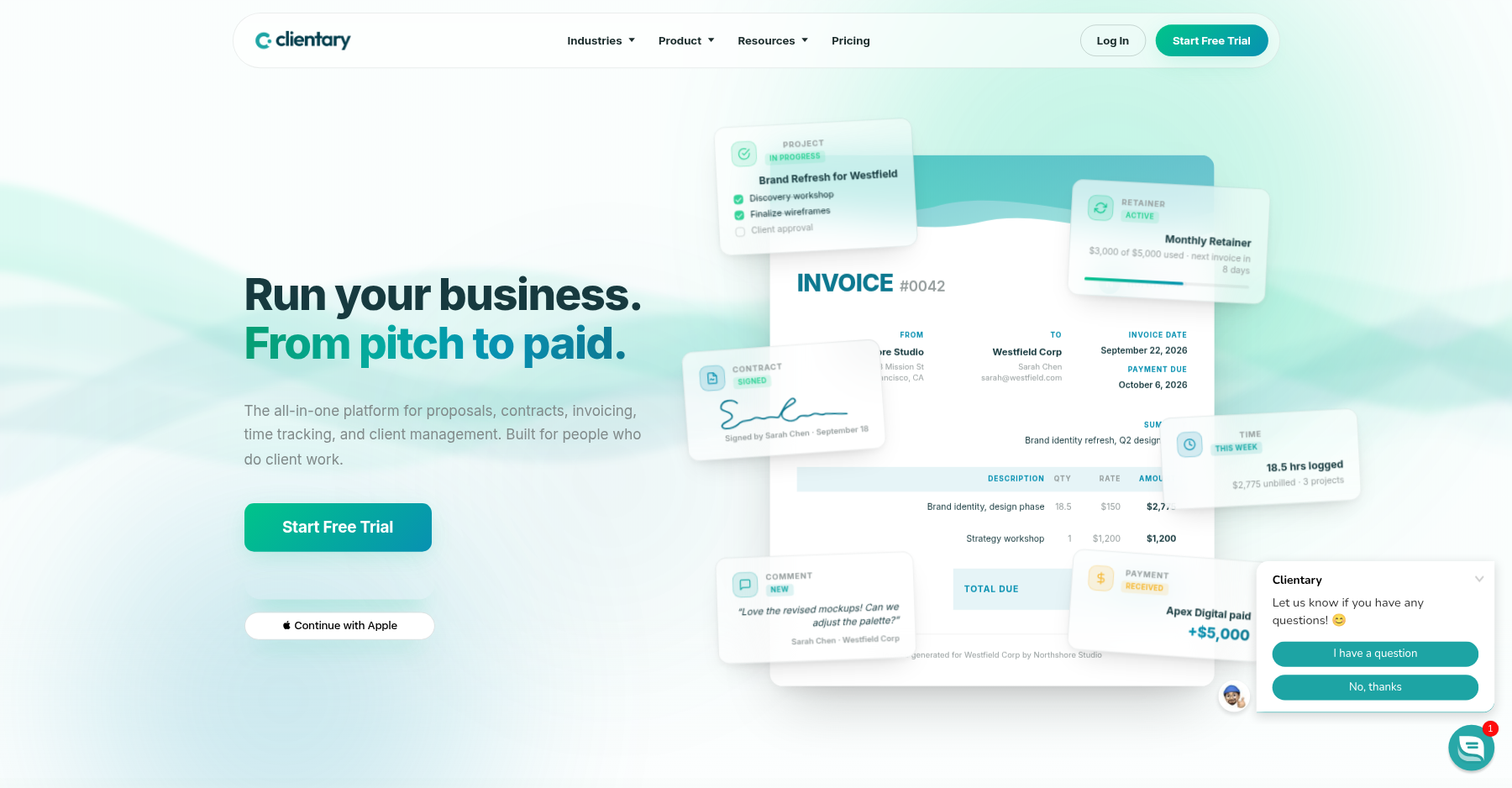
Branded Client Portal
Every client gets a login under your branding. On the Team and Agency plans you can connect a custom domain. Clients see invoices, estimates, projects, and files — nothing internal leaks.
Invoices, Estimates & Proposals
Customizable templates, recurring invoices, retainer billing with automatic rollover credit, online payment acceptance, and late-fee handling. The estimate-to-invoice conversion worked flawlessly in my test.
Time & Expense Tracking
Built-in timer logs hours against projects and clients. Expenses can be marked billable and attached to invoices automatically.
Project Management Lite
Tasks, milestones, file uploads, and change-order approvals inside the portal. It’s not Asana, but it’s enough to keep clients out of your email inbox.
Online Payments & E-Signature
Payment integrations (Stripe-style gateways) let clients pay invoices in one click. E-signature support on estimates and contracts means no DocuSign add-on.
Unlimited Clients on Flat Pricing
Clients are unlimited on Team and Agency, while the $19 Basic plan caps you at 30 clients. On Team or Agency you can grow from 5 to 50 clients without changing your monthly bill — a big contrast to per-seat tools.
Pricing (2026)
| Plan | Monthly | What You Get |
|---|---|---|
| Basic | $19/mo | 30 clients, 2 contacts per client, 1 staff user, SSL |
| Team | $39/mo | Unlimited clients, more contacts, 3 staff users, all portal + billing features |
| Agency | $59/mo | Unlimited clients, unlimited contacts, 5 staff users, prioritized support |
Prices from clientary.com as of September 2026. A 14-day free trial is available. There is no free tier, but the $19 entry plan is the cheapest serious all-in-one portal + billing combo I’ve tested.
What I Liked (Pros)
Pros
- Unlimited clients on Team and Agency is a genuine value play — most competitors charge per client once you pass ten.
- The estimate → approval → invoice → payment flow is smooth and genuinely cut down my admin time during the test.
- White-label branding and a custom domain unlock on the $39 Team plan, not gated behind an expensive Agency upgrade.
- Capterra sentiment is strong: 4.6/5 for ease of use, 4.6/5 for value, and 4.6/5 for support across ~100 reviews.
- Retainer billing with automatic invoice generation and balance tracking is a feature tools twice the price still charge extra for.
Cons
- Performance is inconsistent. One Capterra reviewer noted: “To load the dashboard it takes sometimes 4-5 minutes which is very annoying.” I saw occasional multi-second load times myself, though rarely that extreme.
- Customization is shallow. As one reviewer put it: “Clientary has limited customization and lack some features such as video calling.”
- Billing integrations require some elbow grease. Reviewers note that “you have to integrate in the billing systems yourself but it is easy” — meaning no native QuickBooks Online two-way sync out of the box.
- Reporting and analytics are thin. There’s no deep project-profitability dashboard or custom report builder.
- The mobile experience is browser-only — no polished native iOS or Android app — and some reviewers describe it as laggy on small screens.
Verdict: Should You Buy Clientary in 2026?
Clientary earns a 4.3/5 from me. It’s not the most polished portal on the market, and it isn’t trying to be. What it is, is the cheapest serious all-in-one portal-and-billing platform for solo operators and small agencies. At $19–$59/month with unlimited clients, white-label, online payments, and retainer billing, it undercuts HoneyBook, Bonsai, and Dubsado by a wide margin.
Where it loses points is polish. The dashboard can be slow, the UI feels a bit utilitarian, and you won’t get the marketing-automation depth of a tool like SuiteDash. But if your primary pain is “I need a branded place where clients can see invoices, pay me, and upload files without emailing me,” Clientary solves that for less than the cost of a single client lunch. If you’d rather start free and keep it dead simple, Ahsuite is worth a look; skip Clientary only if you need heavy project management or advanced accounting sync.
Bottom line: The best budget all-in-one client portal for freelancers who need invoices and retainer billing in the same login; skip it if you want heavy project management or a slick native mobile app.
Frequently Asked Questions
Is Clientary really free of per-client fees?
Mostly. Team and Agency include unlimited clients, but the $19 Basic plan caps you at 30 clients. Onboard 10 or 100 of them on Team or Agency and your monthly bill doesn’t move. Just know staff users are capped — 1 on Basic, 3 on Team, 5 on Agency.
Does Clientary integrate with QuickBooks or Xero?
No native two-way sync right now. Reviewers say you can route billing through Stripe and reconcile by hand, but if you need deep accounting integration, plan to pair Clientary with something that exports clean CSV reports.
Is there a free trial?
Yep — a 14-day free trial on every plan. Just know there’s no forever-free tier.
Can clients pay invoices inside the portal?
Yes. Payment gateways are built into every paid plan, so clients can pay invoices in one click. They can also save a payment method for automatic recurring retainer billing.
How does Clientary compare to HoneyBook or Bonsai?
Clientary is cheaper and more flat-rate — unlimited clients — but it has less marketing automation, fewer templates, and a less polished UI. Go HoneyBook if you need proposal templates and CRM; go Clientary if you just want straightforward portal plus billing at a lower price.
About the Author