
Quick verdict: Assembly (the client portal, formerly Copilot and originally Portal) builds the nicest-looking branded client experience in the category: messaging, files, contracts, and billing in one hub that feels like a custom app, now with an AI app builder for custom onboarding and dashboard workflows. It is a portal layer, not a full business suite – it integrates with your accounting, scheduling, and project tools rather than replacing them. Since the rebrand there is a free-forever plan and badge removal now starts at $99 Professional; the remaining budget gate is the $499 Advanced tier for audit logs, granular permissions, and HIPAA. There is still no native time tracking or built-in scheduling
My recommendation: Starter at $29/mo. A free option is available (Free).
Rating: 4.1/5 Figures come from the live site or aggregator-reported ratings, not a vendor deck.
The Short Version
Let’s get the naming out of the way first: this is Assembly — the white-label client portal for professional services (accounting, consulting, marketing, legal, and real-estate firms) — not Microsoft Copilot and not GitHub Copilot. If you’ve landed here searching for “Copilot client portal,” you’re in the right place; if you wanted an AI chatbot, bail now. The product has been through three names: it launched as Portal, became Copilot (formerly copilot.com), and in September 2025 officially rebranded to Assembly at assembly.com.
Note that the old copilot.com domain now belongs to Microsoft and shows its unrelated AI assistant, which is exactly why we’ve redirected our review’s affiliate link away from it. What hasn’t changed is the core idea: give every client one branded login where they message you, sign contracts, pay invoices, and grab files without ever seeing your internal tools.
The product’s whole philosophy is restraint. It does not try to be a full accounting system, a project-management suite, or an HR platform. Instead it is a beautifully done portal with a lightweight CRM, Stripe-native invoicing and subscriptions, built-in legal-grade e-signatures, intake forms, file sharing, and an app layer that now lets you build onboarding wizards, document collectors, and client dashboards in plain English — plus embeds for tools like Calendly and Airtable directly inside your branded experience. Clients and reviewers keep describing the result as a custom-built app, not templated SaaS.
Where Assembly gives up points is scope, not quality. There is no timer or billable-hour tracking, no native scheduling, and only the shallowest project management — those live in other tools you run alongside it. On white-labeling, the rebrand helps: removing the “Powered by” badge now ships with the $99 Professional tier, not a $399+ gate as it did under the old Copilot pricing.
Who This Is For (and Who Should Skip)
Assembly is deliberately a layer, not a suite. That is a strength for some buyers and a dealbreaker for others.
- ✅ Accounting, consulting, and advisory firms
A polished, secure client hub for documents, e-sign, billing, and messaging – with SOC 2 Type II and HIPAA/BAA on Advanced. - ✅ Agencies that already use best-of-breed tools
The app layer embeds Calendly, Airtable, and dashboards inside your portal instead of forcing you to replace them, and the AI app builder lets you spin up custom onboarding or tracker apps without code. - ✅ Teams whose client experience is part of the pitch
The portal feels like a custom app and measurably cuts down repeated “where’s my file?” emails. Badge-free branding now starts at the $99 Professional tier. - ❌ Hourly-billing firms that need time tracking
There is no timer and no billable-hour tracking; hours live in Toggl or Harvest and don’t flow into invoices. - ❌ Enterprises needing SSO, audit logs, or HIPAA on a budget
Those live on the $499 Advanced tier or Enterprise plan. If you need a complete business suite on one cheap subscription, look elsewhere.
Score Breakdown
What Actually Matters: Features, Reviewed
Assembly lists dozens of capabilities, but most of our testing time went to four that define what it actually is – and what it is not. Skip the feature laundry list; these four are the ones that matter.
🏠 The branded client portal itself
This is the whole product, and it is excellent. Clients land on a subdomain or your custom domain, log in once (magic link or Google, with MFA on Advanced), and find a clean hub for messages, files, contracts, invoices, and onboarding tasks. The design language is modern and calm, and reviewers repeatedly say it “feels like a custom-built app.”
For firms whose marketing promises a premium experience, that polish is a genuine competitive edge rather than decoration. The honest limitation is that the portal is mobile-responsive web, not a native iOS/Android app for you or your clients.
🤖 The AI app builder: build, don’t just embed
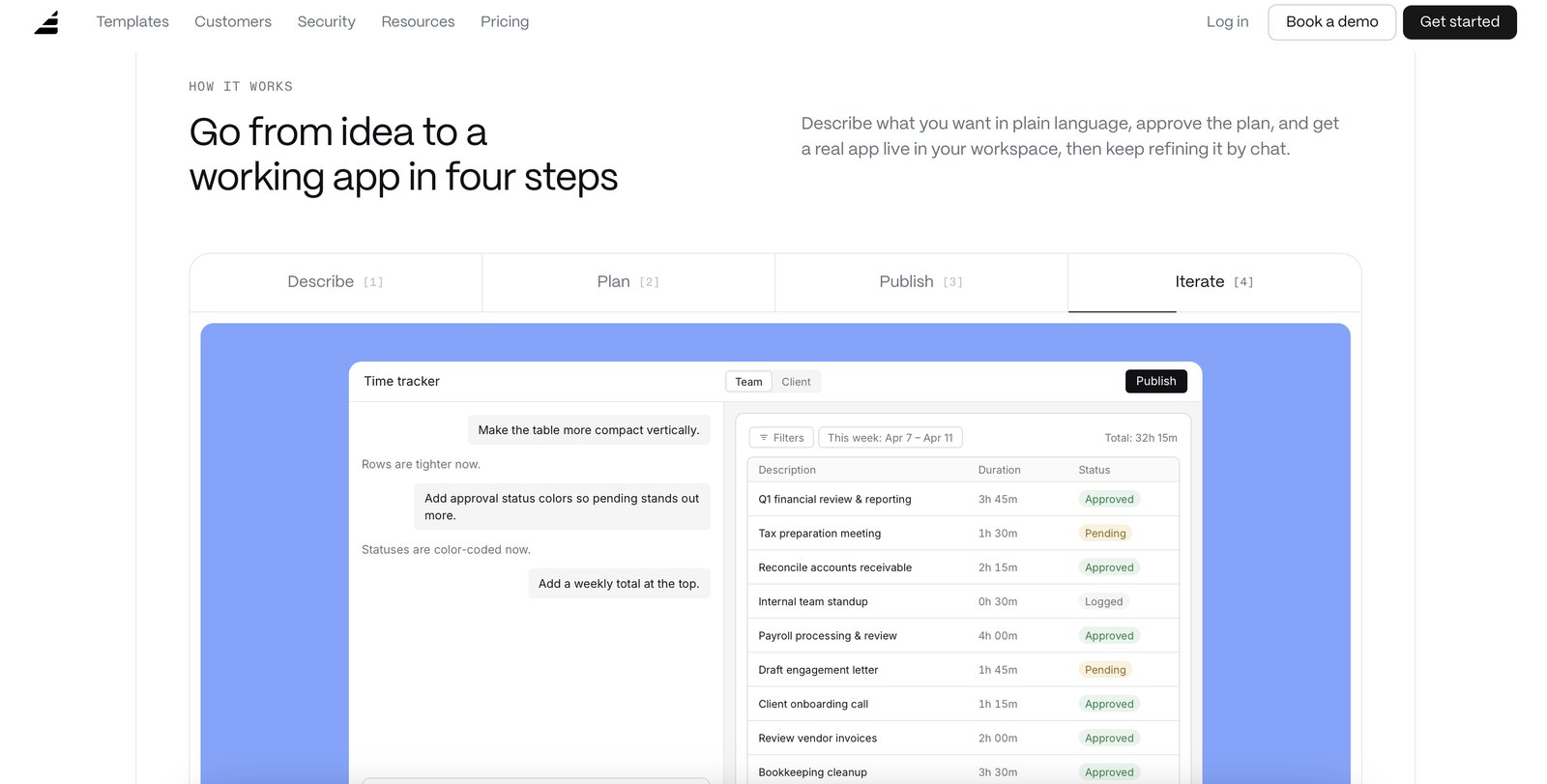
The biggest change since the Copilot days is the AI app builder: describe an onboarding wizard, document collector, time tracker, or client dashboard in plain English, answer a couple of questions, and Assembly builds it straight into your branded client experience – already wired to your contacts, permissions, and branding. There are 30+ pre-made templates, and apps run on build credits that refresh monthly. This is the smartest answer to the “all-in-one vs. best-of-breed” question, and it explains why Assembly can be polished yet deliberately light on native modules. The trade-off is that anything complex still routes through Zapier or Make, which costs extra and adds upkeep.
💳 Native billing and e-sign
Billing is Stripe-native: one-time invoices, recurring subscriptions, and pay links, plus legal-grade e-signatures built into contracts and proposals – no separate DocuSign bill. That keeps money and signatures inside the portal and closes the loop cleanly for service firms. It is strong, but remember Assembly is not an accounting ledger. It syncs to QuickBooks, and multiple G2 reviewers report sync quirks, so if accounting accuracy is mission-critical, validate that integration during your trial before you commit.
🔑 What it deliberately leaves out
I want to be blunt about the gaps because they are the reason to buy or walk away. There is no time tracking – no timers, no manual time entry, no billable-hour sync to invoices. There is no built-in scheduler; you embed Calendly. Project management is basic – no Gantt charts, no task dependencies, no resource planning.
Automation is simple trigger-and-action with no conditional branching. If you run a fixed-fee productized service or an advisory firm, these omissions rarely bite. If you bill by the hour or run complex project timelines, you will keep several other subscriptions running alongside Assembly.
What Real Users Actually Say
Assembly (formerly Copilot, formerly Portal) has a large review footprint for a white-label client portal, but the G2 and Capterra product pages block automated access, so I am working from aggregator-reported figures rather than live pulls, and I have not quoted individual reviewers I could not verify.
The Aggregate Scores
Third-party trackers broadly place Assembly near the top of the client-portal category, with aggregator-reported scores clustered around the mid-to-high 4s out of 5 and a strong majority of users rating it four stars or above. Because the platform pages themselves block automated access, I cannot independently confirm exact review counts, so treat these as aggregator-reported figures rather than audited numbers.
— G2 and Capterra product pages block automated access; figures reported via third-party aggregators, checked 2026
The Recurring Criticism
The praise centers on the white-label client portal experience, the way it cuts down repetitive FAQ emails by giving clients 24/7 self-serve access to documents and messages, and the depth of customization for advisory firms. The complaints cluster in two places: pricing climbs fast once you need more client seats or add-on modules, and a steady thread notes that some modules users expect out of the box (advanced accounting depth, certain integrations) are missing or feel bolted on. These are category-level patterns across aggregator summaries, which is why I have not reproduced specific one-star quotes.
— Aggregator-reported feedback summaries; individual G2/Capterra threads were not directly accessible, so no named reviewer is quoted
Read the split correctly. The high scores reflect a genuinely strong client portal for advisory and professional-services firms, not a cheapest document-sharing tool. If your priority is a branded, self-serve portal that reduces inbound questions, you land in the happy cohort; if you are a one-person shop watching per-seat cost, treat the pricing climb and missing-module threads as real reasons to size the plan before committing.
User feedback sourced from G2 and Capterra reviews.
Pricing: Every Plan, Laid Bare
| Plan | Price | What You Get |
|---|---|---|
| Free | $0 forever | — 5 active contacts, 1 internal user; 3 apps. CRM, client experience, messaging, billing/payments, e-sign, 30+ pre-made apps. "Powered by" badge shown. |
| Starter | $29/mo | $49/mo 1 internal user; up to 50 active contacts. Everything in Free, plus API & MCP connector, email support, 200 build credits/mo. |
| Professional | $99/mo | (monthly available) 3 internal users; up to 500 active contacts. Custom domain, badge removed, automation builder, app visibility, AI model selection, priority email support. |
| Advanced | $499/mo | (monthly available) 5 internal users; unlimited active contacts. Audit log, client access permissions, enforced MFA, HIPAA compliance (BAA), personalized onboarding. |
| Enterprise | Custom | Custom Unlimited users, contacts, and apps; custom SSO; volume build credits; dedicated architect & success manager. |
Assembly now offers a free-forever plan and prices per workspace with active-contact caps rather than per-seat on every tier. There is no per-client charge, so you can onboard as many clients as your contact limit allows. Headline prices (USD; annual billing shown as monthly equivalent, monthly billing also available):
Internal users are included per plan (1 on Free/Starter, 3 on Professional, 5 on Advanced) and extra apps run $5/month each. The math most buyers miss after the rebrand: the “Powered by” badge is now removed starting at the $99 Professional tier, which also unlocks custom domains, automation builder, and app visibility. What still costs serious money is Advanced at $499/mo – that is the only tier with audit logs, granular client access permissions, enforced MFA, and HIPAA/BAA.
Build credits (for the AI app builder) refresh monthly and extra credits are $0.60 each. It is excellent software; just confirm which compliance tier you actually need before you fall in love with the demo.
The Unfiltered Pros & Cons
Pros
- ✓ Best-in-class client portal UX – reviewers say it feels like a custom-built app
- ✓ New AI app builder lets you spin up onboarding, document, and dashboard apps in plain English, plus embeds for Calendly/Airtable
- ✓ Stripe-native billing plus built-in legal-grade e-sign, no DocuSign needed
- ✓ Free-forever plan with real client features; badge removal now starts at the $99 Professional tier
- ✓ SOC 2 Type II with HIPAA/BAA available on Advanced; no per-client charges
Cons
- ✗ True compliance/enterprise features (audit logs, granular permissions, enforced MFA, HIPAA/BAA) need the $499 Advanced plan
- ✗ No native time tracking – hourly invoices are entered by hand
- ✗ No built-in scheduling (embed Calendly); project management is deliberately thin
- ✗ Active-contact caps per plan (5 / 50 / 500 / unlimited); multi-workspace teams pay separately
- ✗ No standalone mobile app (responsive web only); QuickBooks sync draws complaints
Final Verdict
Assembly (the client portal, formerly Copilot and originally Portal) builds the nicest-looking branded client experience in the category: messaging, files, contracts, and billing in one hub that feels like a custom app, now with an AI app builder for custom onboarding and dashboard workflows. It is a portal layer, not a full business suite – it integrates with your accounting, scheduling, and project tools rather than replacing them. Since the rebrand there is a free-forever plan and badge removal now starts at $99 Professional; the remaining budget gate is the $499 Advanced tier for audit logs, granular permissions, and HIPAA. There is still no native time tracking or built-in scheduling.
Bottom line: The best-looking branded portal for accounting, consulting, and advisory firms that bill on trust and presentation; skip it if you need time tracking, scheduling, or project management inside the same subscription — or if a small budget can’t stretch to the $499 Advanced tier for audit logs and HIPAA.
If you run an accounting, consulting, or advisory firm and the client experience is part of your product, Assembly is the best-looking portal you can stand up in days. The free plan lets you validate the workflow with real clients before paying, Professional at $99 gets you a custom domain and a badge-free branded experience, and Advanced is only necessary if you need audit logs, granular permissions, enforced MFA, or HIPAA. It integrates cleanly with the tools you already use, and the portal polish alone justifies the cost for firms that bill on trust and presentation.
Skip it if you need time tracking, scheduling, and project management inside the same subscription, or if you wanted one cheap tool to run your entire business. Assembly is a world-class front door, not the whole house. For the all-in-one crowd that wants billing, CRM, and automation under one roof instead, SuiteDash is the heavier flat-price alternative, and Clientally is the budget pick if you mainly need portal plus invoices. For the right buyer Assembly earns a 4.1; for the hourly-billing, project-heavy shop that expects an all-in-one suite, it will feel like you paid for a lobby.
Frequently Asked Questions
Is this Assembly the same as Microsoft Copilot?
No. This is the white-label client portal originally launched as Portal, later called Copilot, and rebranded to Assembly in September 2025. It’s built for accounting, consulting, legal, and marketing firms and has nothing to do with Microsoft’s Copilot AI assistant or GitHub Copilot. The old copilot.com domain now redirects to Microsoft; this product lives at assembly.com.
How much does Assembly cost?
There’s a free-forever plan (5 active contacts, 1 user). Paid plans run Starter at $29/mo billed annually ($49 if you pay month-to-month) for 50 contacts and 1 user, Professional at $99/mo annually for 500 contacts and 3 users (with custom domain and the badge removed), and Advanced at $499/mo annually for unlimited contacts, 5 users, audit logs, enforced MFA, and HIPAA/BAA. Enterprise is a custom quote. You’re never charged per client.
Do I have to pay extra to remove the “Powered by” branding?
No longer. As of the Assembly rebrand, the “Powered by” badge comes off starting at the $99 Professional tier, which also throws in custom domains. (Under the old Copilot pricing, you needed the $399+ Advanced plan just to ditch the badge.)
Does Assembly include time tracking or scheduling?
No. There’s no built-in timer or billable-hour tracking, and scheduling is handled by embedding Calendly rather than a native booking tool. Hour-based work and calendars live in other tools you plug in alongside Assembly.
About the Author