
If you want the headline first, here it is. ClipTalk is a young, opinionated AI video agent for faceless, high-volume short-video channels. The free script generator genuinely works and the Pro API/MCP hooks stand out. But there’s almost no independent review footprint, a low small-sample aggregator score, and I could not render a full video myself — so it’s a product to test carefully, not commit to on faith. On pricing, the short version: Free | $0 | 500 credits (~5 videos), no card required.
Basic | $19/mo | 3,000 credits (~15 videos, ~600 AI images).
Starter+ | $39/mo | 8,000 credits (~40 videos, ~2,000 AI images), unlimited editing.
Pro | $59/mo | 18,000 credits (~90 videos, ~4,000 AI images), Pro-quality model, voice cloning, REST API and MCP. The current overall score is 3.7/5. Every number here comes from the live site or aggregator-reported ratings, not a vendor deck, so you can decide in one read whether it is worth the trial.
You know the rhythm if you’ve ever run a faceless channel: pick a niche, write a script, generate a voiceover, edit, post — and repeat it tomorrow, because the algorithm feeds on whoever ships the most. ClipTalk pitches itself as the shortcut: tell it a niche, it studies what’s already going viral, and hands you a batch of short videos every day to post with a swipe. I ran it through its paces to see whether it actually removes the grind, or just adds another subscription.
The Short Version
I went into ClipTalk expecting another generic text-to-video box. It’s not quite that. The pitch is an “AI video agent”: you tell it a niche, it studies what’s already going viral there, and it hands you a fresh batch of short vertical videos every day that you post with a swipe. It’s built for the faceless-channel, volume-content crowd rather than for someone editing one polished brand video.
Let me be upfront about what I actually tested, because this matters. I ran ClipTalk’s free, no-signup YouTube script generator end to end and it worked, which I’ll walk through. The full video render, the agent, and voice cloning all sit behind a free account, and the sign-up page would not load its auth resources in my test environment (the connection kept dropping on the Next.js auth files), so I did not render a finished video myself. Everything about the video pipeline below is based on ClipTalk’s own product pages and plan limits, not on a clip I watched export. I’d rather flag that than pretend.
Here’s the short version. If you’re chasing a faceless content machine and you’re willing to verify the output yourself, ClipTalk is worth a look on the free tier. If you need reliable, on-brand business video you can answer for, the lack of independent reviews and the thin third-party track record mean I can’t recommend it blindly yet.
Who This Is For (and Who Should Skip)
ClipTalk is aimed at a fairly specific kind of creator. Match yourself to it before you pay.
- ✅ Faceless and AI-channel operators running multiple accounts If your model is a high volume of shorts built around talking animals, AI characters, and narrated listicles, the agent and batch generation map directly to that workflow.
- ✅ Solo creators who’d rather swipe than edit The whole point is that you’re not scrubbing a timeline. You approve what the agent produced and move on.
- ✅ Tinkerers who want to plug an AI video tool into an agent stack The Pro tier exposes a REST API and an MCP connector, so you can drive it from Claude or ChatGPT. That’s genuinely unusual at this price.
- ❌ Businesses that need a polished, accountable brand video If a clip has to be pixel-perfect and you have to stand behind every word, a hands-on editor gives you more control than a swipe-to-post agent.
- ❌ Buyers who lean on independent reviews before committing There is no meaningful G2 or Capterra footprint for ClipTalk, and one aggregator shows a low score from a small sample. If you need social proof, you won’t find much yet.
Score Breakdown
What Actually Matters: Features, Reviewed
Here’s what the product actually does, with the line between what I tried and what I only read made clear.
✇ The part I actually ran: the free script generator
This is the one piece I can vouch for from hands-on use. I opened the free YouTube script generator, typed “5 mistakes new dog walkers make that cost them clients, and how to fix each one,” picked a Short length and a listicle style, and hit generate. It came back with three title options, a ten-second hook, and a full word-for-word script broken into setup, points, proof, and payoff beats, plus a description. That’s a real, ready-to-shoot script, not an outline, and it cost nothing with no account. If you already film yourself, this tool alone is useful.
🤖 The AI video agent (per the product page)
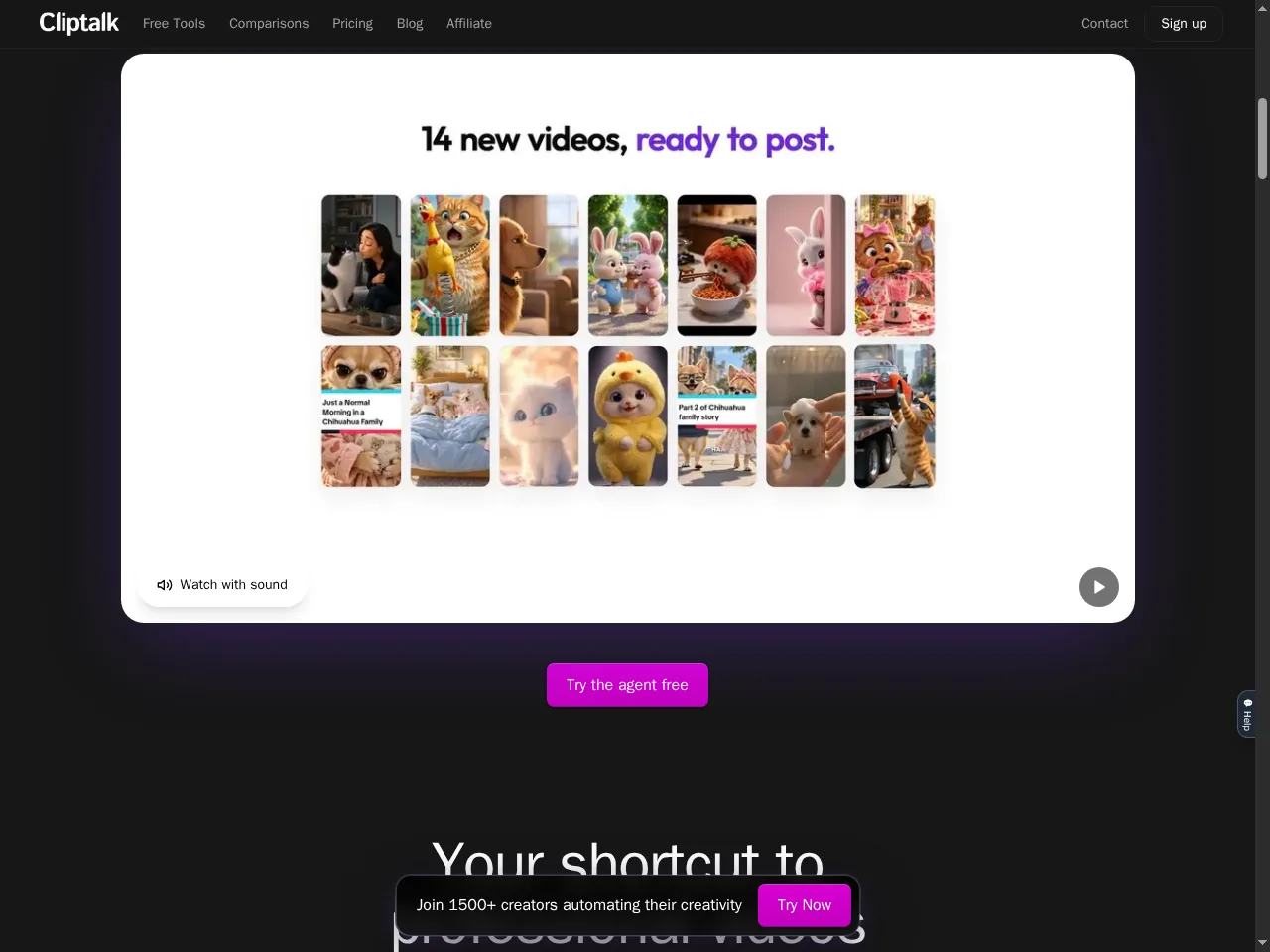
The headline feature is the agent: you point it at a niche, it claims to find videos that are already performing, learn the patterns, and produce a new set daily. The marketing demo shows a board of roughly 14 ready-to-post clips spanning talking animals, AI people, and listicle formats. The idea is clever — it front-loads the “what do I even make today” problem. I couldn’t run the live agent, so I can’t tell you whether the output is genuinely fresh or how close it hews to the clips it studied. Treat the on-screen numbers as marketing until you’ve watched a few batches yourself.
🎥 Editor, captions, and voice cloning
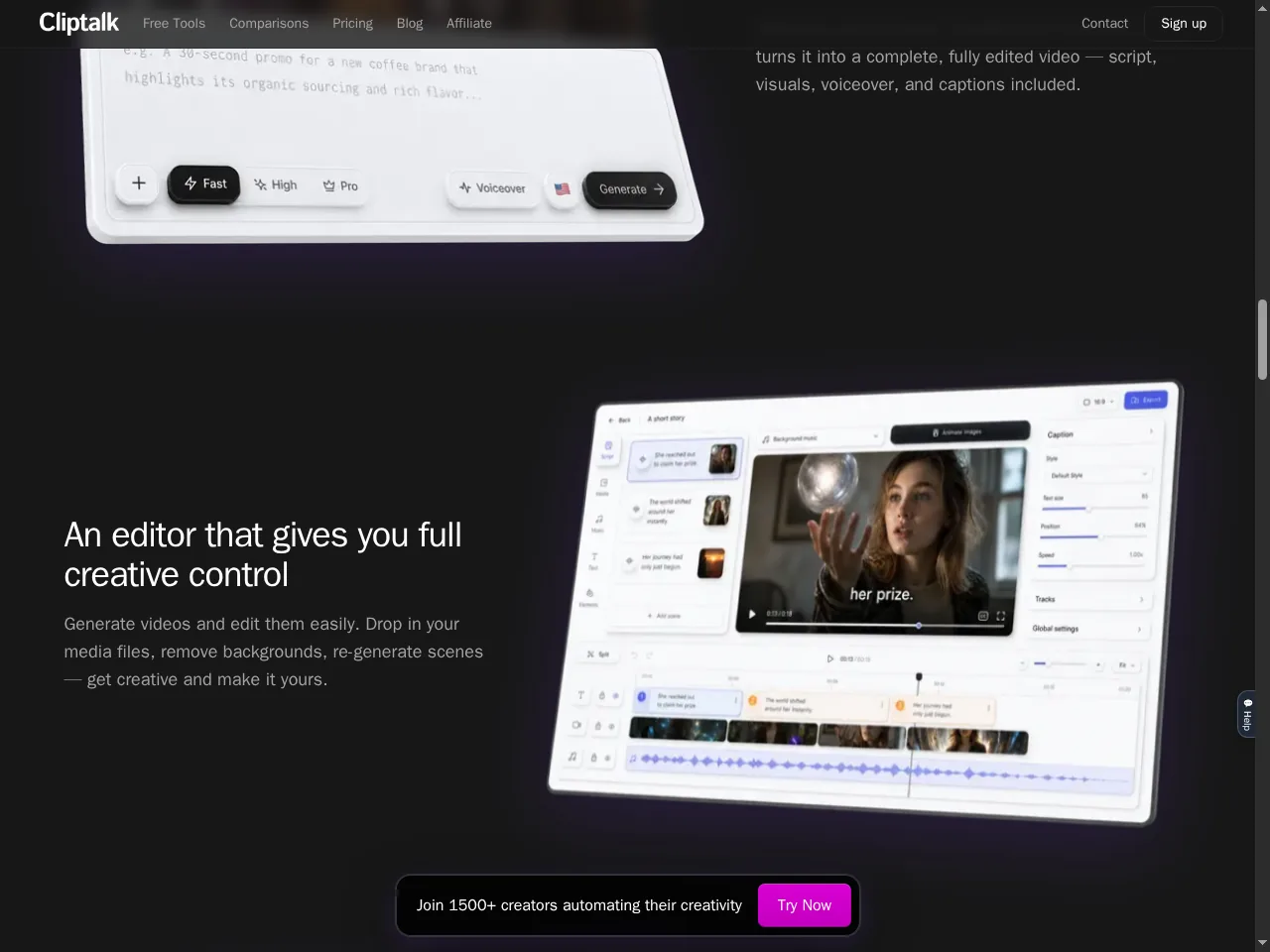
ClipTalk also ships a more conventional timeline editor with scenes, tracks, and a captions panel, so you’re not trapped in agent-only mode. The captions are word-by-word and pop in time with the voice, with one-click styles; the voice-clone feature claims a usable clone from a roughly 30-second sample, and there’s a library of 140-plus premium AI voices across 30-plus languages. These are table-stakes features for the category and the demos look competent. Again, I didn’t export a clip, so caption accuracy and voice realism are unverified by me.
🤩 AI characters and the developer hooks
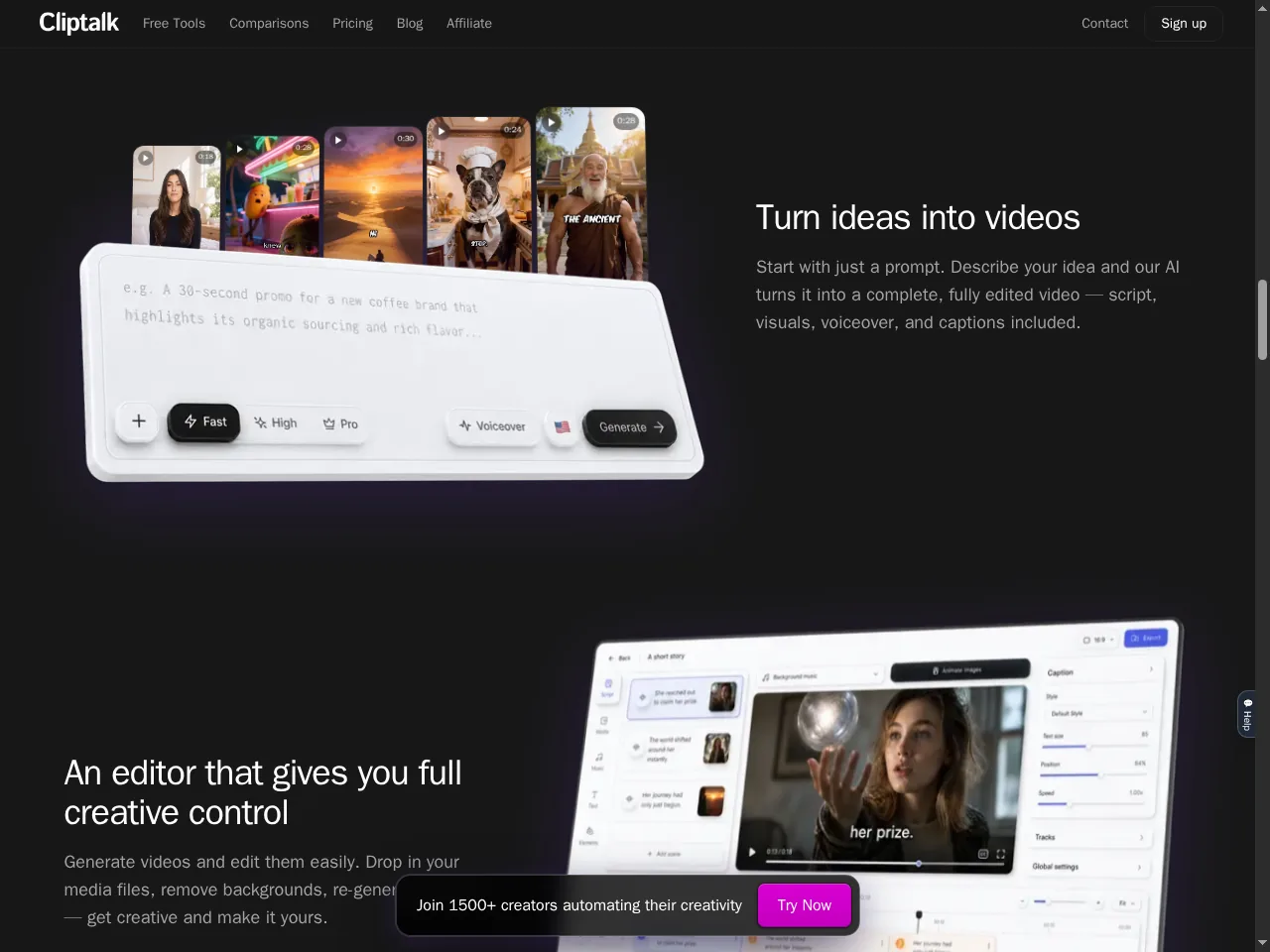
The characters library is broader than the usual corporate-avatar lineup: UGC creators, everyday people, story characters, and talking animals or fruit, with the option to build a character from a single photo. That fits the playful faceless niche well. The part that most caught my eye as an analyst is on Pro: a REST API and an MCP connector, so you can generate from your own scripts or drive ClipTalk inside Claude or ChatGPT. If you’re automating a content pipeline, that’s the most defensible reason to pick ClipTalk over a simpler generator.
What Real Users Actually Say
This is where I have to be careful, because the honest answer is “not much independent feedback exists.” Here’s exactly what I found.
The Official Testimonials
ClipTalk’s own site displays six testimonials — from a YouTube creator, a digital marketer, a marketing coach, and content creators — praising fast output and a support team that shipped a requested feature within a day. One creator says a faceless channel reached 20,000 views.
— Testimonials displayed on cliptalk.pro (brand-curated, not independently verified)
The Independent Picture
I found no ClipTalk profile with usable reviews on G2 or Capterra. The software aggregator SelectHub lists ClipTalk at roughly 1.7 out of 5 from a small number of aggregated feedback points and ranks it around #22 among AI video generators, with reliability and consistency raised as concerns and the small sample size explicitly noted. The higher scores shown on that same page belong to a different product being compared, not to ClipTalk.
— SelectHub aggregation and my own G2/Capterra checks, October 2026
Read that gap carefully. A site showing only hand-picked praise, set against a low aggregator score built from very few responses, doesn’t give you a reliable signal either way. It means the product is too new and too lightly reviewed to crowd-source a verdict — so your own trial matters more than usual.
Pricing: Every Plan, Laid Bare
ClipTalk sells credits, and the main way to buy is monthly. Here’s the monthly ladder as it appears on the pricing page, with the video estimates ClipTalk itself quotes.
| Plan | Monthly Price | Credits and What You Get |
|---|---|---|
| Free | $0 | 50 credits on signup. No card required; videos made on the free plan carry a watermark, so it’s a taste of the pipeline rather than a finished export. |
| Basic | $19/mo | 3,000 credits, roughly 15 videos and about 600 AI images. |
| Starter (popular) | $39/mo | 8,000 credits, roughly 40 videos and about 2,000 AI images, 75+ AI voices, with unlimited editing. |
| Pro | $39/mo | 14,000 credits (promotional price, down from $59 and locked in), high and Pro-quality models, the Opus 5.5-powered agent, voice cloning, full API and MCP access, and unlimited media storage. |
| Ultra | $199/mo | 50,000 credits, priority support, everything in Pro, for high-volume channels. |
A few honest caveats. ClipTalk advertises yearly billing at roughly 50% off, but the specific yearly prices and credit amounts I pulled were inconsistent across loads, so I’ve left them out rather than print a number I couldn’t confirm — verify the yearly figures yourself before switching. On the per-video math, the paid tiers work out to roughly $1.27 per video on Basic and about $0.56 on Pro at the promotional rate by the advertised estimates, which makes sense for a high-volume channel but is a poor deal if you make a handful of clips a month. For most people, the free tier is the right place to stay until you’ve watched the output hold up.
The Unfiltered Pros & Cons
Pros
- ✓ The free script generator genuinely works and writes a full, structured script with no signup
- ✓ The daily-agent concept removes the “what do I post today” step for faceless channels
- ✓ REST API and MCP on Pro let you automate generation from an agent stack
- ✓ Broad character and voice libraries, including playful talking-animal formats
- ✓ A real free tier with no card required, so you can test before paying
Cons
- ✗ Almost no independent review footprint; one aggregator shows a low score from a small sample
- ✗ I could not render a full video or run the agent myself, so output quality is unverified here
- ✗ Built for a narrow faceless-volume niche; not a fit for polished brand video
- ✗ Yearly pricing details were inconsistent across my checks and aren’t trustworthy as printed
- ✗ Credit-based pricing is poor value if you only produce a few clips a month
Final Verdict
ClipTalk is a young, opinionated tool for a specific kind of creator: someone running a faceless, high-volume short-video channel who wants an agent to do the daily ideation and assembly. The free script tool is genuinely good, and the API and MCP support on Pro is a real differentiator. But with almost no independent reviews, a low small-sample aggregator score, and no full render I could verify myself, it’s a product you test carefully rather than one you commit to on faith.
If you run faceless channels and you’re comfortable discarding clips that don’t hold up, ClipTalk could save you real time and the Pro tier’s automation hooks are worth exploring. Start free, watch several batches, and only move to a paid plan once you’ve seen the output quality stay consistent and the credits line up with how much you post.
If you need a dependable tool for client or brand work, I’d steer you to an established editor with a real review base — VEED for browser editing and captions, or HeyGen for business avatars. ClipTalk is a promising bet on the faceless-content model, but it’s a bet, not a sure thing.
Frequently Asked Questions
Is ClipTalk free to use?
There is a free tier with 50 credits on signup and no card required, but videos made on the free plan carry a watermark. The script and name generators on the site also run free with no signup. Rendering finished videos without a watermark and using the daily agent means moving to a paid plan.
What is the ClipTalk AI video agent?
It’s the feature that studies what’s already going viral in a niche you choose and generates a fresh batch of short videos each day, which you approve with a swipe to post. It’s designed for high-volume faceless channels rather than one-off brand videos.
Are ClipTalk reviews positive on G2 or Capterra?
There is no usable ClipTalk review footprint on G2 or Capterra as of my check. The aggregator SelectHub shows roughly 1.7 out of 5 from a small number of feedback points and flags reliability. ClipTalk’s own site displays positive testimonials, but those are brand-curated.
Does ClipTalk have an API?
The Pro plan includes a REST API and an MCP connector so you can drive generation from your own scripts or from tools like Claude and ChatGPT. Lower tiers and the exact yearly terms should be confirmed on the pricing page before you rely on them.
About the Author
