The Short Version
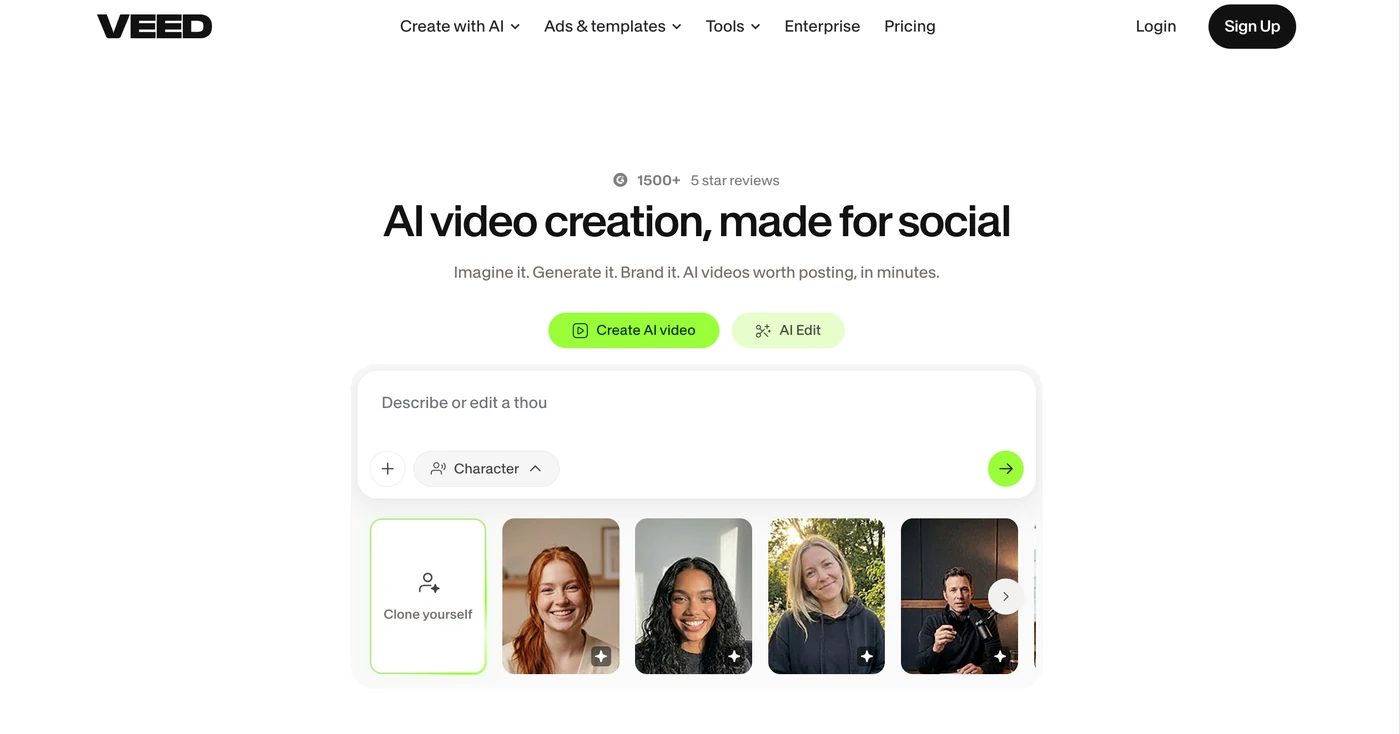
I’ve used VEED on and off since it was a much simpler trim-and-caption tool. It grew up fast. Today it’s a full browser-based timeline editor, an auto-subtitle machine, a screen recorder, and a marketplace for 25-plus text-to-video models all in one tab. That breadth is the selling point and also the reason it sometimes feels stretched thin.
For our test we built the same four deliverables across VEED, Descript, and Canva: a 60-second product clip, a talking-head social cut, a subtitled webinar teaser, and a short avatar-led explainer. VEED was the fastest to get a polished social-ready result out the door, and its captions are still the best in class. Where it stumbled was the AI credit economy: a single experiment with a premium generative model ate a chunk of an annual allowance that the pricing page made look generous.
The headline is this: VEED is best when you treat it as a sharp web editor with superb captions and only dip into AI when you really need it. If your plan is to lean on the generative models heavily, budget and monitor your credits like a utility bill.
Who This Is For (and Who Should Skip)
VEED’s sweet spot is specific, and it’s worth matching yourself to it before you pay.
- ✅ Social media and content marketers shipping weekly If your output is Reels, TikToks, LinkedIn clips, and YouTube teasers, the auto-resize, caption styling, and brand kit will save you hours a week.
- ✅ Small teams that want one browser tab, no install Nothing to download, no drivers, no Mac-vs-Win arguments. A marketing associate on a Chromebook can do real work here.
- ✅ People who need fast multilingual subtitles and dubbing Translating captions into 50-plus languages and dubbing clips is smoother here than in most dedicated editors we tried.
- ❌ Professional motion-graphics editors No real keyframing depth, no proper compositing or alpha-channel export. At VEED’s higher tiers, Adobe Premiere or DaVinci will give you more craft per dollar.
- ❌ Heavy generative-AI studios on a tight budget Premium models like Veo and Sora burn credits per second. If you’re prompting dozens of clips a week, you will outgrow the allowance and hit surprise top-ups.
Score Breakdown
What Actually Matters: Features, Reviewed
Every product page lists the same buzzwords. Here’s what we actually noticed after living in the editor for a month.
✇ Auto-subtitles and caption styling
This is the feature that sold us. VEED transcribes a clip, then lets you restyle the captions as blocks, karaoke highlights, or word-by-word popups with a few clicks, and burns them straight into the export. Accuracy on clear English audio was comfortably above 95% in our tests, and the styling presets are genuinely better than what Canva or CapCut offer. The one catch: on accented or noisy speech, expect to spend ten minutes cleaning up names and jargon. Still, it cut our caption workflow from an hour to about ten minutes.
🎬 The built-in text-to-video model library
VEED’s trick is that it gives you a menu of third-party generative models rather than one black box. You can pick a cheap, fast model for storyboarding and a premium one for a hero shot. In practice this is more useful than it sounds, because the cost difference is enormous: a low-cost model spends a credit or two per second of clip, while a top-tier model spends 38 to 50. We burned a quarter of our Pro year’s credits on one hero shot we ended up cutting. It’s powerful, but you must treat each generation like it costs real money, because it does.
📷 In-browser recording and green screen
The webcam-and-screen recorder is unobtrusive and good enough for demos and talking heads, and the one-click background removal works on our office footage without a proper green screen. It won’t replace a dedicated camera setup, but for a quick product explainer recorded in a home office, it removed the usual trip to a desktop recorder. The exported clip drops straight onto the same timeline, which keeps the loop tight.
👥 Team workspaces and brand kits
Multi-seat editing is native, and brand kits let you lock colors, fonts, and logos so a junior associate can’t drift off-brand. It’s genuinely convenient. The frustration is structural: Pro caps you at three editors, so adding a fourth person forces an upgrade to Studio for everyone. There’s no grace tier. Combined with per-seat billing, a growing team’s monthly invoice climbs faster than the feature set does.
What Real Users Actually Say
We read through recent G2 and Capterra reviews so you don’t have to. The pattern is consistent: people love the editor and captions, and they quietly raise an eyebrow at the pricing model.
The Good
“It’s helping me take user feedback stories and cut them up into something tighter and cleaner for social media and YouTube. I’m branding our video content so much quicker than before.”
— Erin A., verified review on G2
G2 reviewers repeatedly single out the auto-subtitle workflow as the reason they stayed: transcribing, styling, and burning captions in one pass is faster than any separate transcription tool they had used before.
— Summary of recurring praise from G2 VEED reviews
The Complaints
“The pricing seems a little high. I opted for the one-month pro package to try it before committing.”
— Quang V., verified review on G2
“Our avatar and full name are not visible when we share videos via a Veed link.”
— Joseph L., verified review on G2
User feedback sourced from G2 and Capterra reviews.
Pricing: Every Plan, Laid Bare
VEED moved to a per-seat model with an AI-credit overlay. The sticker prices look reasonable until you multiply by seats and watch the credits. Here’s the full ladder as listed on VEED’s pricing page (annual prices shown per editor per month).
| Plan | Price | What You Get |
|---|---|---|
| Free | $0 | 720p export, 10-minute max clip, VEED watermark, 2GB storage, ~20 AI generations/month, limited subtitles. Not for client work. |
| Creator | $10/mo billed annually (~$19 monthly) | No watermark, 1080p, 5GB storage, unlimited auto-subtitles, 6,000 AI credits/year, up to 3 editors, voice clone, limited brand kit. Best for solo creators. |
| Pro | $21/mo per editor billed annually (~$49 monthly) | 4K export, unlimited length, 50GB storage, 30,000 AI credits/year, ~300 AI generations/month, 6 hr/yr avatars, dubbing and translation, 144 hr/yr AI voice, multiple brand kits, up to 3 editors. The realistic team minimum. |
| Studio | $35/mo per editor billed annually | Unlimited storage, 180,000 AI credits/year, 12 hr/yr avatars/dubbing/translation, up to 5 editors plus 1 reviewer, custom templates, project analytics, access to all AI models. |
| Enterprise | Custom | Custom credits and seats, SSO, dedicated success manager, private workspaces, 24/5 chat support, advanced security. |
The trap to watch: unused AI credits expire at year-end and never roll over, and premium models can spend 12 to 50 credits per second of output. A three-person team on Pro pays about $63/month, but a campaign that leans on Veo or Sora can burn through 30,000 annual credits in weeks. Budget 30 to 50% headroom for failed prompts. For most solo creators, Creator at $120/year is the sweet spot; for teams, Pro is the floor and Studio only if you genuinely need the model library.
The Unfiltered Pros & Cons
Pros
- ✓ Best-in-class auto-subtitles and caption styling that actually saves real hours
- ✓ Fully in-browser, nothing to install; works fine on a Chromebook
- ✓ Pick-and-choose text-to-video models instead of one locked engine
- ✓ Strong template and brand-kit library for consistent social output
- ✓ Unlimited video length and 4K export start at the Pro tier
Cons
- ✗ Per-seat billing means a four-person team has to jump everyone to Studio
- ✗ AI credits expire yearly and don't roll over; premium models burn them fast
- ✗ No real keyframing, compositing, or alpha export for motion-graphics work
- ✗ Credit dashboard doesn't make model-level burn obvious until after the fact
- ✗ Sharing via VEED link can hide the collaborator's name and avatar
Final Verdict
VEED is the easy, in-browser video editor your social team already half-knows, wrapped around a growing pile of AI credits. The core editing and auto-subtitle workflow is genuinely excellent. But once you start wanting avatars, dubbing, or generative clips, the per-seat plus credit math gets confusing fast, and the AI features burn through an annual allowance quicker than the dashboard admits.
If you run a small social or marketing team, VEED earns its keep. The editing surface is friendly without feeling toy-like, the captions are a genuine step above the competition, and having multiple generative models in one place is a real convenience. It’s the kind of tool that becomes invisible because it just works.
The buy recommendation is specific: start on the Creator plan if you’re solo, move to Pro the moment you need 4K or a second editor, and only go to Studio if you actually use the heavier generative models. Skip it if you’re a professional motion designer or a studio that plans to prompt AI clips all day. For everyone else, it’s a dependable, if slightly over-stuffed, workhorse.
Frequently Asked Questions
Does VEED have a watermark on the free plan?
Yes. The Free plan exports at 720p with a visible VEED watermark and a 10-minute clip limit. Watermark-free, 1080p output starts at the Creator plan ($10/month billed annually).
Do unused VEED AI credits roll over?
No. AI credits are allocated annually and reset at the end of each billing year; anything you don’t use is forfeited. Factor this in before assuming a year of credits will last.
Is VEED better than Descript or Canva for short social videos?
For captioned, branded social clips, VEED edges out Canva on caption styling and Descript on templates. Descript still wins for podcast and talking-head editing; Canva wins for graphic-first design. Choose VEED if speed and captions are your priority.
Can teams use VEED with SSO and enterprise security?
SSO, advanced admin controls, and dedicated support are available on the Enterprise plan only. Smaller teams get basic multi-seat collaboration on Creator, Pro, and Studio.
About the Author