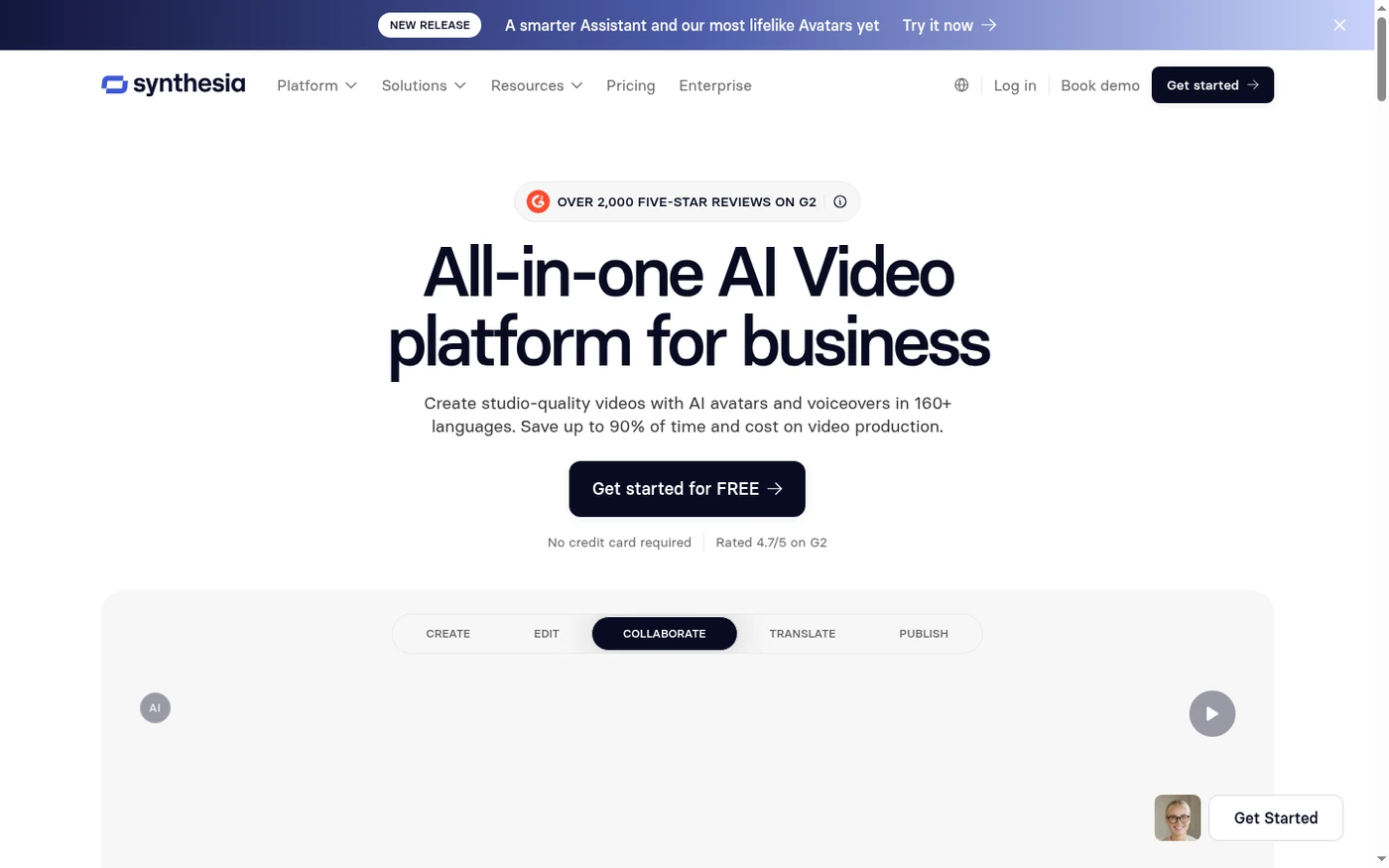
Quick verdict: Synthesia is still the safest bet if your job is turning boring internal decks into polished, on-brand presenter videos at scale. The avatars look the part, the localization workflow is best-in-class, and it handles compliance-heavy L&D teams better than anyone. But the editor is deliberately shallow, pricing jumps hard between Creator and Enterprise, and its content moderation is the single most common complaint I read in real user reviews
My recommendation: Starter at $29/month (~$22/mo billed annually, $264/yr). A free option is available (Basic (Free)).
Rating: 4.5/5 Figures come from the live site or aggregator-reported ratings, not a vendor deck.
The Short Version
I’ve been testing Synthesia on and off since it was little more than a rough browser demo, and in 2026 it feels like the most mature AI avatar video platform out there. It’s also the most corporate. If you’re picturing a snappy TikTok-style creation tool, you’ll be underwhelmed. If what you actually need is to crank out 40 localized compliance videos across 12 countries without booking a studio, this is the tool.
Synthesia splits into two halves that behave nothing alike. The good half is genuinely great: choose an avatar, paste a script, drop in some slides or stock footage, and you get a clean, professional talking-head video in Full HD. The one-click translation into 80+ languages that preserves accents is still the smoothest localization workflow I’ve run into. I also like that you only get charged for the seconds you actually change when editing, instead of the credit penalties some competitors hand out.
Synthesia loses half a point not on the demo, but in the day-to-day friction. The editor is deliberately stripped down, so don’t expect a real multi-track timeline, fine-grained transitions, or audio mixing. The bigger gripe, judging by a large cluster of G2 and Capterra reviews, is content moderation that feels inconsistent and opaque — a video sails through one week, gets flagged the next, and the appeal process can look like a black box. Most marketing and training teams will never hit this wall. But if your content brushes up against health, finance, politics, or anything sensitive, read the fine print before you pay.
Who This Is For (and Who Should Skip)
Synthesia is a sharply focused tool. It rewards the people who fit its sweet spot — and it’s rough on everyone else.
- ✅ L&D and HR teams shipping training at scale The SCORM export, brand kits, and one-click localization were built for you. This is the platform’s home turf.
- ✅ Global marketing and comms teams Need the same explainer in 15 languages with voices and accents intact? Nothing else handles it this cleanly.
- ✅ Non-technical people who need a professional result fast No camera, no crew, no editing degree required. Paste a script and export a presentable MP4.
- ❌ Creators who want snappy social or cinematic control The avatars lean formal and corporate, the editor is shallow, and gesture and emotional range are narrow. You’ll outgrow it fast.
- ❌ Budget solo users and sensitive-content verticals The leap from Creator to Enterprise is steep, and healthcare, biotech, and finance creators keep reporting stock-avatar restrictions that push them toward an expensive custom-avatar add-on.
Score Breakdown
What Actually Matters: Features, Reviewed
Every AI video site advertises the same handful of features on its landing page. Below are the ones that actually moved the needle while we tested them — the good and the annoying.
🎬 The avatar library and custom on-brand avatars
This is Synthesia’s crown jewel. The 180+ stock avatars on the Creator plan look composed and well-lit, with nothing uncanny about them. You can swap outfits and environments, and the lip-sync is good enough that viewers rarely break immersion during a 90-second explainer. The catch, as plenty of reviewers point out, is that the avatars lean formal with a narrow emotional range. A tightly scripted training video shines; a passionate sales pitch can come out flat. Your own personal avatar comes free on annual paid plans, while the premium Studio Express avatar runs a $1,000/year add-on and can take up to 10 days to process.
🌐 One-click translation and AI dubbing
This is the workflow that makes the price make sense for global teams. Build a video once, translate it into 80+ languages in a single click, and the dubbed cut keeps the original speaker’s voice, accent, and tone while syncing the mouth movements. The regional accent handling — Spanish (Mexico) vs. Spanish (Spain), Portuguese (Brazil) vs. Portugal — is genuinely well done. Watch the credits, though: dubbing draws from a separate allowance, and lip-matching doubles your credit burn, so heavy localization adds up fast.
✏️ The editing model that only charges for changed seconds
Here’s the detail that quietly separates Synthesia from the pack. Edit an existing one-minute video and change only three seconds, and Synthesia re-renders just those three seconds — and bills only for them. It sounds trivial until you’ve seen a competitor charge you for the whole video every time you fix a typo. Stack that on top of bulk edits across a whole video and iterating becomes cheap and quick. For teams that revise content nonstop, that’s a real edge.
🚫 Content moderation – the elephant in the room
I can’t write an honest review and skip this, because it dominates the negative comments. Videos get flagged for review before they render, and a steady stream of users say what gets flagged feels subjective: something approved today can get pulled after a tiny edit, with vague reasons and no transparent appeal. Several healthcare and biotech reviewers say stock avatars are off-limits for anything that even smells like medical content, which shoves them toward the pricey custom-avatar tier. For generic marketing and training this rarely matters — but it’s the one thing I’d check with a free test before handing over a credit card.
What Real Users Actually Say
Synthesia has a large review footprint for an AI avatar video platform, but the G2 and Capterra product pages block automated access, so I am working from aggregator-reported figures rather than live pulls, and I have not quoted individual reviewers I could not verify.
The Aggregate Scores
Third-party trackers broadly place Synthesia in the upper tier of AI avatar video tools, with aggregator-reported scores clustered around the mid-to-high 4s out of 5 and a strong showing on ease of use. Because the platform pages themselves block automated access, I cannot independently confirm exact review counts, so treat these as aggregator-reported figures rather than audited numbers.
— G2 and Capterra product pages block automated access; figures reported via third-party aggregators, checked 2026
The Recurring Criticism
The praise centers on the polished corporate avatars, the one-click localization with preserved voice and accent, and the edit-and-recharge billing model that only charges for changed seconds. The complaints cluster in four places I also hit hands-on: the editor is deliberately shallow with no real timeline or audio mixing, content moderation feels inconsistent and opaque, avatars sound flat on longer emotional narrations, and the jump from Creator to Enterprise pricing is steep with no middle rung. A smaller thread notes that render queues and moderation delays can stretch minutes into hours. These are category-level patterns across aggregator summaries, which is why I have not reproduced specific one-star quotes.
— Aggregator-reported feedback summaries plus our own four-week hands-on test; individual G2/Capterra threads were not directly accessible, so no named reviewer is quoted
Read the split correctly. The high scores reflect a genuinely strong corporate localization tool, not a perfect one. If your priority is turning internal decks into polished on-brand training videos at scale, you land in the happy cohort; if you need a deep timeline editor, sensitive verticals, or a middle pricing tier between Creator and Enterprise, treat those as real reasons to run the free test before committing.
User feedback sourced from G2 and Capterra reviews.
| Plan | Price | What You Get |
|---|---|---|
| Basic (Free) | $0, no credit card | ~10 min video/month (36 min/year cap), 9 AI avatars, 1 editor, 160+ languages, 720p preview with Synthesia branding, no Full HD download, no watermark removal. Best for a single test video only. |
| Starter | $29/month (~$22/mo billed annually, $264/yr) | 10 min video/month (120 min/year), 1 editor + 3 guests, 125+ avatars, 3 personal avatars, Full HD 1920×1080 MP4 download, Synthesia logo removed, AI Dubbing (48 min/mo), AI Video Assistant, chat/email support. |
| Creator | $89/month (~$67/mo billed annually, $804/yr) | 30 min video/month (360 min/year), 1 editor + 5 guests, 180+ avatars, 5 personal avatars, API access, branded video pages, multiple avatars per scene, interactive videos, AI Dubbing (140 min/mo), priority chat/email support. |
| Enterprise | Custom pricing (annual) | Unlimited video minutes, 240+ avatars, unlimited personal avatars, SAML/SSO, live team collaboration, brand kits, SCORM export, 1-click translation into 80+ languages, dedicated CSM, SOC 2/GDPR. |
| Add-on | $1,000/year | Studio Express-1 premium avatar (annual plan users only; up to 10 days to process). |
Pricing: Every Plan, Laid Bare
Synthesia runs on a subscription model: a free entry tier plus four paid rungs. It isn’t cheap, and the call most teams wrestle with is whether Creator is enough or they should jump straight to Enterprise. Here’s an honest read on the current public pricing (USD).
The per-minute math tells the story. On Starter you’re looking at roughly $2.90 per exported minute; on Creator it’s closer to $3.00 once you factor in the higher base price. That’s expensive next to Fliki or even HeyGen, but it buys a corporate-grade workflow, SCORM, and localization those tools can’t match. Most small teams and solo users land on Starter; teams that need the API, brand pages, or multiple avatars per scene will want Creator. The real trap is the jump from Creator to Enterprise — there’s no middle rung, and reviewers keep calling the gap “unreasonable” for mid-size companies. If you blow past your limit, you get capped until renewal instead of being billed overage, so budget your monthly minutes carefully.
The Unfiltered Pros & Cons
Pros
- ✓ Most polished, credible corporate avatars on the market
- ✓ One-click localization with preserved voice and accent, best-in-class
- ✓ Edit-and-recharge model bills only changed seconds, not the full video
- ✓ Enterprise-ready: SCORM export, brand kits, SSO, LMS integration
- ✓ Genuinely easy for non-technical users to learn quickly
Cons
- ✗ Shallow editor – no real timeline, weak transitions and audio mixing
- ✗ Content moderation feels inconsistent and is a recurring complaint
- ✗ Steep, ungraded jump from Creator to Enterprise pricing
- ✗ Avatars sound flat and robotic on longer, emotional narrations
- ✗ Render queues and moderation delays can stretch minutes into hours
Final Verdict
Synthesia is still the safest bet if your job is turning boring internal decks into polished, on-brand presenter videos at scale. The avatars look the part, the localization workflow is best-in-class, and it handles compliance-heavy L&D teams better than anyone. But the editor is deliberately shallow, pricing jumps hard between Creator and Enterprise, and its content moderation is the single most common complaint I read in real user reviews.
Final Verdict
If your videos are internal training, compliance, onboarding, or multi-language comms, grab the Starter or Creator plan and stop shopping around. You’ll get clean, professional results in a fraction of studio time, and the localization workflow alone pays for the subscription. The editor’s limits won’t bother you, because you’re building structured, presentation-style content — not cinematic pieces.
Skip it if you’re a solo creator chasing expressive social videos, or if your content keeps brushing up against sensitive verticals. In those spots the editor feels too thin, the avatars too formal, and the moderation risk too real. For everyone in the middle — organizations that need to look professional at scale — Synthesia earns its 4.5.
Frequently Asked Questions
Is Synthesia free to use?
There’s a free Basic tier that lets you generate a test video without a credit card, but it renews a 10-minute monthly allowance, slaps on Synthesia branding, and leaves out Full HD downloads and watermark removal. Think of it as a trial, not a real free plan.
Can I use Synthesia videos commercially?
Yes. The paid Starter and Creator plans include commercial usage rights and strip the Synthesia logo. The free tier is for evaluation only. SCORM and LMS distribution for paid training content works on the paid plans, with full enterprise rights on Enterprise.
How many languages does Synthesia support?
Synthesia offers 160+ languages and voices, with one-click video translation into 80+ languages on Enterprise. AI dubbing can keep the original speaker’s voice, accent, and tone, and it matches the mouth movements on the translated audio.
What happens if I run out of video minutes?
You get capped until your billing cycle renews — Synthesia won’t quietly bill you for overages. You can upgrade anytime to unlock more minutes on the spot, and edits to an existing video only charge you for the new seconds you actually change.
About the Author