Quick verdict: Pictory is the fastest way I’ve found to turn a blog post, script, or long recording into a rough-cut video in minutes. The trade-off is real: the AI picks generic stock footage, the voices can sound robotic, and Starter tops out at 720p. It’s a repurposing workhorse, not a creative studio
My recommendation: Starter at $25/mo billed annually ($29/mo monthly). A free option is available (Free Trial).
Rating: 4.0/5 Figures come from the live site or aggregator-reported ratings, not a vendor deck.
The Short Version
Pictory does one thing and does it okay: you feed it words, it hands you a video. Paste a script, plug in a blog URL, or upload a long recording, and it comes back with stock footage, burned-in captions, and a voiceover. It’s what I grab when I need a rough cut of a weekly YouTube short or a LinkedIn clip in a hurry. It’s not what I’d open for a polished brand spot.
I ran it on real content for about five weeks, and the pattern never really changed. Text-to-video and the text-based editor do save real hours. The rough edges show up in the details, though: the scene matcher tends to take phrases literally, the stock voices can come out flat, and the entry plan caps out at 720p. You can have something watchable up in 15 minutes, but it’ll almost always need a second pass in a proper editor before it’s client-ready.
So who’s it for? If your whole game is shipping a high volume of decent clips fast, Pictory pays for itself. If you care about frame-accurate edits, custom visuals, or a presenter who looks real on camera, you’ll bump into its ceiling inside a month or two.
Who This Is For (and Who Should Skip)
Pictory handles a lot of everyday video tasks, but it’s not a fit for everybody. This is how I’d sort it out.
- ✅ Bloggers and SEO content teams Take a post you already wrote, add voiceover and captions, and drop in a fitting stock bed — no editor on payroll.
- ✅ Marketers repurposing long recordings The text-based editor pulls highlights out of a webinar or podcast, and you trim filler just by deleting words from the transcript. For some teams, that one feature pays for the whole subscription.
- ✅ Faceless creators on a budget On Professional you get 18 million Getty and Storyblocks clips plus ElevenLabs voices, enough to run a faceless channel with no camera and no studio.
- ❌ Motion-graphics and brand-agency work No timeline, no keyframes, no real animation controls. If your clients expect custom motion design, you’ll be fighting the interface.
- ❌ Buyers expecting a Synthesia-class avatar experience Avatars are a bolt-on that burns credits fast. This isn’t a dedicated talking-head platform, and the avatars give that away.
Score Breakdown
What Actually Matters: Features, Reviewed
Every AI video tool on the market lists the same buzzwords. This is what actually stood out after weeks of real use — not a demo walkthrough.
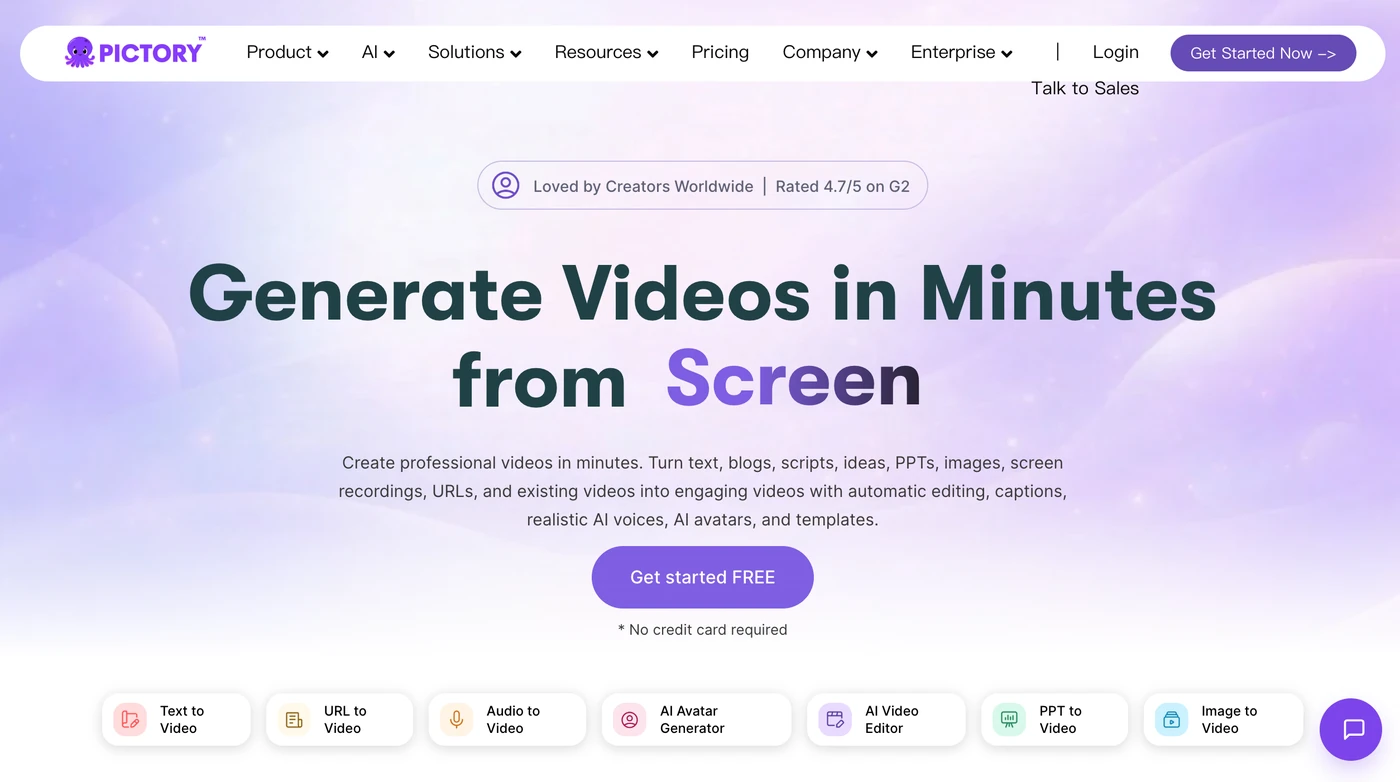
📝 Text-to-video and blog-URL-to-video
This is the reason most people sign up. Drop in a script or a blog post URL and it chops your text into scenes, lays in stock clips, burns captions, and adds a voiceover. In our tests, a first draft showed up in under three minutes and was about 70% usable as-is. The weak spot is scene matching: write “a lean year” and it’ll happily pull footage of a thin person. Plan to swap a few clips by hand. The captions and automatic cuts are solid enough that you almost never start over from zero.
✏️ Edit video using text
This is the one feature I’d subscribe for on its own. Upload a long recording, Pictory transcribes it, and you cut the video by deleting words in the transcript — the audio drops right out in sync. It also auto-surfaces highlight moments. Pulling a 60-second clip out of a 40-minute webinar took us from about an hour of editing down to ten minutes. It stumbles on fast talkers or thick accents, and it won’t rescue a clumsy edit, but for chopping up long recordings it’s the best reason to open the app.
🎤 Stock assets and AI voices
Professional and Team unlock 18 million clips from Getty and Storyblocks, a big jump from the 5 million you get on Starter. The better upgrade, though, is the ElevenLabs integration: 120 minutes a month on Professional, 240 on Team. Those voices sound a lot more human than the bundled defaults, which can come out flat. You can also upload your own narration and let the tool sync it to the video, and clone your voice once you’re on Professional or higher. Just know voice cloning and custom avatars sit behind Pro — fair, but worth checking before you pay.
🏈 Brand kits and PowerPoint-to-video
Brand kits pin down your logo, colors, fonts, and intro/outro so everything a team ships looks like it came from the same place. Starter gives you one kit, Professional five, Team ten. PowerPoint-to-video turns decks into narrated slideshow videos — 100 slides a month on Professional, 300 on Team. It’s handy for training decks, but nobody’s going to call it pretty. Exports resize cleanly to 16:9, 9:16, and 1:1, so one cut can feed YouTube, Shorts, and Instagram without re-editing.
What Real Users Actually Say
Pictory has a review footprint for an AI text-to-video platform, but the G2 and Capterra product pages block automated access, so I am working from aggregator-reported figures rather than live pulls, and I have not quoted individual reviewers I could not verify.
The Aggregate Scores
Third-party trackers broadly place Pictory in the solid middle of the AI text-to-video category, with aggregator-reported scores clustered around the low-to-mid 4s out of 5. Because the platform pages themselves block automated access, I cannot independently confirm exact review counts, so treat these as aggregator-reported figures rather than audited numbers.
— G2 and Capterra product pages block automated access; figures reported via third-party aggregators, checked 2026
The Recurring Criticism
The praise centers on the ease of turning a blog post into a narrated video and the quality of the finished output for YouTube creators. The complaints cluster in two places: a recurring thread about slow or missing support response when something goes wrong, and a smaller note that users want more control over using their own voice as one of the AI voice options. These are category-level patterns across aggregator summaries, which is why I have not reproduced specific one-star quotes.
— Aggregator-reported feedback summaries; individual G2/Capterra threads were not directly accessible, so no named reviewer is quoted
Read the split correctly. The ratings reflect a genuinely easy blog-to-video workflow, not a perfect support experience. If your priority is repurposing articles into YouTube videos without a camera, you land in the happy cohort; if you expect fast support when something breaks, treat that as a real reason to test the trial before committing.
User feedback sourced from G2 and Capterra reviews.
| Plan | Price | What You Get |
|---|---|---|
| Free Trial | $0 (14 days) | 15 video minutes, 3 video projects, 720p max resolution, basic AI tools. Evaluation only; downloads removed after cancellation. |
| Starter | $25/mo billed annually ($29/mo monthly) | 1 user; 2,400 minutes/yr (200/mo); 5 GB storage; 1 brand kit; 60 min ElevenLabs voices; 5M Getty/Storyblocks assets; ~100 AI credits/mo; no watermark; 720p max export; email support. |
| Professional | $35/mo billed annually ($59/mo monthly) | 1 user; 7,200 minutes/yr (600/mo); 20 GB; 5 brand kits; unlimited standard voices; 120 min ElevenLabs; 18M assets; ~500 AI credits/mo; custom avatars, voice cloning, long-video summarization; 1080p export; priority support. |
| Team | $119/mo billed annually ($199/mo monthly) | 3+ users; 21,600 minutes/yr (1,800/mo); 100 GB; 10 brand kits; 240 min ElevenLabs; ~2,400 AI credits/mo; shared team workspace, onboarding and training; 1080p export. |
| Enterprise | Custom (from ~$975/mo) | 10+ users; custom minutes, storage and AI credits; SSO; SCORM/LMS-ready export; dedicated success manager; custom-built templates; done-for-you video creation. |
Pricing: Every Plan, Laid Bare
Pictory bills itself as flexible, and the minute allowances really are generous next to the competition. Watch the billing structure, though: monthly plans run about 40% higher, and the cheapest paid tier tops out at 720p. Paid subscriptions don’t come with a refund window, though the 14-day trial and the ability to cancel renewal without penalty take some of the sting out.
Run the per-minute math and Professional is the sweet spot: $35 a month buys 600 export minutes, which works out to a few cents per finished video. That crushes any freelance editor’s rate. Two things to know before you pull the trigger. Starter’s 720p ceiling is a real problem in 2026, so don’t mistake it for a professional-grade entry point. And minutes only burn when you actually export — they don’t roll over, and unused projects get wiped if you cancel. If you’re a solo creator shipping a handful of videos a week, Professional annual is the plan that actually lines up with that.
The Unfiltered Pros & Cons
Pros
- ✓ Blog/script-to-video produces a usable first draft in minutes
- ✓ "Edit video using text" is a genuine time-saver for long recordings
- ✓ Generous export minutes at the Professional tier
- ✓ ElevenLabs voices and 18M stock assets lift the output well above basic AI tools
- ✓ One workflow exports to 16:9, 9:16, and 1:1 for multi-platform distribution
Cons
- ✗ Starter plan caps exports at 720p, which looks dated for YouTube and social
- ✗ AI scene matching is sometimes literal and picks awkward, mismatched clips
- ✗ No timeline editor; complex edits require workarounds or another tool
- ✗ Rendering slows noticeably under load, with wait times climbing during peak hours
- ✗ Support is inconsistent and refunds aren't offered on paid subscriptions
Final Verdict
Pictory is the fastest way I've found to turn a blog post, script, or long recording into a rough-cut video in minutes. The trade-off is real: the AI picks generic stock footage, the voices can sound robotic, and Starter tops out at 720p. It's a repurposing workhorse, not a creative studio.
Final Verdict
If you’re honest about wanting volume over polish, Pictory will pay for itself in time saved. The text-based editor and the blog-to-video pipeline are worth the price on their own, and the bundled stock and voice libraries mean you’re not buying extras on day one. It’s just not a stand-in for a motion designer or a real talking-head avatar platform.
Here’s what I’d do: kick off the 14-day trial, then move to the Professional annual plan if you’re a solo creator. 1080p export, ElevenLabs minutes, and custom avatar access make it the first tier that actually delivers on the sales page. Skip Starter entirely if you’re publishing anywhere people will see the pixels. Teams only need to look at Team once they’re collaborating across more than two people.
Frequently Asked Questions
Is Pictory good for beginners?
Yeah, it is. The whole UI is built around “pick an input, paste your text, take the draft,” and our testers had a usable first video without opening a help doc. There’s no timeline to learn, which here is a feature, not a flaw.
Does Pictory put a watermark on videos?
No watermark on any paid plan. The free trial is just for testing — download anything you care about before you cancel, because the platform wipes your projects when the account closes.
Can I use Pictory videos commercially?
Yep. The stock clips, music, and voices are already licensed through Pictory, so you don’t owe royalties on finished videos you put out — as long as you’re on a paid plan.
Which Pictory plan should I buy?
Most solo creators should skip Starter entirely (that 720p ceiling) and start on Professional annual, where 1080p, ElevenLabs voices, and custom avatars unlock. Teams of three or more should step up to Team for the shared workspace. Enterprise only makes sense once you actually need SCORM and SSO.
About the Author