The Short Version
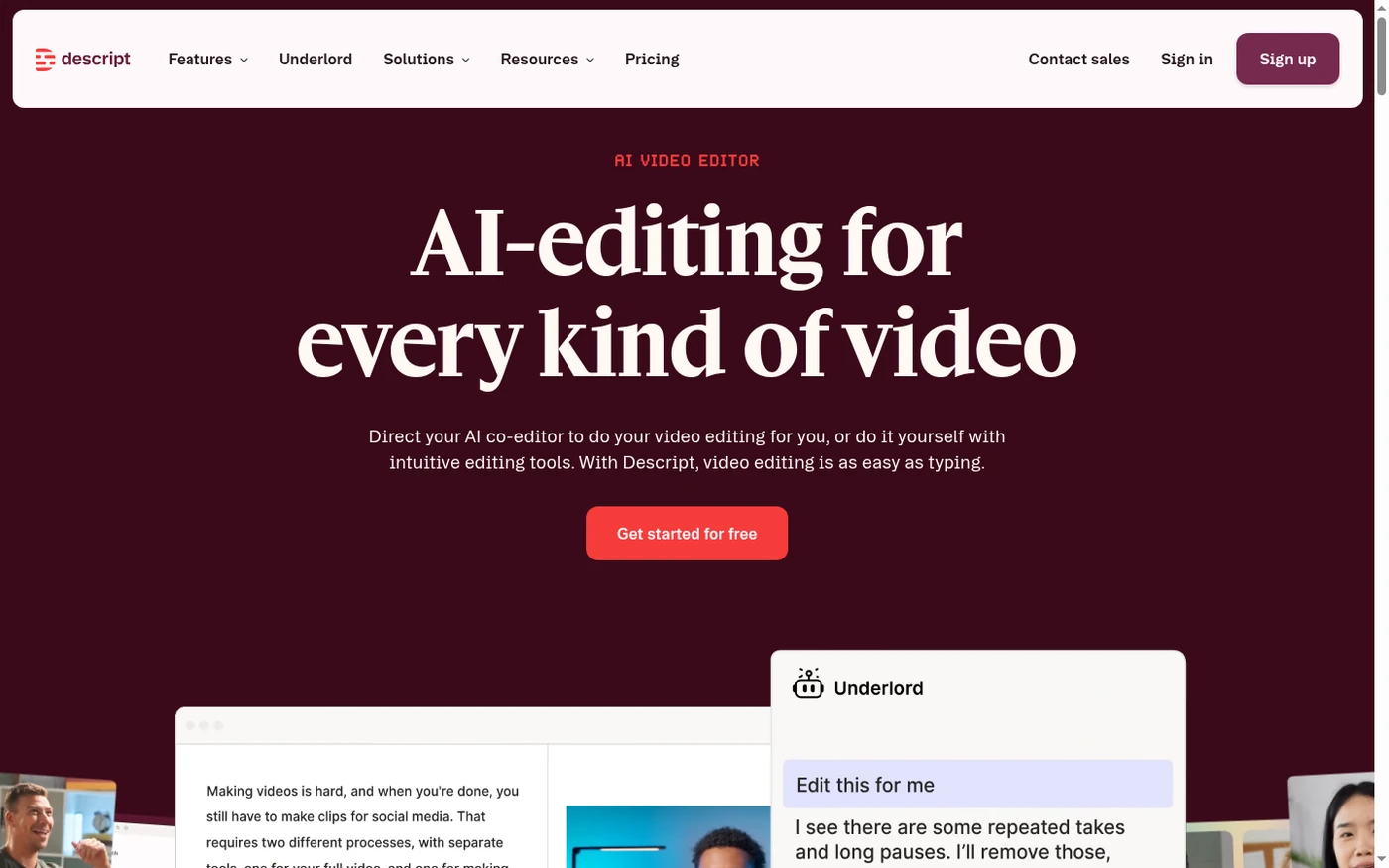
Descript turns video into a document. You upload an interview, a podcast, or a webinar; it transcribes it; and you edit by cutting text. Remove a paragraph from the transcript and the audio and video follow. It sounds gimmicky until you do it, and then a forty-minute edit collapses into ten.
We tested it across five weeks on a mix of real podcast interviews, talking-head tutorials, and a 45-minute panel. The core magic held up. Studio Sound cleaned up a room with HVAC hum impressively, filler-word removal was precise, and fixing a misspoken name in a two-hour interview without re-recording genuinely saved us a session. But the platform slowed down on the longest files, and the September 2025 shift to AI credits is the elephant in every recent review.
The honest takeaway: Descript is transformative if your work is dialogue, and merely okay if it’s anything else. Its avatars, screen recorder, and timeline controls are good-not-great. Buy it for the transcript editor, not for the feature list.
Who This Is For (and Who Should Skip)
Descript was designed for one specific kind of video, and that fit matters more than the price.
- ✅ Podcasters and interview producers Cutting silences, tightening answers, and removing “ums” by deleting text is a genuine superpower for dialogue-heavy shows.
- ✅ Solo creators who hate re-recording Overdub lets you fix a single wrong word in a finished take instead of booking the talent again.
- ✅ Teams doing collaborative review Time-stamped comments on a transcript beat emailing video files around, and it scales well past ten people.
- ❌ Professional motion editors No serious color grading, multi-cam control, or compositor. A 45-minute episode can also tax the preview sync.
- ❌ Heavy AI-feature power users on a budget Studio Sound, Eye Contact, and Overdub now draw from a shared credit pool that can drain in weeks for daily editors.
Score Breakdown
What Actually Matters: Features, Reviewed
Descript markets dozens of features. Most of our time went to four, and only two of them are truly differentiated.
✎ Text-based editing — the reason to buy
This is the feature reviewers rave about, and the praise is deserved. Upload a recording, let it transcribe, then delete words and sentences like you’re editing an email. The waveform and timeline update live. We cut a 38-minute podcast interview down to 22 minutes in about twelve minutes of reading, which is impossible on a traditional timeline. It handles clear English with close to 95% accuracy; accents, technical jargon, and overlapping speech need more cleanup, but the reading-and-deleting loop is still faster.
🎧 Studio Sound and filler-word removal
One-click background removal turned our home-office test recording, which had a distinct HVAC hum, into something close to a booth. It’s the most reliably impressive AI feature in the product. Filler-word removal also earns its keep: it catches “um” and “you know” while leaving deliberate pauses and emphatic repeats alone. The catch is that both now consume AI credits, so if you apply them to every single project you’ll watch the monthly pool shrink.
🎤 Overdub voice cloning — a precision tool, not a narrator
Overdub is the most misunderstood feature. For fixing one to three wrong words in an otherwise perfect take, it’s magic: type the correction, it generates your voice saying the right syllables, and the blend is invisible. We fixed a misstated date in a two-hour interview in seconds. But try to have it narrate a paragraph and the results turn flat and robotic, missing natural breaths. Use it as a repair tool, never as a voiceover generator.
👥 Collaboration and cloud review
Teams that live in shared docs will feel at home. Reviewers can leave time-stamped comments on specific words in the transcript, and multiple editors can work on the same project. It’s a real step up from the email-and-Drive feedback loop. The downside is that everything is cloud-based, which is fast and convenient until the app stalls on a long file, at which point there’s nothing local to recover.
What Real Users Actually Say
We read through hundreds of G2 and Capterra reviews. The praise is loud and consistent about the transcript editor; the complaints cluster around the credit change and performance on long files.
The Good
“The ability to edit by removing words and chunks from the transcript is superb — it really makes editing a breeze for a complete amateur like me.”
— Verified Capterra reviewer, Professional Training & Coaching
“I don’t know where to begin with this software and how it has formatively changed the game for my organization’s podcast. It has truly cut our work time in half.”
— Verified Capterra reviewer, nonprofit sector
The Complaints
“Unlike Premiere Pro, which can proxy files efficiently, Descript often struggles to keep the video preview in sync with the text transcript during heavy edits.”
— G2 reviewer
“Because it is cloud based I had nothing on my hard drive to try and salvage. It just stopped working.”
— Capterra reviewer
User feedback sourced from G2 and Capterra reviews.
Pricing: Every Plan, Laid Bare
Descript bills two things at once: media hours for transcription and editing, and AI credits for the smart features. The model is fair if you understand it, and infuriating if you don’t. Here’s the full ladder (annual prices shown per user per month).
| Plan | Price | What You Get |
|---|---|---|
| Free | $0 | 1 media hour/month, 100 AI credits one-time, basic transcription, one watermark-free export. For testing your own content. |
| Hobbyist | $24/mo monthly, $16/mo annual | 10 media hours/month, 400 AI credits/month, 1.5x transcription speed. For casual creators. |
| Creator | $35/mo monthly, $24/mo annual | 30 media hours/month (+5 bonus), 800 AI credits/month (+500 bonus), 4K watermark-free export, full Underlord co-editor, filler removal, up to 3 seats. The most popular plan. |
| Business | $65/mo monthly, $50/mo annual | 40 media hours/month, 1,500 AI credits/month, Brand Studio, translate and dub, priority support, up to 5 seats, more AI minutes. |
| Enterprise | Custom | SSO and SCIM, dedicated support, custom media hours and credits, advanced security and admin controls. |
Do the credit math before you subscribe. Studio Sound and Eye Contact each cost about 10 credits per use, and Overdub costs roughly 15 per generated minute. A weekly podcaster applying both can exhaust 800 Creator credits in about three weeks. Annual billing runs roughly 30 to 45% below monthly. For most individuals, Creator at $24/month annual is the sweet spot; teams needing brand consistency and translation should step up to Business. Use the free plan on a real episode first, because it’s the only test that tells you whether the credit allowance fits your volume.
The Unfiltered Pros & Cons
Pros
- ✓ Transcript-based editing genuinely cuts podcast workflow time in half
- ✓ Studio Sound cleans up noisy home recordings better than rivals
- ✓ Filler-word removal is precise and immediately useful
- ✓ Time-stamped transcript comments make team review painless
- ✓ Free plan requires no card and lets you test on real content
Cons
- ✗ AI credits for Studio Sound and Overdub can drain in weeks for daily editors
- ✗ Preview sync lags and occasional crashes on 45+ minute projects
- ✗ Overdub sounds robotic on anything longer than a word or two
- ✗ No native mobile editor for trimming on the go
- ✗ Transcription accuracy drops with accents, names, and non-English audio
Final Verdict
Descript's transcript-based editing is the single biggest workflow upgrade we've found for dialogue-heavy video. Delete a word and it vanishes from the video; fix a three-syllable slip and your voice does it for you. The catch arrived in late 2025, when beloved AI features moved from unlimited to a credit pool, and long-time power users are still furious about it.
We keep coming back to Descript for interview-based content because nothing else edits dialogue this fast. The combination of transcript editing, one-click cleanup, and word-level voice fixes is a real productivity leap, and the collaborative review model is excellent for small teams. It’s not a hobbyist toy; it’s a professional tool with a gentle learning curve.
Buy the Creator plan if you’re an individual podcaster or interviewer, and Business if your team needs brand consistency and dubbing. Before you commit, run one real project through the free tier and count your weekly AI-feature usage. If you’ll burn through 800 credits in three weeks, either budget for Business or accept that you’ll use the smart features sparingly.
Frequently Asked Questions
Is Descript free to use?
Yes. The Free plan includes one media hour per month, 100 AI credits, and one watermark-free export, with no credit card required. It’s the recommended way to test Descript on a real recording before paying.
How are Descript AI credits counted?
Studio Sound and Eye Contact cost about 10 credits per use, and Overdub costs roughly 15 credits per generated minute. Creator includes 800 credits per month, plus bonuses on annual billing. Unused credits do not roll over.
Is Descript good for YouTube editing?
It’s excellent for talking-head YouTube content, tutorials, and podcasts because the transcript editor shines on dialogue. It’s weaker for fast-paced vlogs, multi-cam edits, or heavy motion graphics, where a traditional timeline editor is better.
Does Descript work on mobile?
There is no native mobile video-editing app. You can review and comment on projects, but serious editing happens on the desktop or web app. Plan to sit at a computer for production work.
About the Author