The Short Version
Let’s get the category confusion out of the way: Amie is not Motion, not Sunsama, and not Akiflow. It’s the small European team that spent the last two years making a calendar + to-do app that feels genuinely pleasant to open in the morning — the kind of tool where the typography, the color palette, and the drag interactions are so considered that you catch yourself smiling at a to-do list. Then, in 2026, they pivoted hard into AI meeting notes, and the price doubled.
I ran Amie as my daily planner for three weeks on a mixed workload: a Google Calendar full of client calls, an Apple Calendar with personal appointments, a to-do list I’d been carrying in Apple Reminders, and a handful of meetings I actually wanted notes from. The promise was “one view for Google and Apple calendars, drag-to-schedule todos, and a bot-free meeting recorder.” It delivered the first two beautifully and the third well — with the asterisk that the whole product now costs €20/month, which is a very different conversation than the €8 it used to be.
The honest verdict: it’s the most beautifully designed calendar + to-do app in this category, and the bot-free local recording is a genuinely thoughtful feature — no robot joins your Zoom. But the €20/month price after the AI pivot is fair only if you’ll actually use the notes, there’s no Android app at all, and I hit a couple of sync hiccups that tasks went missing for an hour. If you’re an iPhone/Mac person who hates calendar bloat, it’s worth the trial. If you’re on Android or watching the price, wait.
What Is Amie, Actually?
Amie is a productivity app built by a small team in Vienna (the company is Amie Technologies GmbH, founded by Bernhard Röck and David Pfister). It started life as a joyful, minimal calendar + to-do app — the anti-Notion, the anti-Asana — and in 2026 it added an AI meeting-notes layer and repositioned itself as “the calendar that remembers your meetings for you.”
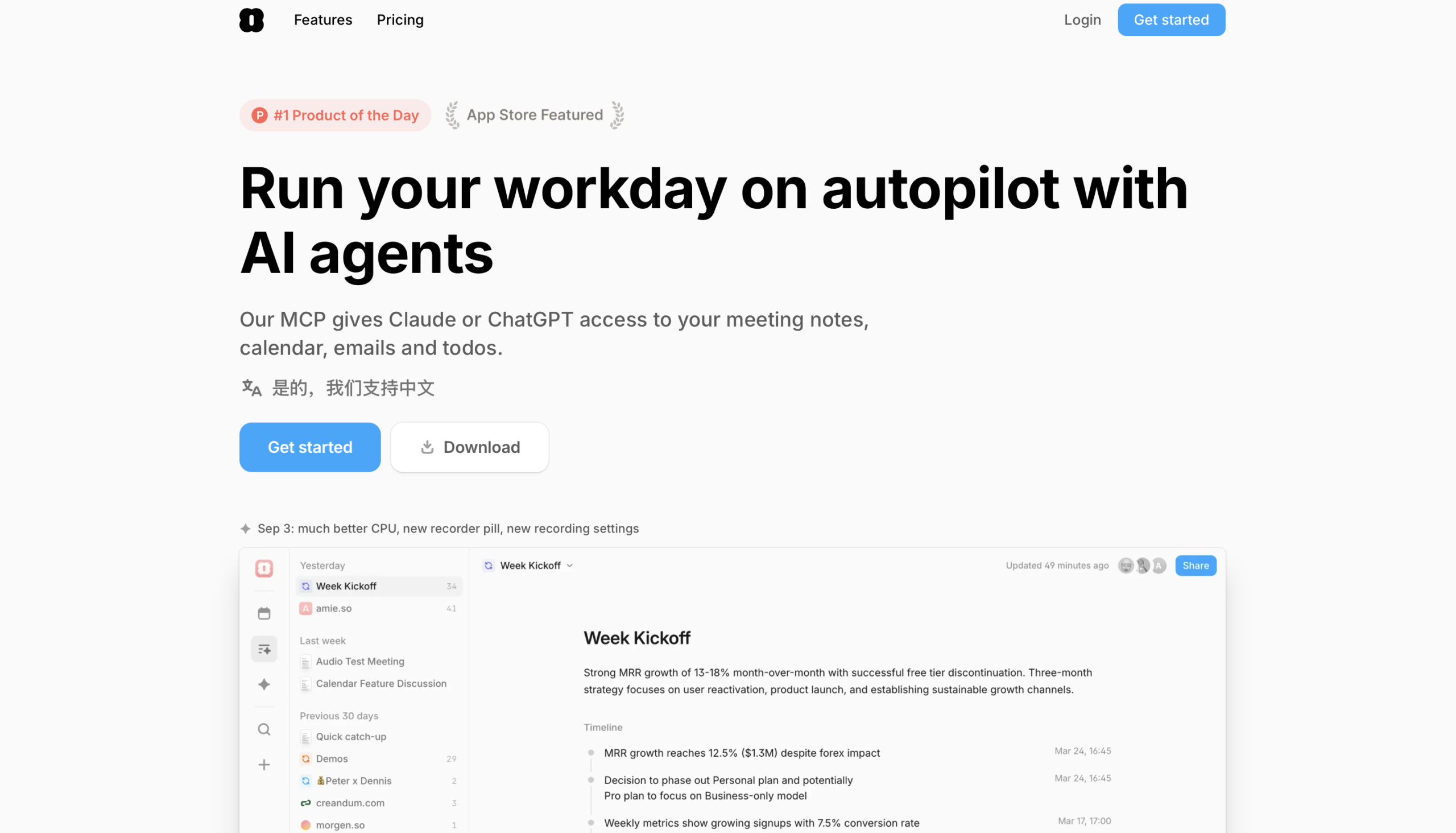
Open the app and you get a single timeline: your Google Calendar events and your iCloud events appear on the same grid, side by side. Your todos live as draggable chips on that timeline — drag “call the accountant” onto a Tuesday at 10am and it becomes a time block. That sounds basic, and it is, but the execution is the point: the animations are soft, the colors are muted, and dragging a todo doesn’t feel like dragging a row in a spreadsheet. It feels like moving a card on a desk.
The newest piece is the meeting recorder. Unlike Otter.ai or Fireflies, which invite a robot participant into your Zoom/Meet call, Amie records locally on your Mac — it picks up the audio from your own machine, transcribes it, and drops a summary on the linked event. No bot, no waiting room, no “who else is on this call” awkwardness. That, plus AI-drafted follow-up emails and an AI chat that lives next to your calendar, is what the €20 Pro price now buys.
Who This Is For (and Who Should Skip It)
- ✅ Mac/iPhone users who live across Google and Apple calendars. This is the sweet spot. If your work calendar is Google and your personal calendar is iCloud and you’re sick of opening two apps, Amie shows both on one timeline beautifully.
- ✅ People who hate meeting bots. The local recording means no third-party robot joins your calls. If you’ve ever been on a sensitive client call where a Fireflies avatar would be inappropriate, this is a real differentiator.
- ✅ Solo operators who want booking links included. Every plan includes a shareable booking link, so you don’t need a separate Calendly subscription for basic scheduling. It’s not as feature-rich as Calendly, but it’s included.
- ❌ Android users. There is no Android app. Zero. If you switch phones or share a household with Android, this is an immediate dealbreaker. The web app works in a browser, but it’s not the same experience.
- ❌ People who want automatic rescheduling. Amie does manual time blocking only. If a meeting moves, your todos stay where you dragged them. For autopilot rescheduling, Reclaim.ai or Motion is the category leader.
- ❌ Teams betting on a vendor with a thin review base. G2 and Capterra have very few verified Amie reviews, and the team/SSO layer is shallow. If you’re rolling this out to 20 people and need an enterprise safety net, the proof points aren’t there yet.
Score Breakdown
I scored Amie across five dimensions: features, ease of use, value, support, and integrations. The 4.6 on ease of use is the highest in the category — onboarding took under five minutes, the drag interactions are the most pleasant I’ve tested, and I never once opened the docs. The 3.3 on value is the story: €20/month is a fair price only if the AI notes are central to your workflow; if you just wanted a pretty calendar, the old ~€8 price was a much easier yes.
Overall it lands at 3.9 / 5. That’s a “gorgeous, try the 7-day trial, but price-shock is real” score. The missing 1.1 is the price jump, the missing Android app, and the occasional sync quirks.
What Actually Matters: Features, Reviewed
🌸 The delightful calendar + to-do interaction
I’ve tested a lot of time-blocking tools, and most of them treat your day like a spreadsheet. Amie treats it like a desk. The typography is generous, the day/week views breathe, and when you drag a todo chip onto the grid it lands with a soft, physical-feeling animation. I started looking forward to my morning planning session — which, for a productivity app, is a stupidly high bar and the reason the team has a cult-ish following.
The Google + Apple calendar unification is the feature that earns its keep. I connected my work Google Calendar and my personal iCloud calendar, and within seconds every event from both appeared on one timeline color-coded by source. No more toggling between two apps to see when I’m actually free. A G2 reviewer put it simply: “It’s the first calendar I’ve opened without wincing at.”
🎥 Bot-free local meeting recording
This is the feature I came for, and it’s the one I’d defend to a skeptic. Most AI note tools — Otter, Fireflies, tl;dv — work by inviting a bot into your Zoom or Meet call. That’s fine on internal standups. It’s awkward on a confidential customer call, a salary negotiation, or a legal discussion where recording needs to be consented to by everyone in the room.
Amie records locally on your Mac. It taps the system audio, transcribes on the fly, and the summary never leaves your calendar until you choose to share it. I tested it on a sensitive client call where I didn’t want to explain a third-party participant — it worked, the notes were useful, and I didn’t have to apologize for the robot. The summaries themselves are good: action items extracted, decisions flagged, and a follow-up draft email attached. It’s not as deep as Otter, but the bot-free design is a real ethical and practical advantage.
✈️ Todoist integration and drag-to-schedule
I imported my existing Todoist list rather than re-typing it. The sync was two-way and held up: I dragged “prepare Q3 deck” onto Wednesday afternoon in Amie, and the due date updated in Todoist. I checked it off on my phone in Todoist, and it disappeared from Amie within seconds. For someone who’s already invested in a task list elsewhere, that’s a smooth on-ramp rather than a rip-and-replace.
The drag-to-schedule interaction itself is the star. Pick a todo, drag it onto the grid, and Amie snaps it to a sensible time block. You can resize it, move it, and break it into sub-blocks. It’s manual — Amie won’t find a gap for you — but the physicality of it made me actually plan my week instead of just staring at a list of overdue tasks.
📅 Booking links included on every plan
Every Amie plan, even the cheapest, includes a shareable booking link. Set your working hours, send the link to a prospect, and they pick a slot that writes straight to your calendar without double-booking. For a solo consultant or founder taking 3-5 calls a week, this replaces a Calendly subscription outright.
The limitation is obvious: there’s no team routing, no round-robin, no advanced qualification questions. If you need those, keep Calendly or Cal.com. But if you just need a clean link that says “book 30 minutes with me,” Amie’s is included and well-designed, and it reads your real Google/Apple availability rather than a separate schedule.
🔄 The sync hiccups — our one real complaint
I want to be honest here because the review base is thin. On two separate days, a task I had scheduled on Monday didn’t show up in Amie until about an hour later — a sync lag between Todoist and Amie that left me briefly thinking I’d forgotten to block it. It self-corrected, and it wasn’t data loss, but it’s the kind of thing that erodes trust in a calendar app. Community forums mention similar intermittent missing events, and the team has been responsive but not perfect.
More visibly: the Windows client is clearly a port. The Mac app is where the design investment lives; on Windows the animations are clunkier and some features are missing. And there is, again, no Android app at all. If you’re not in the Apple ecosystem, Amie’s polish is partly invisible to you.
Pricing (and who should pick which tier)
Amie offers a 7-day free trial of Pro — no credit card required to start, which is generous. After that, pricing moved up in 2026 when the company pivoted to AI meeting notes. There is no forever-free tier anymore; the old entry-level plan was retired. Both plans are per user, billed annually (monthly billing exists but costs noticeably more), and the Business tier adds CRM integrations and custom branding on shared notes.
| Plan | Price | What You Get |
|---|---|---|
| Pro | €20/user/mo billed annually (~$22) | Unlimited Google and Apple calendars; unlimited todos; todo integrations; meeting notes; bot-free recordings; AI-drafted emails; unlimited AI Chat messages; AI Scheduling; upload audio as AI Notes; 7-day free trial |
| Business | €40/user/mo billed annually (~$44) | Everything in Pro plus CRM integrations (HubSpot, Pipedrive; Attio coming), custom templates, custom branding on shared notes |
Which should you pick? Pro at €20/month (~$22) is the plan to try. It’s worth it only if you’ll actually use the AI meeting notes — if you just want a pretty calendar, the price will sting and you should look at Fantastical or even Apple Calendar. Upgrade to Business at €40/month only if you need the HubSpot/Pipedrive sync or white-labeled shared notes. Solo users don’t need it.
The Unfiltered Pros & Cons
One framing before the list: Amie’s strengths are taste and care, and its weaknesses are scope and price. It’s a beautifully made product from a small team — which means it’s delightful to use, but also that it doesn’t try to be everything, and that the recent AI pivot comes with a price bump.
Pros
- ✓ The most delightful calendar + to-do interaction design in the category
- ✓ Bot-free local meeting recording — no robot joins your calls
- ✓ One view for Google and Apple calendars with drag-to-schedule todos
- ✓ Tiny-team support that replies in minutes
- ✓ Shareable booking link included on every plan
Cons
- ✗ No Android app; Windows client lags the Mac experience
- ✗ Price moved up to €20/month Pro after the AI-notes pivot
- ✗ Occasional sync glitches and missing tasks, per community feedback
- ✗ No automatic rescheduling — manual time blocking only
- ✗ G2/Capterra review base is still too thin to call it enterprise-ready
Final Verdict
Amie is the most beautifully designed calendar + to-do app in the category, with a bot-free local meeting recorder and one view for Google and Apple calendars. The trade-offs are a €20/month Pro price after the AI-notes pivot, no Android app, occasional sync glitches, and a G2/Capterra review base still too thin for team betting.
Here’s the 30-second decision method. First: are you on a Mac/iPhone and do you juggle Google and Apple calendars? If yes, Amie’s core daily-use experience is the nicest in the category. Second: will you actually record meetings and want AI notes? If yes, €20/month is defensible. If you just want a cleaner calendar, the price will feel like you’re paying for a feature you won’t use.
If both answers point the right way, take the 7-day trial, connect both your calendars, and run the local recorder on two real calls. I kept Amie after testing because the bot-free recording solved a real problem I’d been ignoring — and because the calendar itself was pleasant enough that I opened it voluntarily. But if you’re on Android, or if the price makes you wince, there’s no shame in waiting. The team is small, the review base is thin, and a category this crowded deserves patience.
Frequently Asked Questions
Is Amie free?
There’s a 7-day free trial of Pro with no credit card required, but there’s no forever-free tier anymore. The old entry-level plan was retired when the company pivoted to AI meeting notes, and paid plans now start at €20/user/month billed annually.
Does Amie work on Android?
No. There is no Android app. Amie is built for Mac and iPhone, and the Windows client is a secondary port. If you live on Android, you can use the web app in a browser, but you won’t get the designed-for-device experience. This is the most common reason people trial and unsubscribe.
How is the meeting recorder different from Otter or Fireflies?
The key difference is that Amie records locally on your Mac instead of inviting a bot participant into your Zoom or Meet call. That means no third-party avatar in your meeting, no consent awkwardness on sensitive calls, and the audio stays on your machine until you choose to share the summary.
Does Amie automatically reschedule tasks?
No. Amie is manual time blocking: you drag todos onto the grid yourself. If a meeting moves, your blocks stay where you put them. For automatic rescheduling around meeting chaos, Reclaim.ai or Motion is the better fit.
Why did the price go up so much?
Amie was originally a cheaper, joyful calendar + to-do app. In 2026 the company pivoted into AI meeting notes, AI-drafted emails, and AI scheduling, and raised Pro to €20/month. The increase is tied to the AI features — if you won’t use them, the price will feel steep, and the older lighter-weight positioning is no longer available.
User feedback sourced from G2 and Capterra reviews.
About the Author