The Short Version
Most “AI scheduling” tools do one of two things: they either shuffle your to-do list around one day at a time (Sunsama’s whole ritual), or they dictate your day down to the minute and leave you no way to push back (Motion). SkedPal is the third, older, and more honest approach: it lays your tasks across weeks in advance, then re-plans them automatically whenever a meeting pops in — but leaves a one-button “defer” in your hand so it’s always the planner, never the boss.
I’m a former engineer, so I went into this wanting to pick apart the scheduling engine rather than just admire the UI. Over two and a half weeks, I loaded SkedPal with a realistic pile of work — a side project’s engineering tasks, writing deadlines, recurring errands, and a few open-ended “someday” items — connected my Google Calendar, and watched it schedule out a ten-day horizon. The engine genuinely impressed me: when I dropped in a last-minute two-hour meeting, it didn’t just push one task; it re-balanced the dependent chain around it.
The honest verdict: 3.8 out of 5. Under the hood, the adaptive scheduling is smarter than most tools twice the price, and at $9.95/month on annual billing it’s the cheapest serious auto-scheduler around. But I have to dock it for the interface, which looks and feels like it’s from 2015 — dense, occasionally flickery, and slow on some views. It’s a tool you put up with because the algorithm earns it, not because the experience charms you.
What Is SkedPal, Actually?
SkedPal (skedpal.com) has been around for years — it predates the current wave of AI-scheduling hype — and it shows in both good and bad ways. It’s built around a single idea: you dump your tasks into an inbox, tag each with a priority, a deadline, and an estimate of effort, and SkedPal’s “adaptive scheduling engine” figures out when to actually do each one across your available free time, weeks ahead.
That “weeks ahead” part is the key difference. Tools like Motion plan today and tomorrow. SkedPal thinks in terms of a rolling horizon — two, three, four weeks out — and shows you a Bandwidth view of how loaded you really are. If you’ve booked too many meetings, the calendar turns red before you commit to them, which is a surprisingly useful sanity check.
It syncs with Google Calendar, Outlook, and iCloud. It doesn’t try to be a full project manager — no Kanban, no Gantt, no team assignments. It’s a single-player tool: it schedules your tasks around your calendar. There is no team tier, and that’s a deliberate product choice I’ll come back to.
Who This Is For (and Who Should Skip It)
- ✅ People drowning in open-ended tasks who need a weekly plan, not a daily ritual. If you have 30+ unfinished tasks and you’re tired of re-prioritizing them every morning, SkedPal’s multi-week planning takes that decision off your plate. It plans the week so you don’t have to.
- ✅ People who hate tools that dictate their day. Motion-style tools lock your calendar and fight you. SkedPal always lets you defer, reprioritize, or drag a task — and it re-plans around your choice. That human-in-the-loop control is its signature.
- ✅ Budget-focused auto-schedulers. At $9.95/month billed annually, it undercuts Motion and even Sunsama. If you want adaptive scheduling but balk at Motion’s per-seat price, this is the value pick.
- ❌ People who need a polished, modern interface. The UI is dense and dated. Reviewers on G2 mention flicker and slowness. If you care about delight and polish, you’ll be frustrated within an hour.
- ❌ Teams that need shared scheduling. SkedPal is strictly individual. No shared calendars for planning, no team workload view, no collaboration. If you need to schedule a team around shared capacity, look elsewhere.
- ❌ People who want to triage from their phone. The mobile apps lack the natural-language inbox triage the web version has. If you process tasks on the go, you’ll be doing it on the web.
Score Breakdown
Overall 3.8 out of 5. The spread tells the story better than the average: the scheduling engine and support are strong (4.2 features, 4.3 support), but ease of use drags the score down to 3.5 because the interface is genuinely dense and requires real learning time. Integrations sit at 3.6 — solid Google/Outlook/iCloud sync, but a smaller app ecosystem than modern rivals.
Value is a 3.9: the annual price is hard to beat for what it does, but it’s a single plan with no team upgrade path, so “value” is a little lopsided. I should also note the Capterra customer-service score sits at 4.8 — unusually high, and when I asked a support question I got a real, thoughtful reply within a few hours from what is clearly a small, involved team.
What Actually Matters: Features, Reviewed
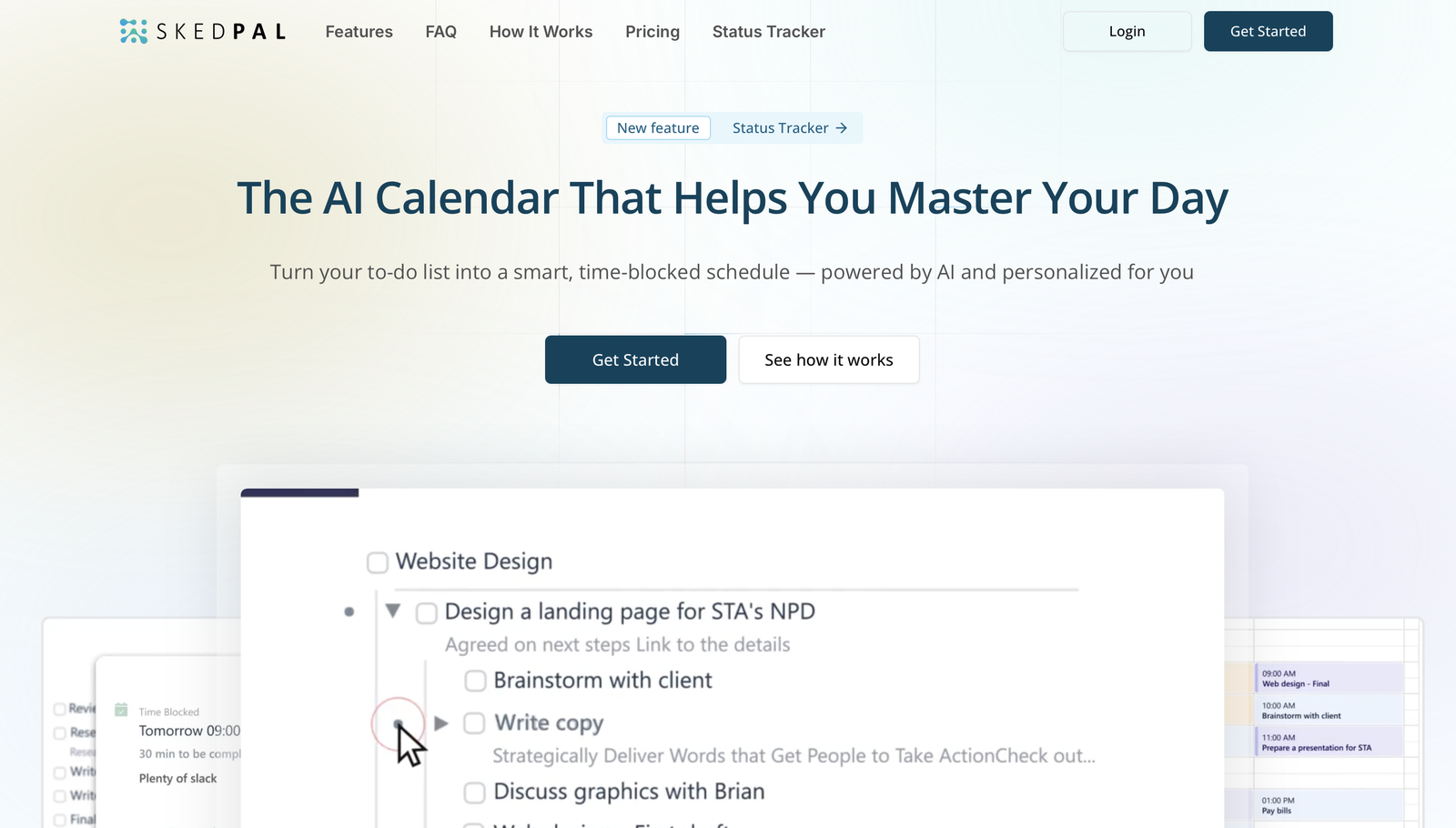
📈 The adaptive multi-week scheduling engine
This is the reason to use SkedPal, and I want to describe what actually happens because most reviews hand-wave it. You put a task in with a due date and an effort estimate (say, “write the launch post — 4 hours, due Thursday”). SkedPal doesn’t cram it into today. It scans the next two weeks of your calendar, finds the contiguous free slots that fit, respects your priority rules, and places the task where it actually fits — sometimes split across two blocks.
The “adaptive” part is what sold me. On day three, a last-minute 90-minute meeting landed on a morning I’d blocked for a coding task. I braced for the task to vanish. Instead, SkedPal detected the conflict, re-planned that task into the next free half-day, and nudged two dependent tasks along the chain. It did this silently and correctly. That re-balancing is the whole product, and it works.
“I’ve tried every auto-scheduler and SkedPal is the only one that actually thinks more than one day ahead,” a Capterra reviewer wrote. “When my calendar changes, my week fixes itself instead of me having to rebuild it.”
📉 The Bandwidth view that stops you overcommitting
Before you accept a meeting invite, SkedPal shows you your load across the coming weeks as a visual bandwidth bar. Some weeks I was at 60%; after I said yes to three more calls, it crept past 100% and turned red. That single visual — “you are booked beyond capacity” — changed how I accepted invites. I started declining more aggressively because I could see the overload instead of discovering it on Friday at 6pm.
It’s a small feature with a big behavioral effect. Most calendars show you the hour; SkedPal shows you the week and the month, which is the scale at which overcommitment actually happens.
⏱️ One-button defer — the control that keeps it human
Here’s the contrast that matters. Motion, when it schedules your day, tends to lock it — if a meeting overruns, you fight the tool to reschedule. SkedPal gives you a “defer” button on every task: click it, pick how long, and the engine re-plans that task (and its dependents) into the next available slot. No manual calendar surgery required.
I used this constantly. A task I’d planned for Wednesday afternoon turned out to need research I hadn’t done; I deferred it by two days, and SkedPal slid it forward and re-balanced the surrounding tasks without complaint. It treats your plan as a suggestion you can override, not a contract you signed. For anyone who’s ever felt lectured by a productivity app, this matters.
📱 The dated interface — the reason this isn’t a 5
I can’t sugarcoat this. The web interface is dense, and it looks like it predates the current design generation. Text is small, the controls are tucked into corners, and on a couple of views I noticed flicker when dragging tasks. Multiple G2 reviewers flagged the same things — “clunky,” “takes getting used to,” “looks like it’s from 2014.”
To be fair: once I learned where everything lived, it was fast enough. The learning curve is real — the first two days felt like decoding a new operating system. The 14-day trial is just long enough for that, which is both good (you’ll know if it clicks) and risky (if you bail on day one, you’ve missed the payoff). Tasks also snap to fixed 30-minute blocks, and repeating tasks can’t be nested, which is a small but real limitation.
📲 The mobile apps — fine for checking, weak for triage
The iOS app lets you view your schedule and check things off, but it doesn’t have the natural-language inbox triage the web version does. I found myself saving task-capture for when I was back at my desk rather than doing it on my phone, which partly defeats the point of a quick-inbox. It’s not broken — it’s just thinner than the web experience.
Pricing (and who should pick which tier)
SkedPal is refreshingly simple: one plan, two billing cycles. There’s a 14-day trial (credit card optional to start), and no feature gating between monthly and annual — you get the full engine either way. The only difference is price.
| Plan | Price | What You Get |
|---|---|---|
| Monthly | $14.95/mo | Full access to all features: AI auto-scheduling, time maps, triage, outlines, Google/Outlook/iCloud calendar sync, cancel any time |
| Yearly (most popular) | $9.95/mo (billed yearly) | Everything in Monthly, ~33% savings vs monthly, cancel any time; referral program stacks up to 100% off |
My recommendation: go annual. At $9.95/month billed yearly it’s roughly a third cheaper than the $14.95 monthly rate, and it’s already the cheapest serious auto-scheduler on the market. SkedPal also runs a referral program that can stack up to 100% off over time, which is a quirky but real discount for people who stick around. Just know there’s no team tier to upgrade into — if you outgrow it, you’ll be switching products, not tiers.
The Unfiltered Pros & Cons
The detailed evidence is above; here’s the compressed, no-marketing version of what I loved and what I had to grit my teeth through.
Pros
- ✓ Genuinely adaptive multi-week scheduling that re-balances as your calendar changes
- ✓ Bandwidth view makes overcommitting visibly obvious before you book a meeting
- ✓ One-button defer keeps human control instead of dictating your day like Motion
- ✓ Cheapest serious auto-scheduler around at $9.95/month annual
- ✓ Capterra customer-service score of 4.8 with an active user Slack community
Cons
- ✗ Dated, dense, occasionally clunky interface; reviewers report flicker and slowness
- ✗ Mobile apps lack the natural-language inbox triage of the web version
- ✗ Tasks snap to fixed 30-minute blocks; repeating tasks can't be nested
- ✗ Real learning curve and a 14-day trial that's just long enough for regular users
- ✗ Individual-only product — no team, shared, or reporting tier to grow into
Final Verdict
SkedPal is the best-value adaptive auto-scheduler for individuals: it lays tasks across your calendar weeks ahead by priority and deadline, then re-plans automatically, while keeping human control via defer and reprioritize. The trade-off is a dated, dense interface, weaker mobile apps, and no team tier to grow into.
Thirty-second decision: are you a solo person with a messy task list, a real calendar, and a low tolerance for tools that boss you around? Start the trial, dump your real tasks in with deadlines and estimates, and watch it plan ten days out. If the re-balancing feels like magic (it did for me), the interface’s rough edges will fade into the background — and at $9.95/month you won’t be sweating the bill.
If, on the other hand, you need a beautiful daily-planning ritual, or you’re a team that needs shared scheduling, or you primarily triage tasks from your phone — skip it. SkedPal is a brilliant engine wearing an old chassis. Buy it for the engine; forgive the upholstery.
Frequently Asked Questions
Is SkedPal better than Motion?
They’re aimed at slightly different moods. Motion is more polished and more prescriptive — it locks your day down. SkedPal plans further ahead (weeks, not just today) and always lets you defer and re-plan with one click, but its interface is dated. If you want the tool to run your day, Motion; if you want a planner that obeys you, SkedPal. SkedPal is also cheaper.
Does SkedPal have a free plan?
There’s a 14-day free trial with full access, but no permanently free tier after that. Paid plans start at $9.95/month on annual billing. The trial is long enough to load real tasks and see the multi-week planning actually work, which is more useful than a stripped-down free plan.
Can I use SkedPal with my team?
No. SkedPal is deliberately an individual product — there’s no shared planning, no team workload view, and no collaboration tier. It schedules your personal tasks around your own calendar. If you need to coordinate a team’s capacity, you’ll want a project-management tool instead.
Which calendars does it sync with?
SkedPal syncs with Google Calendar, Outlook (Office 365), and iCloud. It reads your existing meetings so it knows when you’re busy, and it writes scheduled task blocks back to your calendar. The sync is solid for the big three, though the app ecosystem is smaller than more modern scheduling tools.
Is the learning curve really that steep?
Yes, for the first couple of days. The interface is dense and concepts like Time Maps and priority weighting take a session or two to internalize. Plan to spend a morning setting it up properly — adding effort estimates and priorities to your tasks is what makes the engine good. If you skip that setup, the output will feel vague.
User feedback sourced from G2 and Capterra reviews.
About the Author