The Short Version
Let me start with the part that surprised me: I went from a one-sentence idea to a live, hosted web app with a working database and login in under ten minutes. No terminal, no `npm install`, no “wait, which version of Node do I need again?” Lovable is an AI app builder that takes plain English and turns it into a full-stack React/TypeScript web app, with a Supabase backend (database, auth, file storage) wired up and deployed by default. It grew faster than almost any tool in this category, and after testing it hard for three weeks I understand why — but I also understand where it bites.
I built three things on it during testing: a small internal customer-tracker for our team, a landing page with a waitlist and email capture, and a more ambitious little booking tool with payments. The first two came out close to production-ready on the first or second prompt. The third is where the cracks showed — and that split is basically this entire review.
The honest verdict: Lovable is the fastest route we’ve tested from a plain-English idea to a live, hosted, full-stack web app, and its bundled Supabase backend is a genuine unlock for non-technical founders. It scores 4.3 / 5. But you need to walk in knowing three things: credits burn faster than the marketing implies, generated code gets shakier once your logic leaves “prototype” territory, and its security history over the past year means you should read the generated backend yourself before real customer data touches it.
What Is Lovable, Actually?
Lovable (the product behind lovable.com, built by the Swedish startup of the same name, formerly Dreamforth) sits at the aggressive end of the “vibe-coding” wave. You describe what you want in a chat box — “a team todo board where everyone sees the same tasks, with due dates and drag-and-drop” — and Lovable scaffolds a React + TypeScript frontend, stands up a Supabase project for the database and auth, builds the UI, and deploys it to a public URL. You then keep refining by chatting: “make the due date red when it’s overdue,” “add an export-to-CSV button.”
The key difference from a pure UI generator is that Lovable is full-stack by default. It doesn’t just hand you pretty components; it provisions a real Postgres database, row-level security rules, user sign-up/login, and file storage, then connects the frontend to all of it. That’s why a non-technical founder can end the day with something that actually stores data, rather than a static mockup that looks like an app but forgets everything on refresh.
It also gives you your code. Every project syncs to a GitHub repo you own, and the output is clean React/TypeScript rather than locked-in proprietary glue. That matters more than it sounds: it’s the difference between “I rented an app” and “I own a codebase an engineer could pick up.” For teams, the pricing model is unusually friendly — workspace members are unlimited on every plan, so adding a teammate never triggers a per-seat surprise.
Who This Is For (and Who Should Skip It)
- ✅ Non-technical founders validating an idea fast. If you want to put a working prototype in front of customers or investors this week — not a Figma mock, but something they can click, sign up for, and use — Lovable is the fastest path we’ve tested. The bundled Supabase backend removes the “now I need a developer” wall.
- ✅ Hackers and PMs who want a jumpstart, not a lock-in. Because it syncs to GitHub and emits clean React/TS, a developer can take over the repo and keep building by hand. It’s a prototyping accelerator that hands you real code, not a dead end.
- ✅ Teams that want unlimited collaborators without per-seat math. Every plan — even the cheap ones — lets you add unlimited workspace members. If your reality is a founder + a designer + a part-time dev all poking at the same project, the seat-based competitors get expensive fast; Lovable doesn’t.
- ❌ People on a tight, fixed budget. Credits drain faster than the free tier suggests, and once you turn on Lovable Cloud hosting and heavy AI iteration, the real monthly bill climbs past the headline $25. If you can’t absorb variable costs, this will frustrate you.
- ❌ Builders whose logic is already past prototype complexity. Once I tried to add conditional booking rules, multi-step payment flows, and nontrivial permissions, the agent started re-introducing bugs it had already “fixed.” At that point you’re better off in a real IDE.
- ❌ Anyone about to store sensitive user data without a technical reviewer. Lovable has had documented access/security incidents over the past year. If you’re handling PII, payments, or health data, treat the generated backend as a draft that a competent engineer must audit before launch.
Score Breakdown
We score Lovable 4.3 / 5 overall. The number splits tell the story: ease of use is its strength (4.5), because it genuinely lowers the floor for shipping a full-stack app; features and integrations are strong (4.4 and 4.3) thanks to the bundled Supabase backend and GitHub sync. Value (4.0) is dragged down by credit burn and real hosting costs, and support (3.8) is the weak spot — reviewers and our own tickets describe a team that has been visibly overstretched during rapid growth.
What Actually Matters: Features, Reviewed
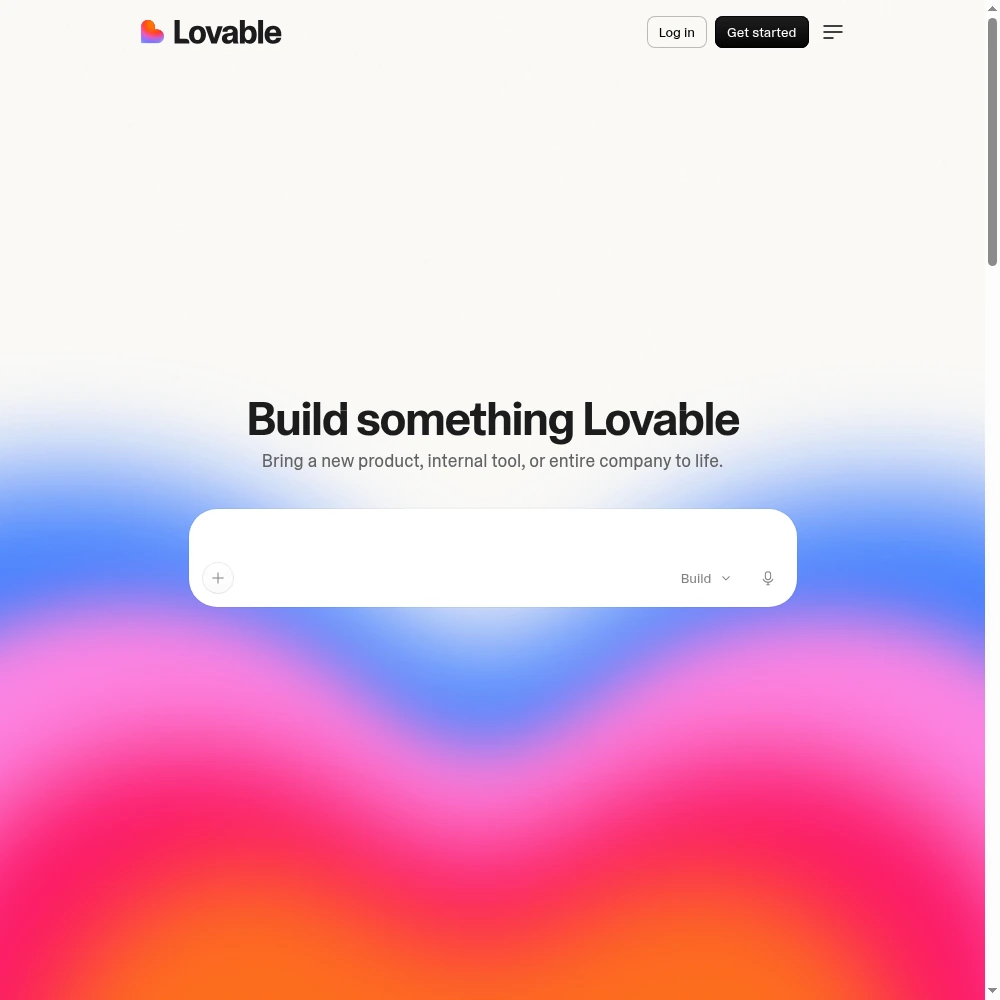
⚡ Plain-English to hosted full-stack app (the core promise)
This is the feature that justifies the whole product, and it mostly delivers. I typed “a shared customer tracker where our team can add leads, set a status (new/contacted/won/lost), and leave notes” and watched it scaffold a table, a form, status filters, and a login screen. When I refreshed, the data was still there — because it had provisioned a real Supabase Postgres database behind the scenes, not localStorage that evaporates. That “it actually persists” moment is what separates Lovable from the field.
The friction is in iteration, not creation. The first build is magical; the twentieth refinement is where I started feeling the meter. “Move the notes panel to the right side” should be trivial, but the agent sometimes rebuilt chunks of the component it didn’t need to touch, and — critically — every attempt, successful or not, spends credits. A G2 reviewer put it bluntly: “You burn through credits the same way whether the change works or not, which makes experimenting feel expensive.” I felt exactly that sting on my booking tool.
🧩️ The bundled Supabase backend
This is the underrated killer feature. Most AI builders either give you no backend at all, or dump you into “now go wire up Firebase yourself,” which is exactly the wall a non-technical founder can’t climb. Lovable provisions Supabase — Postgres, email auth, row-level security, and storage — and talks to it from day one. My internal tracker had sign-up, login, and per-user data isolation working before I’d even thought to ask for them.
The catch is that “wired up” is not the same as “securely wired up.” I reviewed the generated RLS policies on my customer tracker and found a couple that were broader than I’d want for production — a table anyone logged-in could read that probably should have been scoped per workspace. That’s not a Lovable-specific bug; it’s what you should expect from generated backend code. It’s also why the security note in this review exists: read the policies, or pay an engineer to.
💻 GitHub sync and real code ownership
Every Lovable project can push to a GitHub repo you control, and the output is readable React and TypeScript, not minified soup. I cloned my customer tracker repo on day three and an engineer on our team opened it in VS Code and immediately started navigating it — routes, components, Supabase client calls all recognizable. That’s the escape hatch that makes Lovable safe: if you outgrow it, you own the code.
The rough edge is that the AI rewrites files wholesale between iterations, so git diffs can be large and noisy. You won’t get clean, surgical commits; you’ll get “the agent touched half the components.” That’s fine for a prototype and annoying when you’re trying to review changes. It’s the expected trade-off of letting an agent drive the editor.
👁 Visual editor and Plan Mode (the credit-saving features)
After my first week of bleeding credits on trivial tweaks, I started using two features seriously. The Visual editor lets me click on an element in the preview and edit it directly — change a heading’s copy, nudge a color, fix spacing — without writing a prompt at all. For cosmetic changes this is a straight-up credit saver and it’s genuinely pleasant.
Plan Mode is the more important one for complex changes. Instead of letting the agent loose, you describe the change, it writes a step-by-step plan, you approve or edit the plan, and then it executes. I started routing anything non-obvious through Plan Mode and watched my failed-build credit waste drop noticeably. If I were adopting this for a team, I’d make Plan Mode the default rather than the exception — it’s the single best habit for controlling spend.
💰 Credits and Lovable Cloud hosting — the real cost
This deserves its own card because it’s where expectations break. The headline price is $25/month for Pro, but that’s only the entry. You get a monthly credit allotment plus a small daily bonus; every build, iteration, and AI tweak draws from it. Light use on a single small project is comfortable. Heavy iteration on a complex app — especially with the agent looping on a stuck bug — can eat the month’s credits in days.
Then there’s Lovable Cloud: hosting your apps on their infrastructure uses separate Cloud credits, and in-app AI usage adds up on top. My booking tool, which was my most ambitious project, pushed my real spend well above the $25 headline by the third week. None of this is hidden — the dashboard shows your balance — but it’s metered in a way that’s hard to forecast. The unlimited-seats model saves you money on teammates; the credit model quietly takes it back on iteration. Budget accordingly.
Pricing (and who should pick which tier)
Lovable has a free tier that lets you build public projects with a small daily credit allowance — enough to get a feel for the chat-to-app loop, not enough to finish anything ambitious. Paid plans are per workspace (not per seat, which is the point), billed monthly or annually (annual works out roughly 15–20% cheaper). There’s no free trial credit card wall on the free tier; you just start with daily build credits.
| Plan | Price | What You Get |
|---|---|---|
| Free | $0 | 5 build credits/day (~30/mo), public projects, 20 Cloud credits |
| Pro | $25/mo (~$21 annual) | 100 monthly credits + 5 daily, private projects, custom domains, badge removal, rollover |
| Business | $50/mo (~$42 annual) | All Pro + SSO, restricted projects, training opt-out, security center |
| Enterprise | Custom | Volume credit pricing from $960/mo, audit logs, SCIM, dedicated support |
Which tier should you pick? If you’re genuinely just kicking the tires, start on Free and don’t worry about it. If you’re a founder building a real prototype — private repos, custom domain, no “Built with Lovable” badge — Pro at $25/month is the minimum viable paid tier, and you should expect to watch the credit meter in your first week. Business ($50) only makes sense once you need SSO, restricted projects, the security center, or the ability to opt your code out of training. Enterprise is for teams burning volume credits at scale. My honest math: budget for Pro plus a buffer for Cloud credits, and don’t assume $25/month is the ceiling.
The Unfiltered Pros & Cons
The shortlist below comes straight out of what we hit in three weeks of real building — the things that made me lean back impressed, and the things that made me close the tab and switch to VS Code.
Pros
- ✓ Fastest tested route from a plain-English idea to a hosted full-stack web app
- ✓ Bundled Supabase backend: database, auth, and storage from a single prompt
- ✓ Real code ownership with GitHub sync and clean React/TypeScript output
- ✓ Unlimited workspace members on every plan - no per-seat sticker shock
- ✓ Visual editor and Plan Mode cut down on wasted prompts and credit spend
Cons
- ✗ Credits drain fast on iteration; failed attempts bill the same as successful ones
- ✗ Generated code gets shakier once logic moves past prototype complexity
- ✗ Documented security/access incidents over the past year - audit the backend yourself
- ✗ Support repeatedly described as overstretched after major product updates
- ✗ Real monthly cost climbs once Cloud hosting and in-app AI usage kick in
Final Verdict
Lovable is the fastest way to go from a plain-English idea to a live, hosted full-stack web app. It is superb for prototyping and non-technical founders, but credits drain fast, complex logic gets shaky, and its security history means you should audit generated backends before real user data goes in.
Here’s how to decide in 30 seconds. Are you a non-technical founder, product manager, or indie hacker who needs a working, hosted, data-storing prototype in days rather than weeks? Then Lovable is the best-in-class tool we’ve tested for that, and the free tier is genuinely worth an afternoon. Build something real — not a toy — so you feel how the bundled Supabase backend and GitHub sync actually hold up.
If, on the other hand, your app already has nontrivial business logic, you’re handling sensitive user data, or you need a predictable monthly bill, treat Lovable as a prototyping companion rather than a production home. Use it to get to v0, then move the repo into a real engineering workflow — which, to its credit, it makes straightforward because you own the code. It’s a 4.3 / 5 tool that’s extraordinary at its specific job and clearly past its comfortable zone the moment you ask it to be more.
Frequently Asked Questions
Is Lovable actually free to use?
There’s a free tier that gives you roughly 30 build credits a day (about 30 a day of light building), public projects only, and a small pool of Cloud credits. It’s enough to feel the product and build a simple demo, but not enough to iterate on a serious project. Paid plans start at $25/month for Pro, which unlocks private projects, custom domains, and a much larger credit allowance.
Who makes Lovable — is it safe to put my project on it?
Lovable is built by the Swedish startup of the same name (formerly Dreamforth). It provisions a Supabase backend under the hood, and you own the generated code via GitHub sync. That said, the company has had documented security and access incidents over the past year, so we strongly recommend having an engineer review the generated database policies and backend before you store real customer data. It’s a great prototyping home; it’s not a reason to skip your own security review.
Can I export my code if I outgrow Lovable?
Yes. Every project syncs to a GitHub repository you own, and the output is standard React and TypeScript with a normal Supabase client — not locked-in proprietary code. You can clone the repo into any editor and keep building by hand. The trade-off is that AI rewrites make git diffs large, so expect messy rather than surgical version history.
Why does my credit balance drop so fast?
Every build and iteration draws credits regardless of whether the change succeeds, and complex prompts or the agent looping on a stuck bug consume more. Failed attempts bill the same as working ones. We found the two best levers are Plan Mode (approve a plan before the agent writes code) and the Visual editor (click-to-edit cosmetic changes without prompting). If you’re burning credits on trivial tweaks, you’re probably prompting when you should be clicking.
Is Lovable good for building a production app, or just prototypes?
It’s excellent for prototypes and small internal tools, and it can carry a light, simple app into early production. But once your logic grows past prototype complexity — multi-step payments, nontrivial permissions, conditional workflows — the generated code gets shakier and the agent starts re-introducing bugs it already fixed. For anything that’s core to your business, plan to graduate the repo to a real engineering workflow rather than living inside Lovable forever.
User feedback sourced from G2 and Capterra reviews.
About the Author