The Short Version
If you’ve ever watched an AI builder generate a UI and thought “that looks like every other AI-generated landing page,” v0 is the tool that changes your mind — at least if you live in the React/Next.js world. v0, built by Vercel (the company behind Next.js itself), produces the cleanest, most polished React and shadcn/ui output I’ve tested. The components look like a designer touched them, not like a model guessed at Tailwind defaults.
But “prettiest output” and “best value” are different questions, and v0 is squarely the former. It’s a frontend-first, credit-metered tool: it excels at generating and refining UI, then deploys it to Vercel in one click — but auth, databases, and payments you have to wire up yourself, and the credit meter is genuinely unpredictable, especially after a 2026 rate change. It scores 4.1 / 5.
The honest verdict: v0 is the best-in-class AI frontend generator for React/Next.js and shadcn shops, and the Vercel backing means it’s a serious, stable vendor rather than a flash in the pan. It is not a full-stack app builder for non-technical founders — and its credit economics, after rates roughly doubled in early 2026 while prices held, mean you should read the meter closely before you commit.
What Is v0, Actually?
v0 is an AI interface builder made by Vercel, the cloud company that created and maintains Next.js. That lineage is the whole story in two lines: v0 is opinionated toward the Vercel/Next.js/shadcn stack because that’s the stack Vercel ships, and its one-click deploy goes straight to Vercel’s hosting because, well, Vercel owns the hosting. It’s not a neutral tool — it’s Vercel building the onramp to its own ecosystem.
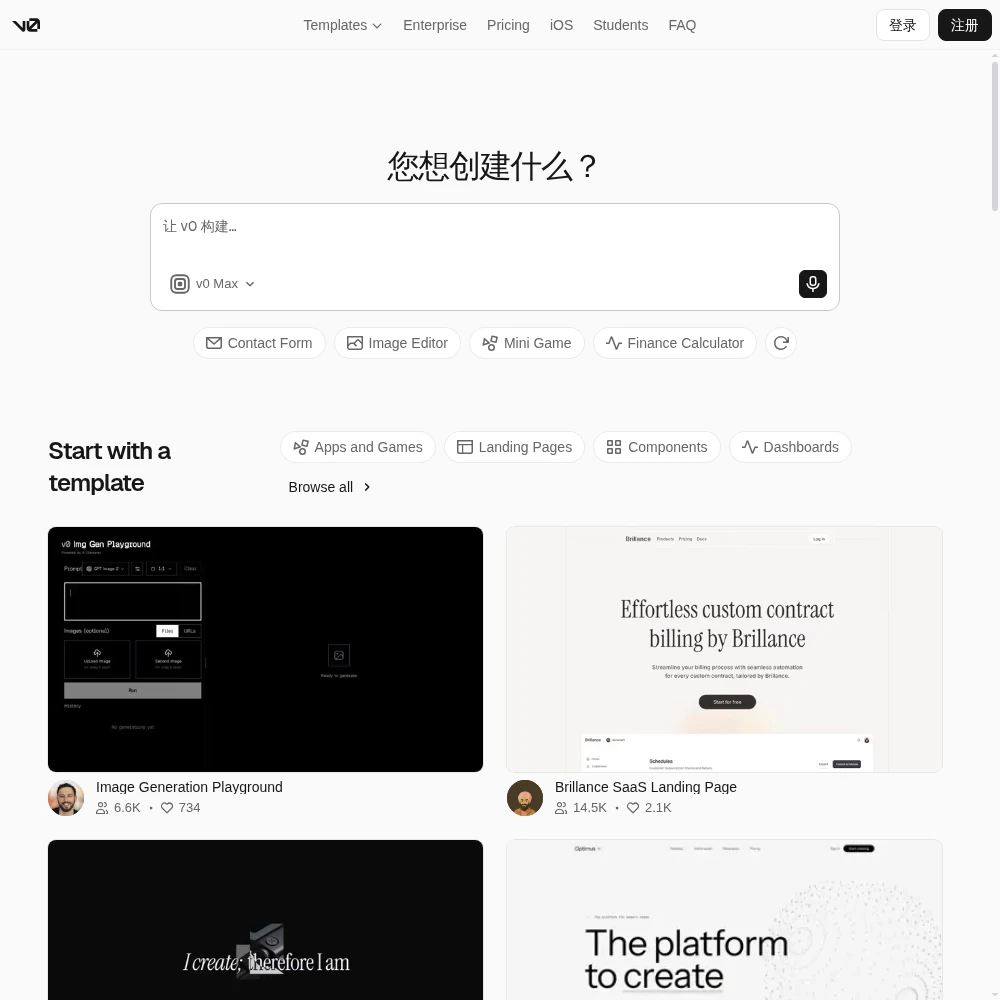
In practice you type a prompt — “a SaaS dashboard sidebar with collapsible sections and a search bar” — and v0 returns clean React components styled with Tailwind and shadcn/ui, which you can preview, iterate on, and then copy or deploy. It accepts screenshots and Figma imports as starting points, and a Design Mode lets you click on elements and tweak them visually instead of re-prompting. The output is real code you own and can push to GitHub.
What it is not is a full-stack back-office. v0 is frontend-first: it builds beautiful UIs, but it doesn’t provision your database, wire up auth, or handle payments the way Lovable or Bolt.new attempt to. You bring your own backend and connect the components to it. That focus is exactly why the UI output is the best in the category — Vercel spent the effort on the part it cares about most — and also why a non-technical founder expecting a complete app may be disappointed.
Who This Is For (and Who Should Skip It)
- ✅ React/Next.js teams who need UI scaffolded fast. If your stack is already Next.js + Tailwind + shadcn, v0 generates components that drop straight into your codebase. It’s a force multiplier for engineers, not a replacement for them.
- ✅ Designers and PMs who want clickable, code-accurate UI. Figma/screenshot import plus Design Mode means you can turn a mockup into working, tweakable components without handing it off to engineering first.
- ✅ Teams already on Vercel. One-click deploy to Vercel, GitHub sync, and the Platform API for building your own prompt-to-UI workflows make it a natural fit if your hosting and CI already live there.
- ❌ Non-technical founders who want a full app from one prompt. v0 is frontend-first. It won’t set up your database, login, or payments for you. Look at Lovable or Bolt.new if that end-to-end promise is what you need.
- ❌ Anyone who needs predictable monthly costs. Credit spend is hard to forecast, auto-model routing and loops burn balance fast, and token rates roughly doubled in early 2026. If a fixed budget is non-negotiable, this will make you nervous.
- ❌ People who hate the shadcn look. Outputs lean heavily on shadcn/Next.js conventions and can start to feel samey across projects. If you need highly distinctive, bespoke visual design, expect to do the design work yourself.
Score Breakdown
v0 scores 4.1 / 5 overall. Its strengths are exactly where Vercel focuses: features (4.2) and integrations (4.3), carried by Design Mode, Figma/screenshot import, GitHub sync, and one-click Vercel deploy. Ease of use is solid (4.3). Value (3.7) is the drag — credit unpredictability and the 2026 rate increase, plus the affordable $20 individual tier closing to new users, pull it down. Support (3.9) is decent but no live chat below Enterprise.
What Actually Matters: Features, Reviewed
🎨 The cleanest React/shadcn output in the category
This is v0’s headline and it earns it. I generated the same “settings page with tabs” in four AI builders and the difference was visible immediately. v0’s components had sensible spacing, proper dark-mode support, accessible labels, and shadcn conventions that a developer on our team recognized instantly. The code read like something a careful engineer had written, not a hallucinated tangle. A G2 reviewer put it plainly: “It doesn’t just generate UI — it generates UI I’d actually commit to.”
The flip side is homogeneity. Because v0 defaults to shadcn and Next.js patterns, a dashboard from v0 and a dashboard from v0 for a different client can start to look related. That’s a fair trade for code you can actually maintain, but if your whole pitch is a distinctive visual brand, plan to invest in the design layer on top.
👁 Design Mode: click-to-edit without re-prompting
Early on I was burning credits prompting tiny changes — “make the button wider,” “nudge this heading up 4px” — which is both annoying and expensive. Design Mode fixes that: you click on an element in the preview and adjust it visually, the way you would in a design tool, and v0 rewrites the underlying code to match. For cosmetic tweaks this is a direct credit saver and it’s genuinely well done.
It’s not Figma — you won’t be pixel-painting in it — but for the 80% of adjustments people actually ask an AI for (spacing, color, copy, layout order), it removes the back-and-forth prompt loop. That loop is also where credit waste hides, so this is the feature I’d reach for first when watching spend.
🔗 Figma/screenshot import, GitHub sync, and one-click Vercel deploy
v0 takes a screenshot or a Figma frame as a starting point and converts it into working components. I dropped in a rough mockup and got a credible React approximation back — not pixel-perfect, but close enough to be a starting point rather than a redraw. For designers, that’s the bridge between “here’s the design” and “here’s code.”
From there, GitHub sync pushes the project to a repo you own, and one-click deploy ships it to Vercel. Because Vercel runs Next.js, the deploy path is seamless — no build configuration surprises. The Platform API is worth a mention for engineering teams: it lets you build your own internal prompt-to-UI workflow on top of v0, which is a genuinely enterprise-grade capability most AI builders don’t offer.
💰 The credit meter and the 2026 rate change
This is where v0 costs you, and it’s the reason value scores only 3.7. Every generation and refinement draws credits, and the spend is hard to predict: v0 auto-routes between models depending on the task, and longer refinement sessions or loops burn through balance faster than you expect. Worse, token rates roughly doubled in early 2026 while the headline plan prices held steady — meaning you effectively get less for the same money than you did a year ago. A Capterra reviewer complained exactly along these lines: “The same workflows that used to last a month now feel like they need topping up halfway through.”
Two practical notes. First, the affordable $20 individual plan has been closed to new users, so newcomers now step into the Plus tier at $30/user/month. Second, use Design Mode for tweaks rather than re-prompting — it’s the single best lever on the meter. Watch your credit dashboard in the first week before you trust a monthly budget.
🧩️ Frontend-first: what you’ll have to wire up yourself
I want to be explicit about this because it’s the most common mismatch in reviews. v0 builds the UI beautifully, but it is not a full-stack app builder. Auth, databases, and payments are not provisioned for you — you connect the generated components to your own backend and data layer. On our test settings page, v0 produced a polished, accessible profile form; connecting it to an actual user session and a database was a separate engineering task we did by hand.
That’s not a flaw for its target user — a React team already has a backend — but it’s a hard expectation to set. If you’re non-technical and hoping one prompt yields a working, data-storing app, you’ll hit this wall immediately. v0’s support (3.9) is also thinner outside Enterprise, with no live chat on lower tiers, so when you’re wiring that backend yourself, you’re mostly on your own until you reach Business or Enterprise.
Pricing (and who should pick which tier)
v0 has a usable free tier that includes a small monthly credit allowance, a limited number of messages per day, Vercel deploys, Design Mode, and GitHub sync — enough to evaluate the output quality. Paid plans are per user, metered in credits. A practical heads-up: the cheaper $20 individual plan is no longer open to new signups, so the realistic entry for new paid users is Plus at $30/user/month.
| Plan | Price | What You Get |
|---|---|---|
| Free | $0/mo | $5 monthly credits, 7 messages/day, Vercel deploy, Design Mode, GitHub sync |
| Plus | $30/user/mo | All models, $30 credits/user, $2 daily login credits, shared credit pool, team sharing |
| Business | $100/user/mo | All Plus + training opt-out by default |
| Enterprise | Custom | Data never used for training, SAML SSO, RBAC, priority access, support SLAs |
Which tier should you pick? Start on the free tier — it’s enough to judge whether v0’s React/shadcn output fits your stack. If you’re an individual React developer building regularly, Plus at $30/user/month is the realistic entry, and the daily login credits and shared team pool help smooth usage. Business at $100/user/month is about training opt-out and governance, not extra features, so only step up when your company’s data-policy requires it. Enterprise is for SSO, RBAC, and support SLAs. Budget with the credit meter in mind, not the headline price — after the 2026 rate increase, “what I actually spend” is higher than “what the plan costs.”
The Unfiltered Pros & Cons
Below is what three weeks of real use surfaced — the output quality that had our engineer saying “we should actually adopt this,” and the credit-and-backend caveats that kept it from being an easy recommendation to everyone.
Pros
- ✓ Cleanest, most polished React/Next.js and shadcn UI output of any AI builder
- ✓ Design Mode for visual, click-to-edit tweaks without re-prompting
- ✓ One-click deploy to Vercel plus GitHub sync and Figma/screenshot import
- ✓ Backed by Vercel, the company behind Next.js - a stable, serious vendor
- ✓ Useful Platform API for teams building their own prompt-to-UI workflows
Cons
- ✗ Credit spend is hard to predict; auto-model routing and loops burn balance fast
- ✗ Token rates roughly doubled in early 2026 while plan prices held
- ✗ The affordable $20 individual plan is closed to new users
- ✗ Frontend-first: auth, databases, and payments need external wiring
- ✗ Outputs lean on shadcn/Next.js and can look samey; no live chat below Enterprise
Final Verdict
v0 produces the cleanest, most polished React/Next.js and shadcn UI of any AI builder, with smooth one-click deploys to Vercel. It is frontend-first and credit-metered, with unpredictable spend after a 2026 rate increase, so it is best for React/Vercel teams rather than non-technical full-stack builders.
Decide in 30 seconds. Are you already building in React, Next.js, and shadcn — ideally on Vercel — and do you want to scaffold polished UI faster without sacrificing code quality? Then v0, Vercel’s AI component builder, is the best tool in its narrow lane, and the free tier will immediately show you whether the output fits your codebase. Use Design Mode from day one to keep credit spend honest.
If you’re a non-technical founder who wants a complete, data-storing app from one prompt, v0 is the wrong tool — it’s frontend-first and leaves the backend to you. Go to Lovable or Bolt.new for that end-to-end promise. And whoever you are, watch the credit meter: after rates roughly doubled in early 2026, v0’s value proposition is real but less generous than it looks on the pricing page. It’s a 4.1 / 5 tool that’s excellent at what Vercel designed it to do, and honest about everything it leaves to you.
Frequently Asked Questions
Who makes v0?
v0 is built by Vercel, the company behind the Next.js web framework. That’s why v0’s output is opinionated toward React, Next.js, and shadcn/ui, and why it deploys in one click to Vercel’s hosting. It’s a stable, serious vendor rather than an experimental side project.
Is v0 a full-stack app builder?
No — it’s frontend-first. v0 generates polished React/Next.js and shadcn UI components that you can deploy to Vercel, but it does not provision your database, authentication, or payments. You connect the generated UI to your own backend. If you want a data-storing full-stack app from a single prompt, look at Lovable or Bolt.new instead.
Why does v0 cost so much in credits?
Every generation and refinement draws credits, and v0 auto-routes between models, so longer sessions or re-prompting loops burn balance fast. Token rates also roughly doubled in early 2026 while plan prices held. Use Design Mode for visual tweaks instead of re-prompting, and watch your credit dashboard in the first week before trusting a budget.
Is there a free v0 plan?
Yes. The free tier gives you a small monthly credit allowance, around seven messages a day, plus Vercel deploys, Design Mode, and GitHub sync. It’s enough to judge the quality of the output. Note that the cheaper $20 individual plan is closed to new users, so the realistic paid entry is Plus at $30/user/month.
Can v0 turn a Figma design into code?
Yes. v0 accepts screenshots and Figma frames as starting points and converts them into working React components. The result isn’t pixel-perfect, but it’s a credible starting point that you can refine with Design Mode and then push to GitHub or deploy to Vercel.
User feedback sourced from G2 and Capterra reviews.
About the Author