The Short Version
Let me cut through the marketing: Replit Agent is the AI coding assistant built into the Replit IDE — it is not a separate product you install, it is the thing you talk to once you open a Replit workspace. I went in skeptical because “AI builds you a full app in one prompt” is the most over-promised pitch in this category. After three weeks of actually shipping things with it — a small internal tracker, a landing page with a waitlist, and a CRUD tool backed by a database — I came out genuinely impressed by the speed, and equally genuinely annoyed by the bill.
The speed part is real. Type “build me a todo app with user accounts and a Postgres database, deploy it,” and within a couple of minutes you have a running app on a live URL. No local Node install, no figuring out environment variables, no “it works on my machine.” For a non-coder or a product person who wants to see an idea become clickable, nothing in this category closes that gap faster. It scores 4.0 / 5.
The honest verdict: it is still the best browser-based way to go from a sentence to a deployed full-stack app. The caveat everyone should walk in knowing is the credit meter. Heavy builds — especially the visual, tweak-and-reload kind — burn through allowances fast, and credit overages are the single most repeated complaint on review sites. Factor that in before you fall in love with a prototype.
What Is Replit Agent, Actually?
Replit Agent is Replit’s built-in AI coding feature — the “Agent” you chat with inside the Replit IDE. Replit itself is a browser-based cloud development environment (the company is Replit, Inc., based in San Francisco), and for years its whole pitch was that you could write code in a browser tab instead of on your laptop. The Agent is the natural extension of that: instead of writing the code yourself, you describe what you want in plain English, and it scaffolds the project, wires up the database, installs dependencies, and deploys the result.
Important for anyone new: this is not a desktop app and not a plugin for VS Code. Everything — editor, terminal, database, environment variables, hosting — lives in one browser tab. That is the source of both its magic (zero local setup) and its lock-in (your project lives on Replit’s hosted stack). You can connect GitHub, but the runtime and billing are Replit’s.
Under the hood the Agent reads your prompt, picks a stack (typically a web framework plus a built-in key-value or relational database), writes the code, runs it, reads the errors, and fixes them — iterating in a loop until the app boots. It can also take a screenshot or a Figma-style mock and turn it into a working UI, and it has a “Plan” mode where it writes out an approach before touching code so you can steer it before it builds the wrong thing.
Who This Is For (and Who Should Skip It)
- ✅ Non-coders and product people who want a working prototype today. If your goal is to see an idea clickable on a live URL by lunchtime — a waitlist, an internal tool, a simple CRUD — Replit Agent is the fastest on-ramp I’ve tested. You don’t need to know what a dependency is.
- ✅ Experienced devs who want a throwaway sandbox. Even knowing how to code, I found it useful to spin up a throwaway project on a Chromebook without SSHing into a machine. The multiplayer collaboration means a teammate can jump into the same workspace and edit alongside you.
- ✅ Teams that live in the browser and on cheap hardware. It runs on a Chromebook, a tablet, or any machine with a browser. If your teammates don’t have developer laptops, this removes the whole “set up your environment” onboarding tax.
- ❌ Anyone who needs predictable bills. The credit-metered model means heavy or visual-heavy builds produce unpredictable charges. If your finance team needs a fixed monthly number, this will cause arguments.
- ❌ Production teams building complex third-party integrations. OAuth flows, complex webhooks, and custom API connections need manual code intervention. The Agent is great at its own hosted stack but fights you on the edges.
- ❌ Developers who want full source control and local tooling. If your workflow is git-first, local IDE, CI/CD pipeline, Replit’s opinionated hosted workspace will feel like a cage rather than a sandbox.
Score Breakdown
I scored Replit Agent on five dimensions. The standout is ease of use (4.5 / 5) — the chat-to-deploy loop is the most approachable in-browser agent I’ve used, and Plan mode meaningfully reduces wasted builds. Features (4.3 / 5) cover full-stack scaffolding, a built-in database, one-click deploy, self-debugging, and screenshot-to-app.
The drag is value (3.4 / 5). It’s cheap to start, but credit overages make the real cost hard to forecast, and that’s what holds the overall score at 4.0 / 5 rather than higher. Support (3.6 / 5) is fine for docs and community but weak on billing disputes, and integrations (3.8 / 5) are strong on Replit’s own stack but manual elsewhere.
What Actually Matters: Features, Reviewed
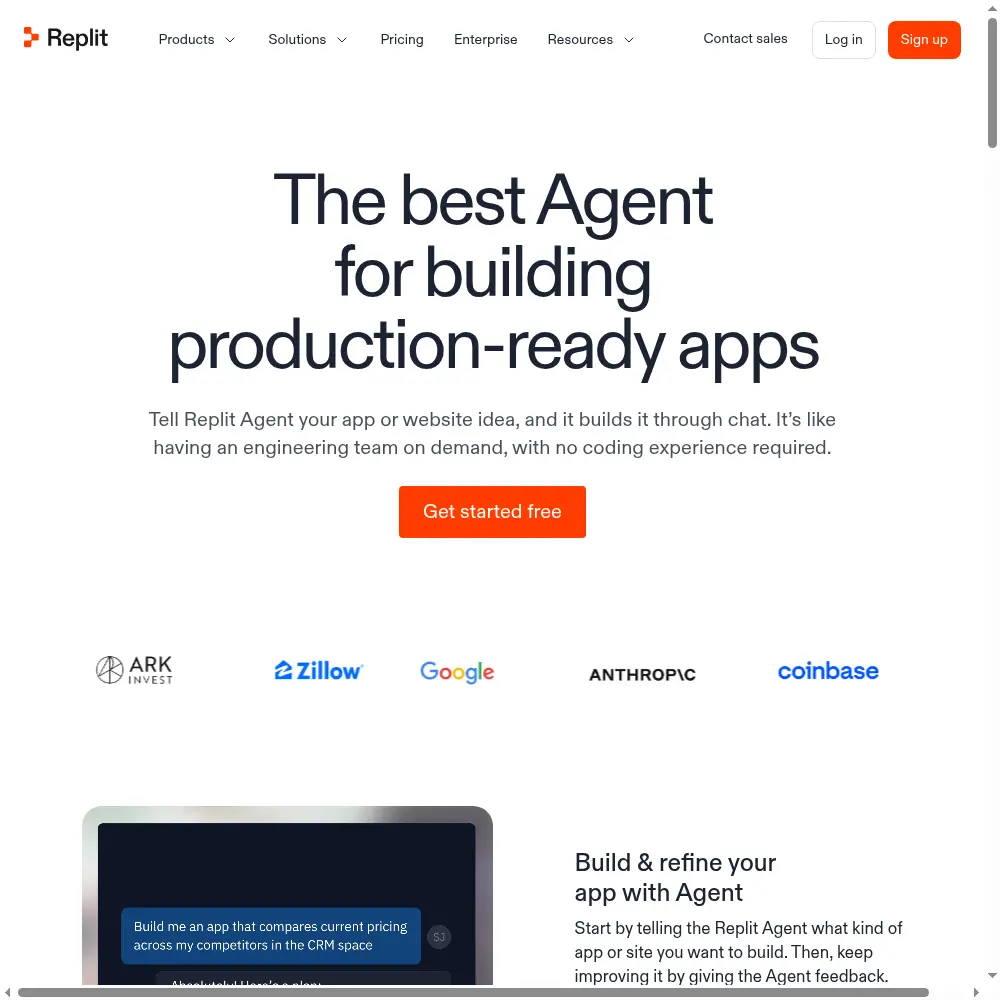
⚡ Prompt-to-deploy speed with zero local setup
This is the headline feature and it genuinely delivers. My first test prompt was “build a multi-user todo app with signup, login, and a Postgres database, then deploy it.” Within about two minutes the Agent had created the project, chosen a stack, written the schema, wired auth, and given me a live URL. I opened it on my phone and it worked. No `npm install`, no `.env` file confusion, no “wait, which version of Node.”
The reason this matters more than the raw generation quality is the deployment. Most AI coding tools hand you code you then have to run somewhere. Replit runs and hosts it for you in the same breath. That closed loop — prompt, build, run, fix, deploy — is what makes it feel like magic rather than a chatbot that emits files.
🛠️ The all-in-one workspace: IDE, DB, env vars, hosting
Once you’re in a Replit project, the left panel is a file tree, the center is the editor, the right is the running app preview, and there’s a built-in database, a secrets/environment-variables manager, and a deployment config — all without leaving the tab. For a prototype this is bliss. I never once had to ask “where do I put my API key?” because the secrets panel is right there and the Agent knows how to reference it.
The trade-off, as I mentioned, is lock-in. Your database, your env vars, and your hosting are Replit’s. You can push to GitHub, but pulling it all back out and running it elsewhere means re-wiring the database connection and the deployment yourself. That’s fine for a prototype; it’s a real consideration if you ever intend to leave.
🤖 Self-debugging and the Plan mode I didn’t know I needed
When the app crashes, the Agent doesn’t just hand you the stack trace — it reads the error, edits the code, and re-runs. I watched it loop three times on a database schema mistake before the todo app booted, and it genuinely saved me the debugging step. A G2 reviewer put it plainly:
“It just fixes its own mistakes. Half the time I don’t even need to read the error.”
That matches my experience.
Plan mode was the surprise. Instead of immediately building, it writes out a plan — “I’ll use X framework, Y database, here are the endpoints” — and waits for your OK. On my second project I let it build directly and it chose a data model that didn’t fit what I wanted; with Plan mode on the third project, I corrected the approach before a single line was written. For anything beyond a trivial demo, use Plan mode. It prevents the most expensive kind of waste: building the wrong app and then paying credits to tear it down.
📷 Screenshot-to-app and multiplayer collaboration
I dropped in a rough mockup of a dashboard and asked it to build from the image. It got the layout and the major components right — sidebar, stat cards, a table — though the exact spacing and the colors were off and needed follow-up prompts. It’s a strong starting point, not a pixel-perfect export. Treat the screenshot as a sketch, not a spec.
Multiplayer is the feature that converted me. I shared the project link with a colleague, they opened it in their browser on a Chromebook, and we both saw the same files and cursor positions. No “clone the repo,” no “install these tools.” For a non-technical stakeholder watching the app come together live, it’s the closest thing to pair programming without either party touching a terminal.
💵 The credit meter — my one serious complaint
Here’s the part I have to be honest about. The credit system is generous on paper but punishing on the kind of work that actually makes a prototype good: the visual tweaks. “Make the button rounder,” “move the sidebar to the right,” “change the font to sans-serif” — each round-trip costs credits, and after an hour of UI fiddling I had burned through a chunk of my monthly allowance. A Capterra reviewer summed up the pattern:
“It’s fast to build the first version and expensive to make it look like anything. Every visual iteration feels like a meter running.”
This is also why value is my lowest-scoring dimension. The Core plan starts at $20/month, which is reasonable, but once you’re doing real visual polish or running parallel agents, you’re looking at Pro at $100/month — and even that can overage. Set a credit budget in the dashboard before you start iterating, and treat “make it prettier” prompts as the expensive ones they are.
Pricing (and who should pick which tier)
Replit Agent runs on a credit-based system. There’s a free tier to kick the tires, and paid plans add monthly powerful-model credits, parallel agents, and collaboration seats. Annual billing knocks roughly 10% off the monthly price. The thing to watch is not the headline number but how fast your build style consumes credits — visual and long-debugging sessions are the fastest drain.
| Plan | Price | What You Get |
|---|---|---|
| Free / Free Mode | $0 | Limited AI chat hours and projects, browser IDE |
| Core | $20/mo ($18 annual) | $20 powerful-model credit, Plan mode, unlimited workspaces |
| Pro | $100/mo ($90 annual) | 10 parallel agents, Premium Support, $100 credit, 15 collaborators, DB rollback |
| Enterprise | Custom | SSO/SAML, single-tenant, static outbound IPs, custom seats |
My recommendation: start on Free to see if the workflow clicks, then move to Core ($20/month) if you’re a solo builder doing one project at a time. Only jump to Pro ($100/month) if you genuinely need multiple parallel agents, a team of collaborators, or premium support — most solo prototype builders will be fine on Core, as long as they don’t treat UI tweaks as unlimited. Enterprise is for teams that need SSO, single-tenancy, and fixed outbound IPs.
The Unfiltered Pros & Cons
The summary above is the marketing-friendly version. This section is where I list what actually worked and what actually broke, without smoothing it over.
Pros
- ✓ Unmatched prompt-to-deploy speed with zero local setup
- ✓ All-in-one IDE, database, env vars, and hosting in one tab
- ✓ Agent self-debugs and can screenshot-to-app; Plan mode reduces wrong builds
- ✓ Runs on any device including Chromebooks with live multiplayer collaboration
- ✓ Genuinely approachable for non-coders and useful to experienced devs
Cons
- ✗ Credit/usage billing produces bill shock on heavy or visual-heavy builds
- ✗ Generated code is junior-level and needs refactoring for production
- ✗ Visual iteration burns credits disproportionately versus competitors
- ✗ Strong lock-in to Replit's hosted workspace and billing system
- ✗ Third-party OAuth and complex integrations need manual intervention
Final Verdict
Replit Agent remains the fastest way to turn a plain-English idea into a live, deployed full-stack app without local setup. The caveat is credit/usage billing: heavy builds burn allowances fast and bill shock is the top complaint.
Here’s the 30-second decision test. Do you want to turn a plain-English idea into a live, clickable full-stack app today without touching a local setup — and are you comfortable watching a credit meter while you polish it? Then Replit Agent is the best tool in this category, and I’d start on the Core plan.
If, on the other hand, you need a fixed monthly budget, complex third-party OAuth integrations, or you intend to build something production-grade that you’ll eventually take off Replit’s platform, you’ll fight it. The generated code is junior-level and will need refactoring for real production load, and the lock-in is real. It’s a superb prototyping and internal-tools tool — not a one-way ticket to a scaled SaaS. Know which of those you’re doing before you swipe the card.
Frequently Asked Questions
Is Replit Agent a separate product from Replit?
No. Replit Agent is the AI coding assistant built directly into the Replit IDE — you open a Replit workspace and chat with it there. There’s nothing to install; it’s part of the Replit browser-based development environment.
Can a non-coder actually build a real app with it?
Yes, for prototypes and internal tools. I watched non-technical teammates ship a working waitlist and a small CRUD tool without writing code. The limits show up on complex auth flows, custom integrations, and production performance — those need either a developer or a lot of painful prompt iteration.
Why is everyone complaining about the credits?
Because building the first version is cheap, but polishing it visually and fixing its own bugs burns credits fast. Each “tweak the UI” or self-debug round-trip meters against your allowance. Set a budget in the dashboard and treat visual iteration as the expensive part of the workflow.
Can I export my code and host it somewhere else?
You can push to GitHub, but the database, environment variables, and deployment are tied to Replit’s hosted stack. Moving off means re-wiring the backend yourself. It’s possible, but it’s not a clean one-click export.
Do I need a powerful laptop to use it?
No — that’s one of its best features. Everything runs in Replit’s cloud, so a Chromebook, tablet, or any machine with a modern browser is enough. The actual compute happens on Replit’s servers, not your device.
User feedback sourced from G2 and Capterra reviews.
About the Author